
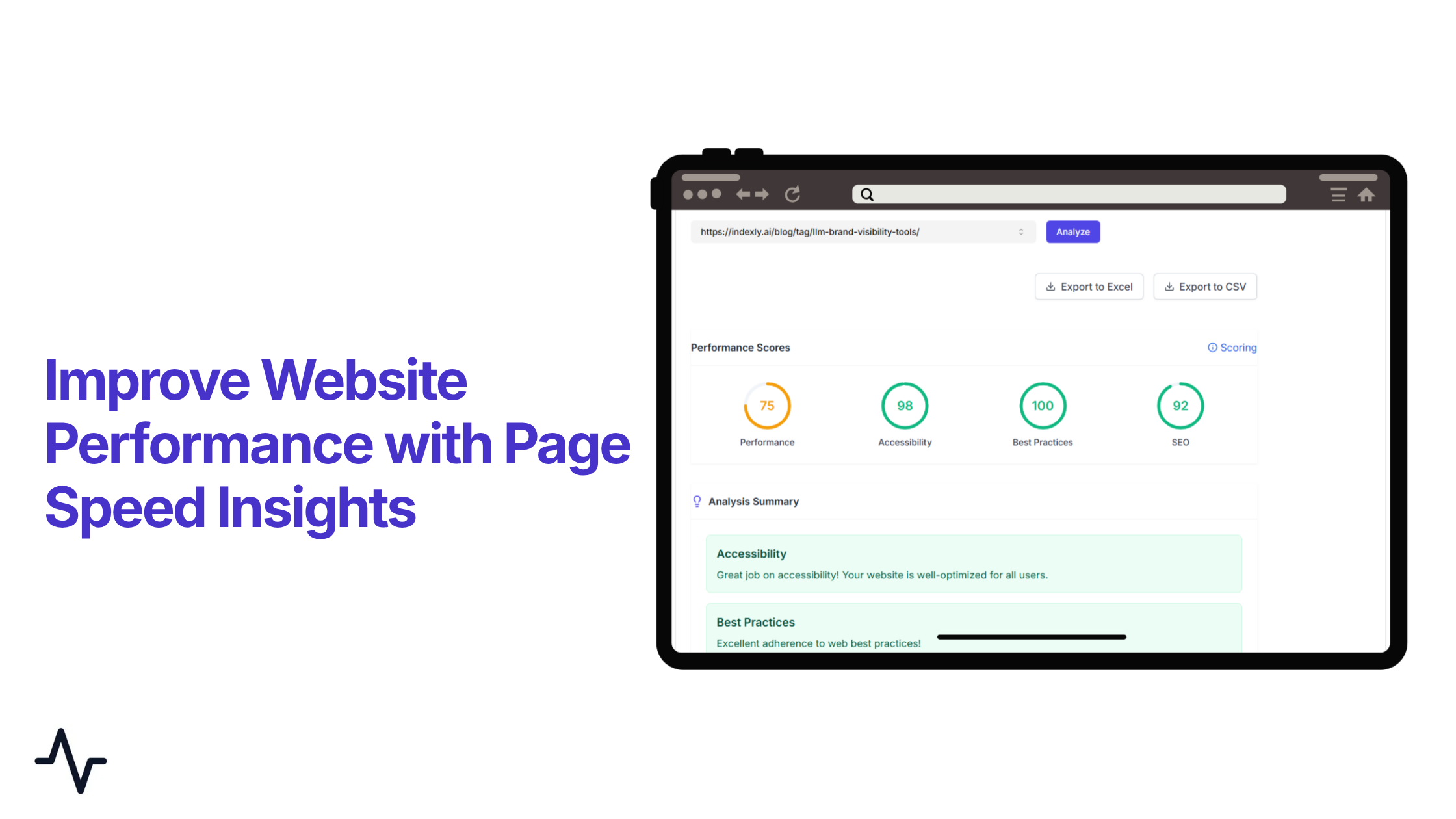
Your website’s speed can determine whether it ranks, converts, or gets ignored. Performance is no longer just about loading time; it directly influences user experience, search visibility, and how AI-driven engines process your content. This is where page speed insights becomes essential. It helps you check website speed, identify performance bottlenecks, and understand what’s slowing your site down—from poor Largest Contentful Paint to unstable layouts and delayed interactions.
But insights alone aren’t enough—you need a way to turn data into action. That’s where Indexly comes in. By combining Google PageSpeed Insights, technical SEO, and automated indexing, it helps you improve website performance, boost your page speed score, and stay competitive across both search engines and AI systems. In this guide, you’ll learn how to analyse, fix, and optimise your site for faster performance and better rankings.
Indexly
Indexly is an AI search visibility and technical SEO tool that helps you optimise page speed, fix SEO issues, be visible on AI engines, and improve overall website performance. It combines automated indexing with actionable insights to ensure your pages are discovered, crawled, and ranked faster across search engines.
What is Page Speed Insights?
Page Speed Insights (PSI) is a website performance testing tool that analyses how fast a webpage loads and how smoothly it runs on both mobile and desktop devices. It is widely used to evaluate page speed, detect performance issues, and enhance overall website performance for improved SEO and user experience.
The tool combines real-world user data with lab-based testing to produce a page speed score ranging from 0 to 100. A higher score indicates faster loading speed, better optimisation, and improved user experience.
Page Speed Insights is commonly used to check what is slowing a page down, such as heavy files, inefficient code, or delayed rendering. It also evaluates important user experience signals known as Core Web Vitals, which play a key role in page speed optimisation and search engine rankings.
Read: Best 10 Google Pagespeed Tools for enhancing Google Site Performance
Technical SEO and Page Speed Insights - Why it is important for your website in AI engines
Technical SEO ensures that a website is structured in a way that search engines can easily crawl, understand, and index. It focuses on improving how efficiently a website loads, how content is organised, and how smoothly search bots can access different pages.
Page Speed Insights becomes important in this process because it helps identify performance issues that can slow down a website. Slow-loading pages, heavy scripts, or unoptimised resources can negatively impact how search engines process and rank a site.
In AI-powered search systems, fast and well-optimised websites are easier to crawl and index. When pages load quickly, search engines can access more content in less time, which improves indexing speed and visibility in search results.
Technical SEO also depends on how clearly a website presents its structure. If a page loads slowly or elements appear late, it can affect how search engines interpret the content hierarchy. This is why improving page speed is an important part of overall SEO performance.
Page Speed Insights helps support this by highlighting issues that affect loading speed and user experience. Fixing these issues improves overall website performance, strengthens technical SEO, and helps search engines process content more efficiently. Even minor speed improvements can translate into higher click-through rates from search results and increased opportunities for organic traffic growth.
In short, Technical SEO and Page Speed Insights work together to ensure that a website is fast, accessible, and easy for search engines to understand, which directly improves visibility and ranking potential.
How to Use Page Speed Insights Inside Indexly to enhance Website Speed (Step-by-Step)
Indexly makes it easy to check website speed and analyse performance without switching between tools. Instead of manually using external platforms, everything can be accessed directly within the dashboard, making the workflow smoother and more efficient.
Step 1: Navigate to Indexation Section
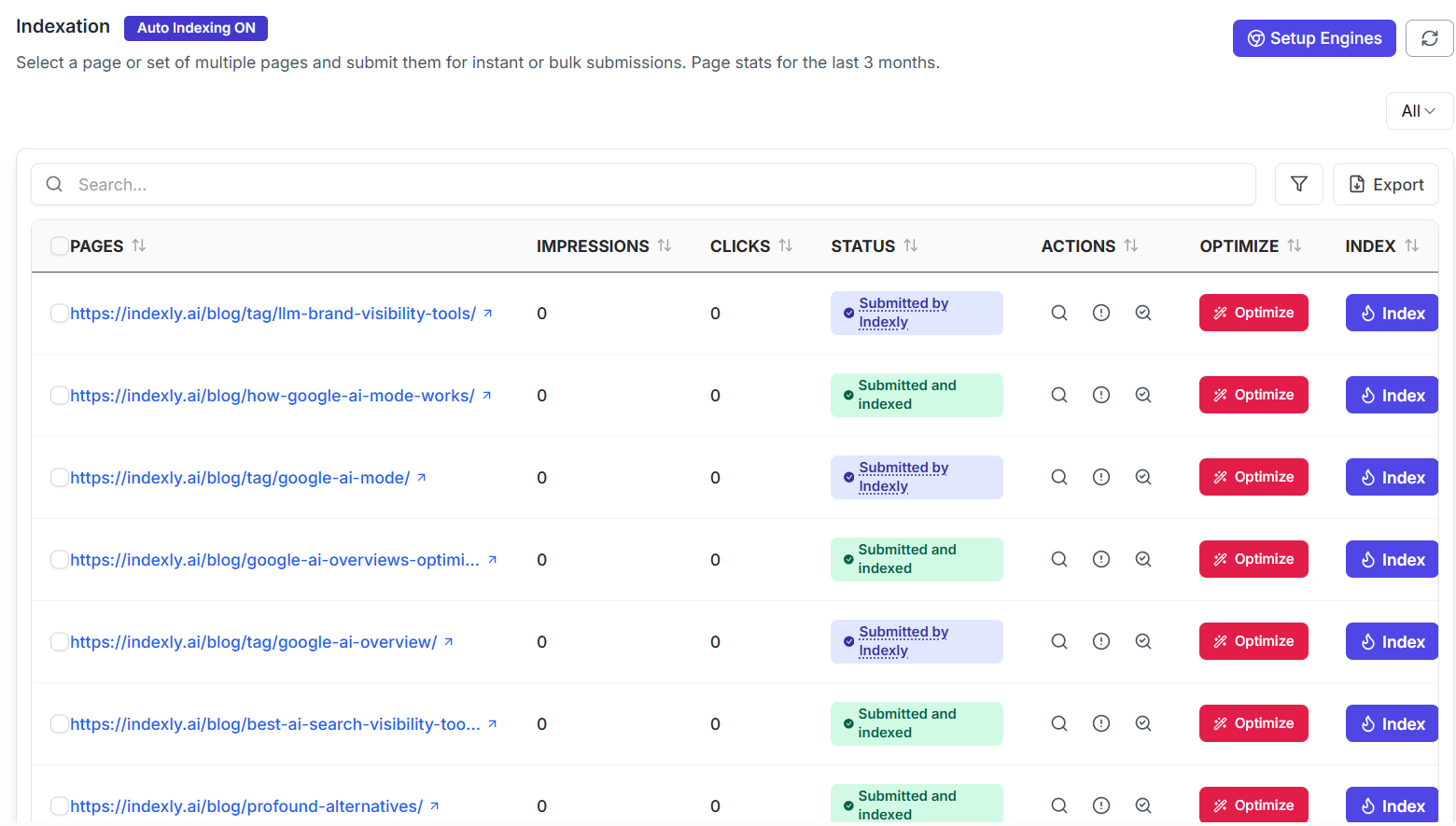
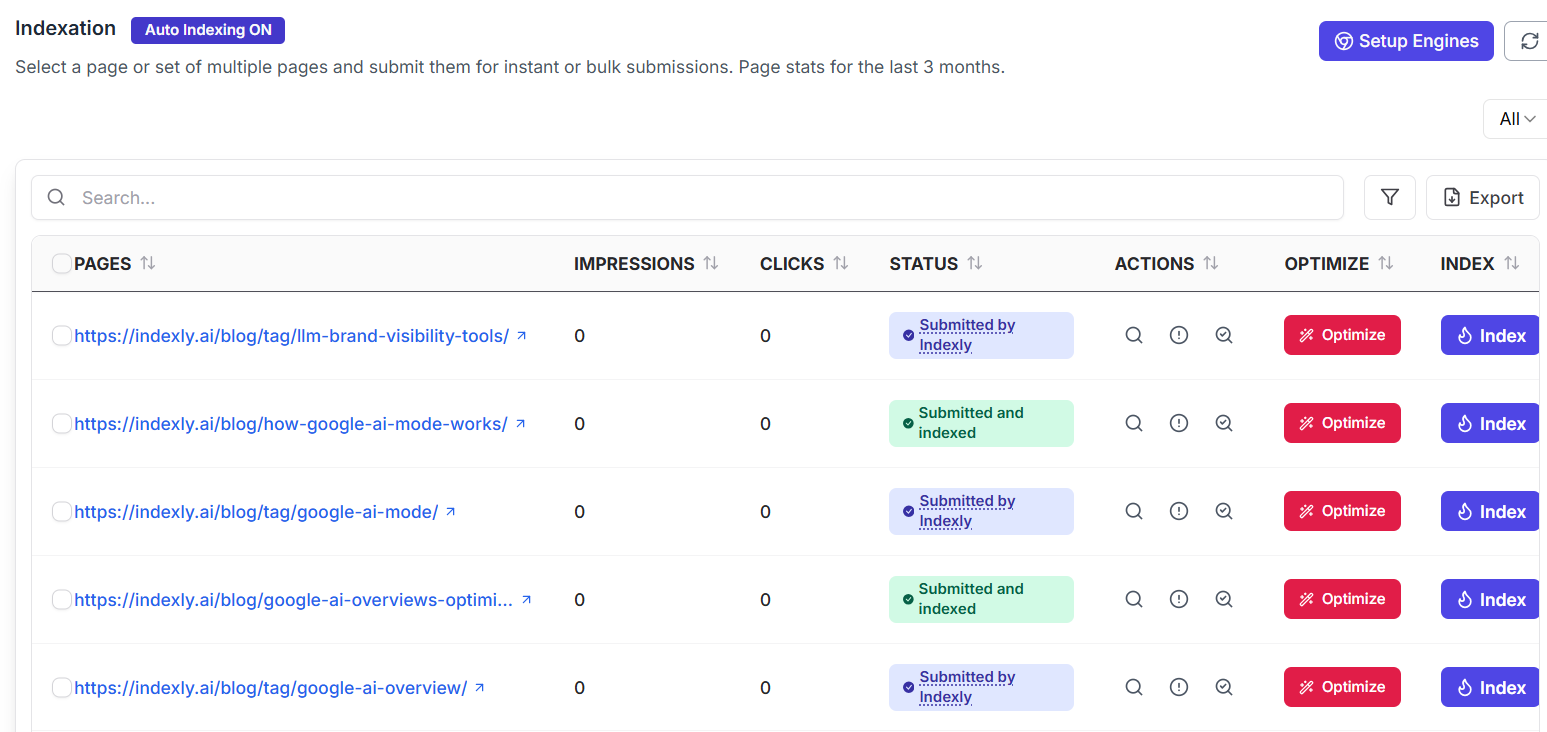
To begin, go to the Indexation tab inside Indexly. This section provides a complete overview of your website pages along with key performance indicators. Here, you will see important data such as impressions, clicks, page status, available actions, optimisation options, and indexing controls. This centralised view helps you understand how each page is performing from both an SEO and visibility perspective.
Step 2: Open the Actions Menu
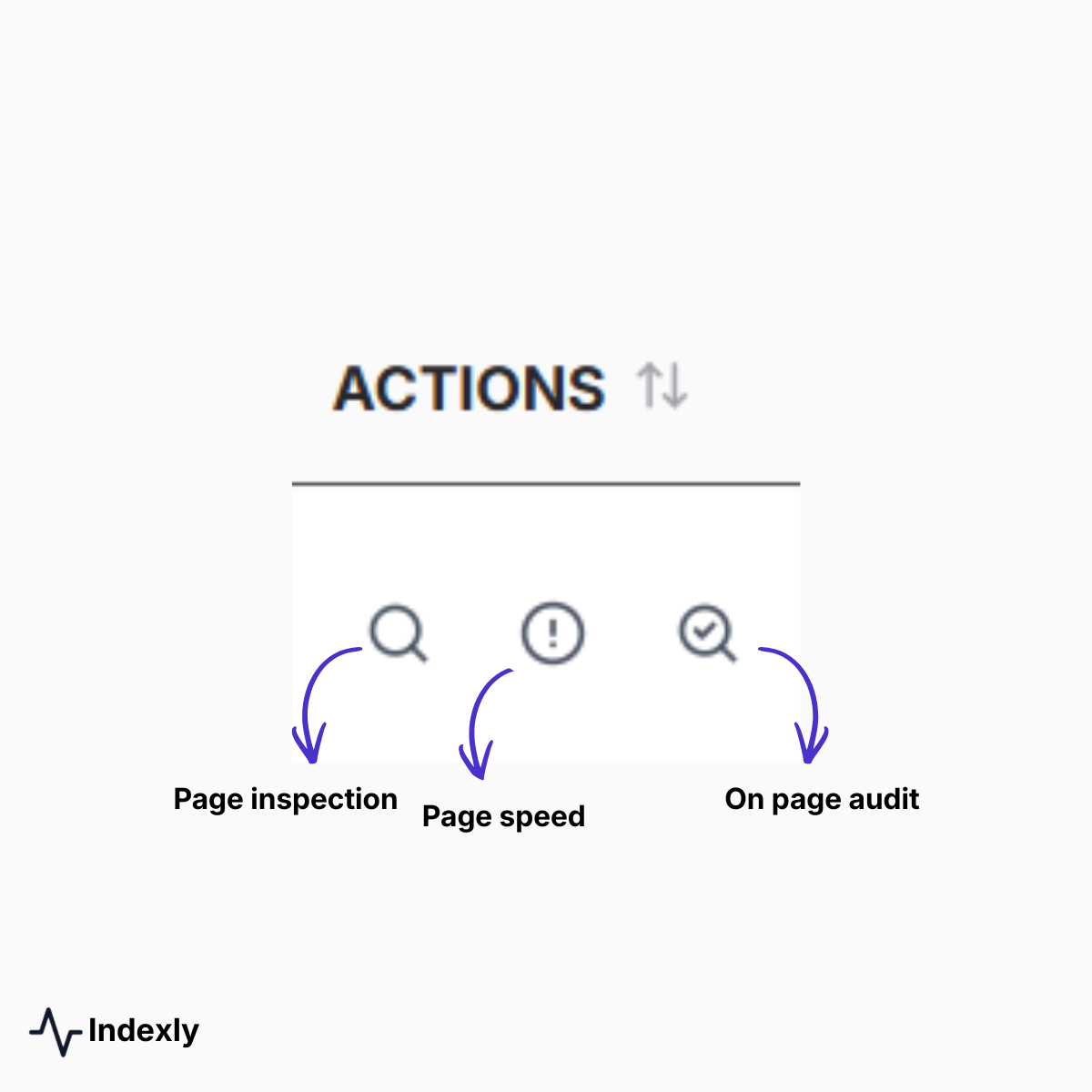
Once you identify the page you want to analyse, click on the Actions option associated with that page. This menu provides access to multiple tools, including Page Inspection, Page Speed, and On-Page Audit. To proceed with performance analysis, you need to select the Page Speed option, which is specifically designed to evaluate loading speed and overall page efficiency.
Step 3: Run Page Speed Analysis

After selecting Page Speed, a new tab opens with the Page Speed Analysis dashboard. In this interface, you can search for and select a specific URL that you want to analyse. Once the URL is selected, clicking on the Analyse button will initiate the process. The system takes a few minutes to collect and process performance data before generating a detailed Page Speed Insights report.
Step 4: Understand the Performance Scores
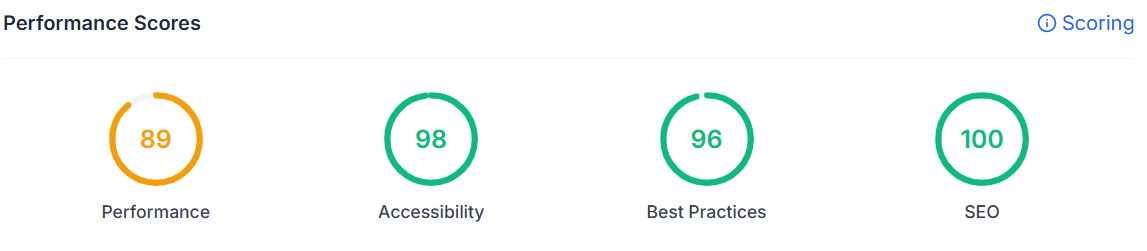
When the analysis is complete, Indexly displays a set of performance scores that give a quick overview of your page’s optimisation level. These include the Performance score, Accessibility score, Best Practices score, and SEO score. Together, these metrics provide a clear snapshot of your overall website performance and highlight areas that require attention.
Step 5: Review the Analysis Summary
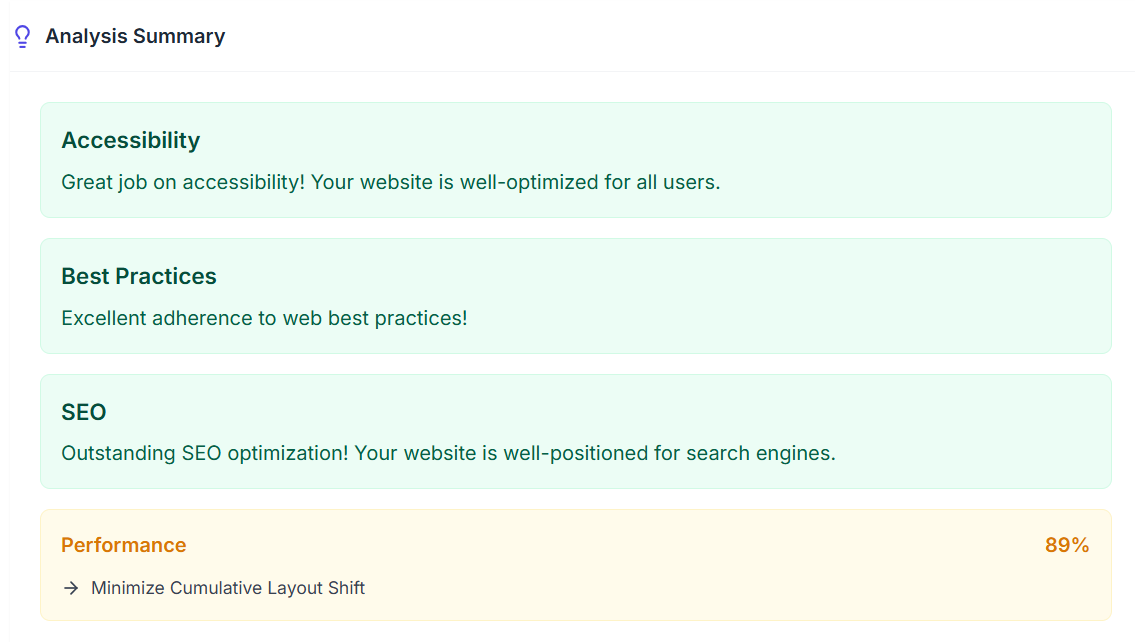
Below the scores, you will find the Analysis Summary section, which explains the results. Instead of just presenting raw numbers, this section describes what is working well on your page, what issues are affecting performance, and where improvements are needed. This makes it easier to interpret complex data and take meaningful action.
Fixing Page Speed Issues Using Indexly
One of the most valuable features of Indexly is the Checks and Fixes section, where all performance issues are listed along with their corresponding suggestions. This eliminates guesswork and provides a clear path for improving your page speed score.
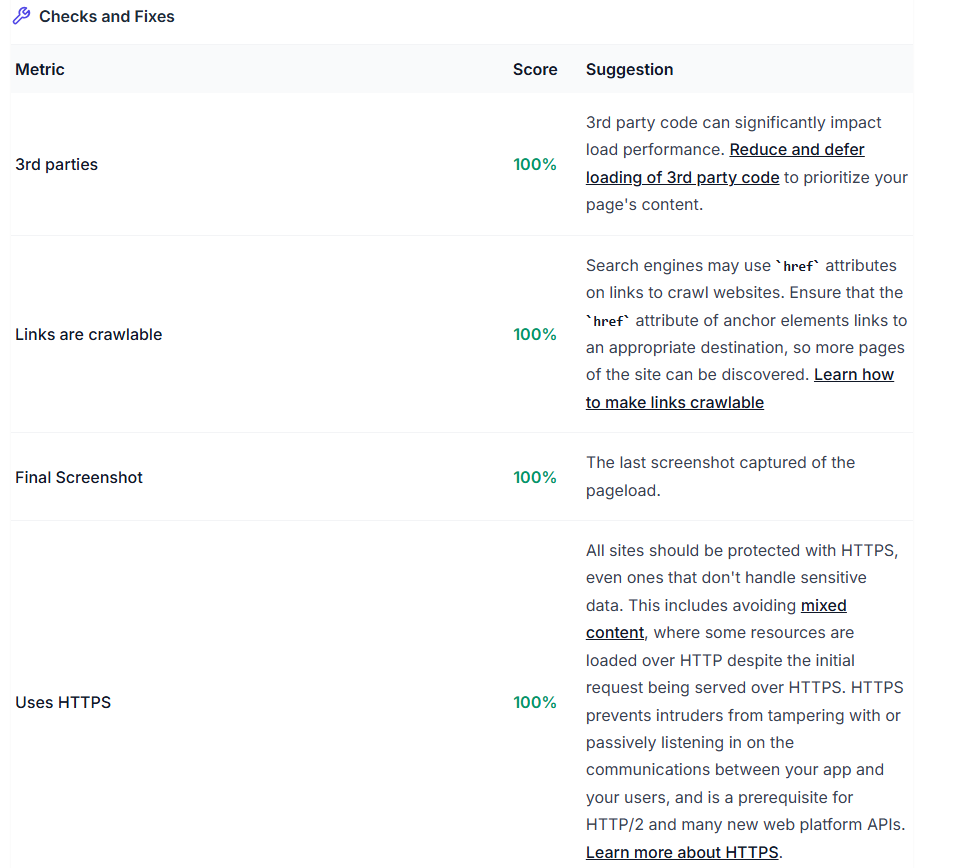
Common Issues and How to Fix Them
1. Largest Contentful Paint (Low Score)

When the Largest Contentful Paint score is low, it indicates that the main content of your page is taking too long to load. This often happens due to large image files, slow server response times, or unoptimized resources. Improving this involves optimizing hero images, using faster hosting or a CDN, and preloading important resources so that key content loads faster.
2. Avoid Large Layout Shifts
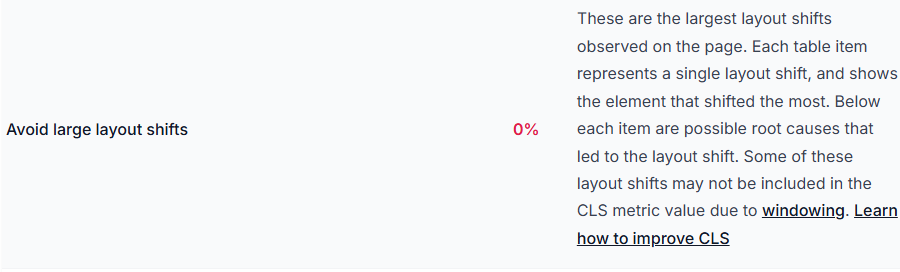
Layout shifts occur when elements move unexpectedly during page loading, creating a poor user experience. This issue can be resolved by setting fixed width and height attributes for images and other elements, avoiding dynamically injected content that changes layout, and reserving space for ads or embedded components. These improvements directly enhance visual stability.
3. Render Blocking Resources

Render-blocking resources, such as certain CSS and JavaScript files, can delay the page from displaying content quickly. This problem can be addressed by deferring non-critical JavaScript, inlining critical CSS, and removing unused styles. These changes help ensure that essential content loads first without unnecessary delays.
4. Reduce Unused JavaScript

Unused JavaScript increases page load time by adding unnecessary code that the browser still needs to process. This can be improved by removing unused libraries, breaking scripts into smaller chunks, and loading JavaScript only when required. Reducing unnecessary code improves efficiency and speeds up page loading.
5. Network Dependency Tree

A complex network dependency tree means that multiple resources depend on each other, creating long loading chains. This slows down page performance. Simplifying this involves reducing request chains, combining files where possible, and prioritizing critical resources so that essential elements load faster.
6. Use Efficient Cache Lifetimes

Without proper caching, browsers need to reload resources every time a user visits the page. This increases load time. Implementing browser caching, using a CDN, and setting long cache expiry headers ensures that frequently used resources are stored locally, improving repeat visit speed.
7. Heading Structure Issues

Improper heading structure affects both SEO and accessibility. If headings are not in a logical order, search engines and assistive technologies may struggle to understand the content hierarchy. This can be fixed by maintaining a proper sequence, such as H1 followed by H2 and H3, without skipping levels.
8. LCP Request Discovery

If important content is not prioritized during loading, it can delay the Largest Contentful Paint. This issue can be resolved by ensuring that critical content loads early, avoiding lazy loading for above-the-fold images, and making key resources easily discoverable by the browser.
9. Image Optimization Issues
Images are one of the biggest contributors to slow page speed when they are not optimized properly. Large image files, incorrect formats, and missing dimensions can increase load time and affect performance metrics. To fix this, compress images without losing quality, use modern formats like WebP, and serve responsive images based on device size. It is also important to define image width and height to avoid layout shifts and use lazy loading for non-critical images.
What Indexly Does Differently
Indexly goes beyond basic page speed optimisation by combining performance, indexation, and SEO analysis into one platform. Instead of using multiple tools, everything is available in a single dashboard, making it easier to manage overall website performance.
The Indexation feature allows users to track which pages are indexed and monitor metrics like impressions and clicks. This helps quickly identify pages that are not indexed and need attention.
Indexly also provides an On-Page SEO Audit, which checks individual pages for issues affecting indexability and rankings. It highlights problems related to page structure, metadata, and content, helping improve overall SEO performance.
The Page Inspection tool shows indexing status across search engines like Google, Bing, and Yandex. This makes it easy to understand where a page is visible and where it is not.
In addition, automatic indexing helps speed up the process of getting pages indexed, improving visibility without waiting for search engines to crawl them manually.
Another key advantage is its content writer, which assists in content generation and optimisation. Indexly can help generate content, improve headings, and structure pages in a way that aligns with SEO best practices. It also gives images, content layout, and on-page elements, ensuring that pages are not only fast but also well-structured for better rankings.
Overall, Indexly connects performance insights with SEO, AI-driven content optimisation, and indexation, making the entire optimisation process faster and more efficient.
Conclusion
Optimising your website for speed is a core requirement for better rankings, improved user experience, and stronger visibility in AI-driven search environments. Tools like Google PageSpeed Insights make it easier to check website speed, identify performance issues, and understand what impacts your page speed score.
However, real results come from consistently acting on these insights. By improving key metrics like Largest Contentful Paint, Cumulative Layout Shift, and Interaction to Next Paint, you can significantly enhance both user experience and overall website performance. These improvements not only help with traditional SEO but also make your content more accessible and efficient for AI engines.
This is where Indexly simplifies the process. Instead of juggling multiple tools, it combines page speed optimisation, technical SEO, and automated indexing into one platform. From analysing performance using a Lighthouse report to fixing issues and improving indexation, Indexly helps turn insights into measurable growth.
In the end, a faster website means better engagement, higher rankings, and increased chances of being discovered—whether by search engines or AI systems.
FAQs
What is a good page speed score?
A good page speed score typically falls above 90 in Google PageSpeed Insights. Scores between 50–89 need improvement, while anything below 50 indicates significant performance issues that should be addressed.
How can I check website speed effectively?
You can check website speed using tools like Page Speed Insights, which provide detailed reports on performance, loading times, and Core Web Vitals. Platforms like Indexly make this process easier by integrating these insights into a single dashboard.
Does page speed affect SEO rankings?
Yes, page speed is a confirmed ranking factor. Faster websites provide better user experience, lower bounce rates, and improved crawl efficiency, all of which positively impact SEO and visibility.
What are Core Web Vitals and why are they important?
Core Web Vitals are key performance metrics that measure user experience. These include Largest Contentful Paint (LCP) for loading speed, Cumulative Layout Shift (CLS) for visual stability, and Interaction to Next Paint (INP) for responsiveness. Improving these metrics is essential for better page speed optimisation and rankings.
How does image optimization improve website performance?
Image optimization reduces file size and improves loading speed. Using compressed images, modern formats like WebP, and proper dimensions helps improve page speed and prevents layout shifts, enhancing overall website performance.
What is a Lighthouse report in Page Speed Insights?
A Lighthouse report is a detailed performance audit generated by Google PageSpeed Insights. It evaluates aspects like performance, accessibility, SEO, and best practices, helping you identify areas for improvement.
How can Indexly help improve page speed optimisation?
Indexly helps by combining Page Speed Insights, technical SEO audits, and automated indexing. It identifies issues, provides actionable fixes, and helps improve your website performance and page speed score in a structured way.
How often should I check my website performance?
It is recommended to monitor website performance regularly, especially after updates or content changes. Frequent checks ensure your page speed remains optimised and aligned with SEO best practices.