Best Naver Indexing Tools for Site Visibility
Boost Naver indexing and site visibility with Indexly’s pro tools tailored for SEO teams, agencies, and brands targeting Korean search.


Introduction
Naver SEO is its own discipline, even for teams already strong on Google. Many sites with clean technical setups, fast performance, and solid content still fail to gain traction on Naver because the algorithm prioritizes different signals and surfaces Naver-owned properties first. If you treat Naver like a simple translation of your Google strategy, you usually end up invisible for competitive Korean queries.
To compete for searches like “서울 맛집 블로그” or “여행 후기,” you must understand how Naver favors blog posts, user-generated content, and vertical services over traditional blue-link organic results. That means technical SEOs, agencies, and in‑house marketers need workflows and tooling expressly designed around Naver’s crawling behavior, content formats, and SERP layout.
Why generic SEO isn’t enough for Naver
Naver leans heavily on its own ecosystem—Naver Blog, Naver Cafe, Knowledge iN, Shopping, and more—so a Google-only playbook leaves major visibility gaps. For instance, a Shopify store that ranks well on Google US might see almost no Naver traffic unless it also invests in Naver Shopping feeds, localized reviews, and Blog content targeting Korean search intent.
Technical configuration alone will not offset weak coverage across these properties. Teams that succeed in Korea typically combine a solid website foundation with Naver-native assets, structured submission via Naver Search Advisor, and monitoring tools that reflect how Korean users actually search and click.
What “Naver indexing tools” really means
"Naver indexing tools" is best understood as a stack rather than a single product. It includes Naver Search Advisor for sitemap and RSS submission, log analyzers that track Naverbot, and platforms like Indexly that monitor indexation health across Google, Naver, Bing, and other engines from one dashboard. Used together, these tools shorten the time between publishing and visibility.
For example, an agency managing a 50,000‑URL ecommerce site might pair server log analysis to verify Naverbot hits, Indexly for crawl and indexation alerts, and Naver Blog automation to seed fresh internal links. This layered approach exposes technical obstacles early and proves impact to stakeholders with concrete indexation and traffic reports.
What this guide will cover
This guide walks through 10 real tools, from Naver-native products to third‑party SEO platforms, and shows how to assemble them into practical stacks for solo consultants, in‑house teams, and large agencies. You will see how to combine Naver Search Advisor, Naver Blog, analytics, log files, and Indexly to accelerate discovery and fix crawl issues before rankings suffer.
Across the guide, you will find concrete scenarios—such as a SaaS brand entering Korea or a local retailer expanding into Naver Shopping—so you can map each tool choice to real business goals, not just abstract best practices.
What Are Naver Indexing Tools?
Naver indexing tools are platforms and utilities that help you control how Naver’s crawlers discover, evaluate, and surface your content across its search ecosystem. For SEO teams working in Korea, these tools are as critical as Google Search Console is for global SEO.
According to How Naver Indexing Works: A Complete Guide for Beginners, proper setup of Naver’s own webmaster tools is often the difference between a site barely visible in Naver results and one that consistently earns traffic from web, blog, news, and shopping tabs.
Naver-Native Platforms and Webmaster Integrations
Naver offers its own toolkit, including Search Advisor and Naver Blog, that lets you submit URLs, manage sitemaps, and review crawl diagnostics. These native tools are the first layer of control over how Naverbot discovers and interprets your site architecture.
For example, a Korean e‑commerce brand like Coupang can use Naver Search Advisor to submit fresh product URLs within minutes of launch, helping new SKUs appear faster in Naver Shopping and web search than waiting for passive crawling alone.
Technical SEO Tools for Naver Crawling Health
Beyond Naver-native platforms, technical SEO tools help surface issues that block or slow Naverbot, such as incorrect 4xx/5xx status codes, robots.txt conflicts, or sluggish server response times. These problems often hit Naver rankings even when Google seems unaffected, because Naver’s crawler is more cautious with unstable sites.
Using a crawler like Indexly’s technical audit, teams can detect pages where Korean hreflang is missing or mobile rendering fails, then prioritize fixes for templates that power thousands of URLs. That level of precision is crucial for large content sites competing in Naver’s blog and knowledge panels.
Analytics, Rank Tracking, and Visibility Monitoring
Analytics and rank-tracking solutions round out the toolkit by measuring how effectively your content is surfaced across Naver’s verticals. Instead of just checking overall traffic, you can isolate performance in web, blog, news, or shopping results and tie shifts back to specific technical or content changes.
Agencies in Seoul often pair Naver Analytics with a rank tracker plus server logs, then benchmark results before and after technical fixes recommended by platforms like Indexly. When impressions and clicks from Naver web search rise 20–30% after resolving crawl-waste and sitemap issues, it validates the impact of their indexing strategy.
Global Platforms Supporting Naver Indexing Indirectly
Only a handful of tools are built specifically for Naver, but many global SEO and performance platforms provide indirect support. Log analyzers, CDNs, and structured data validators all contribute to a cleaner crawl environment that benefits Naver just as much as Google or Bing.
For instance, using Cloudflare to stabilize response times and an audit platform like Indexly to reduce 404s can increase the crawl efficiency of Naverbot, which Naver indexing guides highlight as a key factor for consistent visibility in Korean search results.
Who Needs These Tools?
Naver-focused SEO tools are critical for anyone who relies on Korean search visibility, not just those chasing rankings in Google. Because Naver’s algorithm, SERP layout, and verticals (Blog, Cafe, Shopping, KnowledgeiN) behave differently, you need data and workflows tailored to how Koreans actually search and click.
Indexly helps tie Naver crawling and indexation together with Google, Bing, and other engines in a single technical SEO view. That unified layer is essential when you’re scaling campaigns across APAC and can’t afford blind spots in South Korea.
SEO Professionals Running Korean or APAC SEO Campaigns
SEO specialists handling Korean or multi-country APAC programs need tools that expose how Naverbot crawls, indexes, and ranks content alongside Googlebot. A keyword that performs well on Google.co.kr may underperform on Naver if Blog or Cafe content dominates the SERP instead of regular web results.
For example, an SEO manager at Agoda or Booking.com targeting Seoul hotel searches must track Naver-specific visibility, not just Google Search Console data. Using Indexly’s crawl monitoring and log insights, they can confirm whether key hotel landing pages are discovered and refreshed by Naverbot as frequently as by Googlebot.
Digital Marketing Agencies Serving Korean-Market Clients
Agencies that manage Korean campaigns for brands like Nike Korea, Coupang sellers, or regional SaaS vendors need repeatable, reportable workflows. Clients care about leads, sign-ups, and revenue coming from Naver traffic, not just impressions.
With Indexly, an agency can set up scheduled Naver indexation audits for multiple clients and roll those into consistent monthly reports. For instance, a Seoul-based agency can show a retail client that after fixing 4xx errors and slow APIs, Naver organic sessions grew 18% quarter-over-quarter, backed by crawl and index status charts.
Business Owners Targeting South Korea
Founders and marketing leaders running e-commerce, SaaS, or local service companies into Korea need predictable visibility in Naver search results. Relying on brand ads alone is expensive; owning organic Naver real estate lowers customer-acquisition costs over time.
A U.S. SaaS company expanding to Korea, like Notion or Canva did, must ensure its Korean-language docs and landing pages are quickly indexed. Indexly’s automated indexing checks and alerts can flag when new Korean resources lag in Naver, so the team can adjust internal linking, sitemaps, or hosting before launch campaigns go live.
Webmasters and Developers Managing Technical SEO Health
Engineers and webmasters control the infrastructure that determines whether Naverbot can crawl content efficiently. Issues like misconfigured robots.txt, inconsistent hreflang, or slow servers on Korean ISPs can quietly cap organic growth.
For a media site hosted in the U.S. but targeting Korean readers, Indexly can surface latency spikes for Naverbot and highlight sections with excessive 301 chains. A developer can then test a Korean CDN edge, reduce redirect hops, and measure improved crawl coverage and index freshness in subsequent Naver-focused audits.
Product Managers and Content Teams Localizing for Korean Users
Product and content teams responsible for Korean localization need dependable Naver visibility data to guide what they build and publish. Topic ideas, feature documentation, and support content should align with real Naver search demand, not just English-language trends.
For instance, a product manager at a fintech app entering Korea could use Indexly data to see that Naver users search more for detailed fee breakdowns and tax implications. That insight supports creating dedicated Korean FAQs and blog posts, then tracking how quickly Naver indexes those assets and which formats (blog vs. support docs) gain better visibility.
Related Articles:
Reference: → why-index-pages-on-google
Reference: → time-for-indexing-on-google
Reference: What Tools Are Essential In A Household/Which ...
Naver Search Advisor
Overview
Naver Search Advisor is Naver’s official webmaster platform, giving you a direct window into how Naverbot crawls, evaluates, and indexes your site. It fills a similar role to Google Search Console but is tailored to Naver’s Korean search ecosystem and verticals such as news, blogs, and shopping.
Using tools like impressions, click data, and crawl diagnostics, brands can track exposure and troubleshoot visibility issues. Agencies such as InterAd highlight in their guide How to Use Naver Search Advisor: A Full Guide that it’s now considered a baseline requirement for serious Naver SEO work.
Technical Requirements
Before using Search Advisor, you need a Naver account and verified site ownership. Verification can be done via HTML file upload, meta tag, or DNS record, similar to Google Search Console. For example, a U.S. retailer targeting Korea might upload the HTML verification file via cPanel, then confirm ownership within minutes.
Naver strongly prefers clean UTF-8 encoding, accessible robots.txt, and properly structured XML sitemaps. InterAd’s guide notes that misconfigured robots.txt often blocks Naverbot from CSS and JS, so Korean agencies routinely audit these files alongside indexation checks for large ecommerce sites like Coupang-scale catalogs.
Competitive Positioning
Among Naver-focused tools, Search Advisor is the only first-party data source. Third-party platforms, including Indexly, can estimate crawl frequency or surface technical issues, but only Search Advisor confirms what Naverbot actually saw and indexed.
For an agency reporting on a multi-engine strategy, Search Advisor acts as the Naver-specific diagnostic hub that feeds into broader dashboards. A typical workflow is: use Indexly for full technical audits across Google, Bing, and Naver, then validate Naver-specific crawl stats and error codes directly inside Search Advisor.
Getting Started
To get started, log into your Naver account and register your domain as a new property. Most SEO teams choose meta-tag verification because it fits neatly into existing tag management setups like Google Tag Manager or Tealium.
Once verified, submit your XML sitemap (for example, https://example.com/sitemap.xml) and request indexing for priority URLs, such as new category pages or localized landing pages. Based on InterAd’s Naver Search Advisor full guide, Korean agencies typically monitor error reports weekly and track improvements in index coverage over 30–60 days.
Key Features
Naver Search Advisor groups features around verification, submission, diagnostics, and performance insight. This structure makes it easier to align with your existing SEO workflows and tools such as Indexly, Screaming Frog, or GA4.
Core Features
- Site verification and management for multiple domains and subdomains
- Direct URL submission and XML sitemap registration
- Crawl, robots.txt, and blocked-resource diagnostics
- Indexation and click-through reporting for Naver search
- Controls for presence in Naver news, blog, and other verticals
For instance, a SaaS brand operating kr.example.com and blog.kr.example.com can manage both in one Search Advisor account, push updated sitemaps after each deployment, and quickly spot when a misconfigured CDN blocks Naverbot from key JS bundles.
Pros
Search Advisor’s main strength is its official, first-party status. Data like crawl counts, index confirmation, and Naver-specific error messages cannot be replicated exactly by external tools.
- Official Naver data and diagnostics unavailable elsewhere
- Direct control over sitemap and URL submissions
- Essential for understanding Naverbot crawl behavior
- Completely free, suitable for sites from small blogs to large portals
For a mid-sized U.S. fashion brand entering Korea, this means you can validate whether localized category pages are truly indexed in Naver, then combine those insights with Indexly’s log-file level crawl simulations for a fuller technical picture.
Cons
Despite its importance, Search Advisor has limitations, especially for global teams. The UI is predominantly in Korean, and official documentation is not as expansive as Google’s.
- Korean-first interface can hinder non-Korean-speaking teams
- Limited automation, integrations, and API access
- No deep content audits or competitive intelligence
- Learning curve when mapping errors to exact fixes
Multinational agencies often pair Search Advisor with translation support and tools like Indexly or Screaming Frog. For example, they might export crawl-error CSVs from Search Advisor, translate key error labels, and merge them into a central issue tracker in Jira.
Pricing
Naver Search Advisor is completely free for verified site owners, with no hidden usage tiers. Whether you manage a small WordPress blog or a complex marketplace with millions of URLs, the platform itself does not charge.
Real costs come from developer time, localization, and SEO resourcing. InterAd’s guide to Naver Search Advisor stresses that international brands usually budget for Korean-speaking SEO support and complementary tooling such as Indexly to operationalize the insights across multiple search engines.
User Sentiment
Among Korean SEOs, Search Advisor is regarded as non-negotiable for any site that relies on Naver traffic. Agencies mention that it offers faster and more accurate feedback than trying to infer behavior from rank trackers alone.
Common feedback includes appreciation for its accurate exposure data but frustration with limited UX polish and automation. Many practitioners recommend using Search Advisor as the authoritative Naver signal layer, then plugging exports into Indexly, Data Studio, or Power BI to build cross-engine SEO performance dashboards.
Reference: 네이버 서치어드바이저 - NAVER
Naver Blog
Naver Blog
Overview
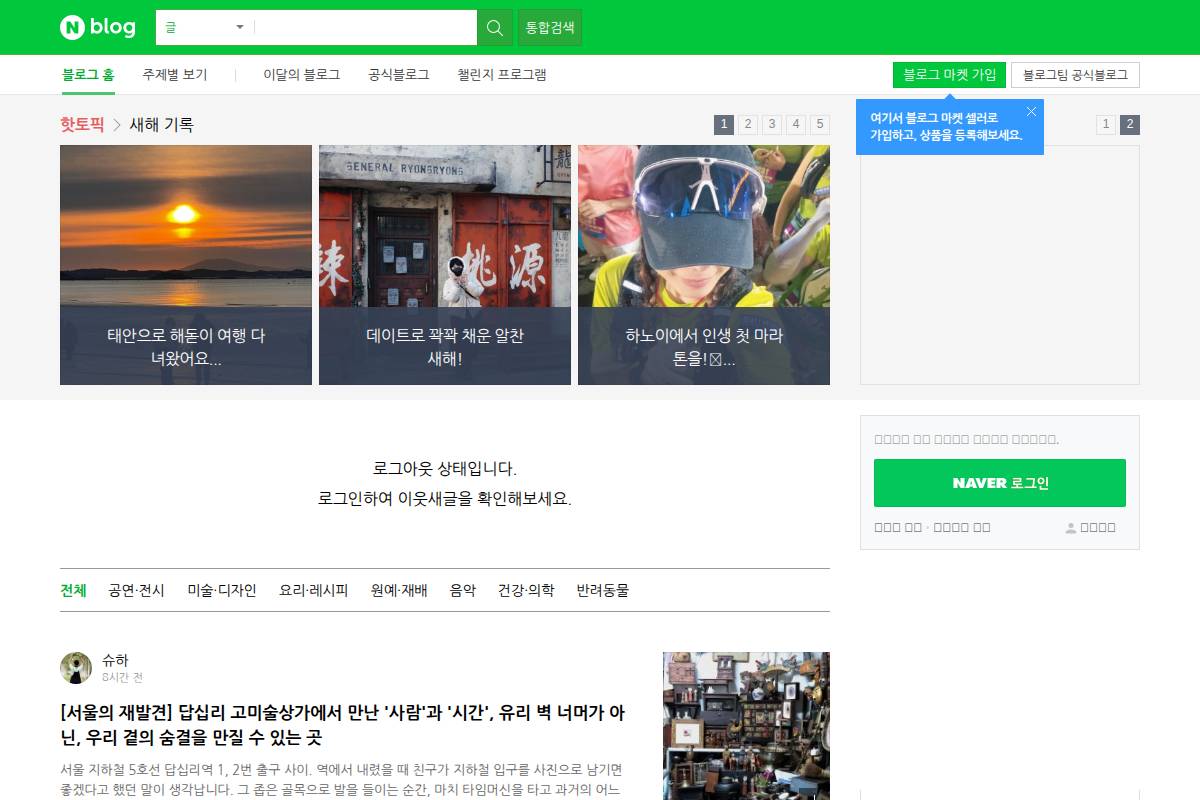
Naver Blog is Naver’s native blogging and publishing platform, tightly connected to Naver search, Smart Store, and Naver Café. For brands targeting South Korea, it acts as a content hub that Naver’s algorithm understands and surfaces prominently for product reviews, trips, food, and local services.
Because it is part of the Naver ecosystem, blog posts often index faster than content on standalone .com domains. For example, Korean cosmetics brands like Innisfree and Etude regularly publish launch reviews and how‑to content on Naver Blog to dominate branded and category queries before competitors can outrank them on external sites.
Technical Requirements
Getting started requires only a Naver account and compliance with Naver’s content and community guidelines. There is no separate hosting setup, SSL management, or CMS maintenance, which makes Naver Blog attractive for lean in‑house teams and agencies managing multiple local brands.
Because Naver manages performance and uptime, your main technical priorities shift to on‑page SEO: consistent branding, Korean keyword optimization, and strategic interlinking to your main site or Smart Store. Many ecommerce brands, for instance, link comparison guides on Naver Blog directly to product detail pages to convert search visibility into measurable revenue.
Competitive Positioning
Compared with self‑hosted blogs on WordPress or Webflow, Naver Blog often receives preferred exposure in Naver SERPs, especially for B2C categories like restaurants, beauty, and travel. For local searches such as “Hongdae Italian restaurant,” Naver frequently displays Blog posts above general web results.
The trade‑off is limited ownership and customization. You sacrifice advanced schema control, headless CMS setups, or sophisticated A/B testing tools. Many Korean brands therefore run a dual strategy: a Naver Blog for top‑funnel reach and an owned site for branded authority, technical SEO work with Indexly, and long‑term content assets.
Getting Started
To launch, log into Naver, create a blog profile, and configure basic branding such as name, logo, cover image, and color theme. Treat this as you would a brand’s style guide so users instantly recognize the blog as your official presence.
Then define categories and tags aligned with Korean‑language keyword research. Use tools like Naver Keyword Planner and compare with Google Search Console data, then monitor how quickly new posts are discovered using Indexly’s indexation tracking. Over time, focus posts on formats that perform well, such as review posts or “experience” articles that historically rank strongly on Naver.
Key Features
Naver Blog offers several native features that help content gain traction inside the Naver ecosystem. These tools make it easier to publish, organize, and promote content without heavy development resources.
- Native integration with Naver search, discovery feeds, and related services for broader reach.
- Simple publishing interface with templates, rich text, and media embeds.
- Organizational elements like tags, categories, and navigation menus.
- Engagement tools such as comments, neighbor subscriptions, and sharing.
- Profile options for brands, influencers, and professional creators.
Pros
Naver Blog brings tangible advantages for marketers focused on Korea, especially when paired with technical SEO platforms like Indexly on your primary domain.
- Strong inherent visibility in Naver search, especially for consumer and lifestyle queries.
- No hosting, infrastructure, or CMS development costs or maintenance.
- Fast discovery and indexing, useful for product launches and seasonal campaigns.
- Ideal for Korean‑language reviews and local information tailored to Naver users.
Cons
Despite its reach, Naver Blog is not a full replacement for an owned content platform. Control and data access are more restricted than on self‑hosted sites.
- Limited freedom over design, URL structures, and advanced technical optimizations.
- Dependence on Naver’s algorithms and exposure policies, which can shift abruptly.
- Fragmented analytics across Naver tools and external platforms.
- Less suitable for complex or highly technical content hubs that need granular control.
Pricing
Naver Blog itself is free to use; Naver does not charge hosting or license fees. Your real cost is content production in Korean—strategy, writing, design, and ongoing optimization for competitive queries in beauty, finance, or travel.
Agencies often allocate a dedicated Korean content team plus a technical SEO stack including Indexly for the main site. For example, an agency serving a global SaaS brand may invest several thousand dollars monthly in local copywriters and editors to maintain a consistent posting cadence that supports both Naver Blog rankings and broader organic growth.
User Sentiment
Among SEO professionals and Korean digital agencies, Naver Blog is widely considered essential for awareness and discovery. Local marketers frequently cite its indexing speed and alignment with Naver user behavior as reasons they prioritize it over global platforms like Medium or LinkedIn for Korean campaigns.
At the same time, experienced teams caution against treating Naver Blog as the only content asset. They generally recommend a hybrid model: use Naver Blog for reach and early‑stage search intent, while leveraging an owned domain plus Indexly for technical SEO, international visibility on Google and Bing, and long‑term content control.
Related Articles:
Reference: → why-index-pages-on-google
Reference: → time-for-indexing-on-google
Reference: Naver Blog
Naver Analytics
Overview
Naver Analytics is Naver’s native, free analytics platform designed to show how users arrive from Naver Search, Naver Blog, Café, and other Naver-owned properties. For brands focused on the Korean market, it closes the gap that Google Analytics often leaves because Naver controls a dominant share of search in South Korea.
SEO teams use these reports to see which Naver keywords, blog posts, or Power Link ads actually drive engaged visits and conversions. For example, a fashion retailer targeting “겨울 패딩 추천” can compare traffic from Naver Blog reviews versus organic Naver Search and re-invest where engagement and revenue are strongest.
Technical Requirements
To deploy Naver Analytics, you need a Naver account and access to your site’s codebase or tag manager. After creating a property, Naver generates a JavaScript snippet similar to Google Analytics, which you embed in your CMS theme (WordPress, Café24, Makeshop) or via tools like Google Tag Manager.
Because tracking relies on JavaScript, visits from browsers or ad blockers that disable scripts may not be recorded. Make sure your privacy policy discloses analytics cookies and tracking, aligning with regulations like GDPR or Korea’s Personal Information Protection Act, especially if you combine Naver Analytics with Naver Search Advisor for crawl and indexing diagnostics.
Competitive Positioning
Naver Analytics excels at recognizing Naver-specific referrers, campaigns, and SERP modules that Google Analytics often misclassifies as direct or organic. For instance, traffic from Naver Blog or Knowledge iN can be clearly attributed, giving a more accurate picture of how Naver’s ecosystem pushes users to your site.
However, it lacks the advanced cross-channel attribution, audience building, and BigQuery-style exports available in Google Analytics 4 or Adobe Analytics. Many agencies in Seoul run Naver Analytics alongside GA4, then pull both into Looker Studio or Power BI to compare Naver’s share of revenue against Google and paid social.
Getting Started
Implementation starts with creating a site property in Naver Analytics, naming your domain, and generating the tracking script. Install that script across all templates—home, product, blog, and checkout—so sessions and conversions are tracked consistently, then confirm activity using the real-time or daily overview panels.
Once data flows, configure goals tied to your KPIs: cart completions, quote requests, or trial sign-ups. A SaaS company, for example, might set a goal for “Start Free Trial” and a funnel from landing page → pricing → sign-up, segmented only for Naver traffic to evaluate which Naver keywords and campaigns deliver the highest trial-to-paid conversion rate.
Key Features
Naver Analytics focuses on the behavioral side of Naver-driven sessions and complements technical tools like Indexly. It tracks pageviews, sessions, and users with emphasis on Naver origins so marketers can separate “all traffic” from true Naver impact.
- Detailed referrer and campaign reporting for Naver Search, Blog, and ads
- Goal and funnel tracking for core conversions
- Segmentation by device, region, and entry page
- Visibility into how different Naver surfaces work together
A retailer running Naver Power Link ads plus Naver Blog reviews, for instance, can compare how each entry page performs on mobile versus desktop and adjust bids or content length accordingly.
Pros
Naver Analytics is built specifically for the Naver ecosystem, so its attribution for Naver Search, Blog, and Café is more precise than generic analytics tools. For brands whose Korean traffic is majority-Naver, this clarity is essential for budget and content planning.
- Accurate view of Naver-sourced traffic and conversions
- Free to use, with simple deployment via script or tag manager
- Works naturally with Naver Search Advisor and Naver Blog metrics
- Helps justify Naver SEO and content investments to executives
Agencies often use Naver Analytics screenshots to show clients how a specific Naver Blog campaign raised inquiry forms by, say, 22% month over month, then pair those insights with Indexly’s crawl and indexation reports for a complete story.
Cons
Compared with enterprise analytics like GA4 or Adobe Analytics, Naver Analytics is less flexible, especially for API integrations, custom event schemas, or multi-touch attribution. Its interface and documentation are predominantly Korean, which can slow adoption for U.S.-based teams entering the Korean market.
- Feature set lags behind GA4 for advanced segmentation and integrations
- Korean-first interface creates a language barrier for global teams
- Limited APIs complicate data warehouse or BI integrations
- Needs to run alongside other tools for non-Naver traffic measurement
For multinational brands, the usual pattern is to keep GA4 or Adobe as the global source of truth, then treat Naver Analytics as a specialized lens just for Korean search behavior.
Pricing
Naver Analytics is free, with no per-hit pricing, seat limits, or subscription tiers. That makes it attractive for small Korean eCommerce shops on Café24 as well as large enterprises testing Naver SEO without immediate budget approvals for new software.
Most costs are internal: developer time for installation, analyst time for reporting, and potential agency retainers for Naver-specific dashboards. Some Korean performance agencies bundle Naver Analytics reporting with Naver Ads management, charging a percentage of media spend plus a monthly analytics fee.
User Sentiment
Feedback from Korean marketers in communities like Brunch and Naver Café suggests they value Naver Analytics for clear visibility into which Naver surfaces generate conversions. Many mention that while the UI feels dated, it loads quickly and surfaces the core metrics they need without extensive training.
Teams typically operate Naver Analytics in parallel with Google Analytics to benchmark Naver against Google. An online education brand, for instance, might see that 60% of enrollments for Korean-language courses come from Naver sources, prompting them to expand Naver Blog content while using Indexly to ensure all new course pages are fully indexed in both Naver and Google.
Reference: 네이버 애널리틱스 - NAVER
Naver Power Link
Overview
Naver Power Link is Naver’s native PPC product that places sponsored links above organic results, often dominating the first screen on Korean SERPs. For brands entering South Korea, it is usually the first lever pulled to gain visibility while Naver organic algorithms slowly evaluate a new domain.
For an Indexly client launching a Korean subdirectory, running Power Link on core terms like “온라인 영어 학원” helped them generate traffic and conversion data weeks before organic pages broke into the top 20. That paid demand then fed back into Indexly’s technical audits, revealing which landing pages deserved prioritized indexation work.
Technical Requirements
To run Naver Power Link, you need a Naver account, a verified business profile, and valid billing. U.S. agencies typically partner with a Korean reseller or local office to handle corporate registration, similar to how brands work with Baidu resellers in China.
Landing pages must be fast, mobile-responsive, and compliant with Naver’s ad policies. For example, a cosmetics retailer saw disapprovals until it clarified refund terms and removed exaggerated “100% wrinkle removal” claims. Pairing Indexly’s Core Web Vitals diagnostics with Naver’s policy checklist helps keep pages eligible and performant.
Competitive Positioning
Naver holds roughly 60–70% of the search market in South Korea, meaning Power Link often outperforms Google Ads for Korean-language campaigns. International brands like Nike and Coupang routinely appear in Power Link units for high‑value queries such as branded sneakers and same‑day delivery.
Power Link doesn’t directly influence organic indexation, but the traffic can speed up data collection on engagement and conversions. Teams using Indexly can compare log-file crawl data against Power Link-driven sessions to decide where to focus technical fixes and content expansion for long-term Naver SEO.
Getting Started
The onboarding sequence is straightforward but administrative. First, register your business in Naver’s ad system, upload business registration documents, and complete any identity checks. Agencies often centralize this under a master account to manage multiple client properties.
Once approved, build campaigns around Korean keyword research using tools like Naver Keyword Planner, Ahrefs, and Indexly’s query-level log insights. For example, a SaaS brand might group campaigns by intent: “무료 CRM”, “CRM 가격”, and “CRM 비교”, sending each to a tailored landing page tested via Power Link before scaling SEO content.
Key Features
Naver Power Link comes with several performance-focused capabilities that mirror, but don’t fully match, Google Ads. Understanding these controls helps SEO teams forecast traffic while Indexly handles indexation and technical health.
- Sponsored link placements at the top and side of Naver SERPs
- Keyword-level bidding, budgets, and ad scheduling
- Reporting dashboards for impressions, clicks, and CTR
- Device, demographic, and partial location targeting
- Integration with other Naver ad products
For a retailer running a winter sale, top-of-page placements on “패딩 세일” during evening hours on mobile can be split-tested. Indexly can then map which of these queries later appear in organic logs, guiding content clusters and internal linking strategy.
Pros
- Immediate visibility in Naver SERPs while organic rankings ramp up
- Strong reach among Korean users across shopping, travel, and finance
- Effective for launches, seasonal campaigns, and flash promotions
- Granular control over bids, budgets, and targeting
An e‑commerce brand promoting Singles’ Day deals used Power Link to own “11월 11일 세일” queries and captured significant short-term revenue while Indexly-led technical improvements set them up for sustained organic traffic on broader product terms.
Cons
- No direct impact on organic indexation or rankings
- Requires constant bid, keyword, and creative optimization
- Interface and support materials primarily in Korean
- High CPCs in finance, education, and real estate
Banks running for “주택담보대출” often pay premium CPCs, so without tight conversion tracking and clear ROAS targets, budgets can evaporate quickly. Indexly users typically model scenarios combining Power Link CPA with long-term SEO cost per acquisition to justify when to taper paid spend.
Pricing
Naver Power Link runs on a CPC model; you pay only when a user clicks. There’s no platform fee, but actual costs depend on keyword competition, ad quality, and relevance. Competitive finance terms can exceed several dollars per click, similar to high-value U.S. Google Ads keywords.
Most agencies set daily budgets and start with conservative bids, then scale only once conversion rates are confirmed. With Indexly in place, teams can watch how post-click behavior and crawl metrics evolve together, reallocating spend toward pages that both convert and show strong indexation progress.
User Sentiment
Among advertisers focused on South Korea, Naver Power Link is viewed as a non‑negotiable acquisition channel, comparable to how Amazon Sponsored Products are treated by U.S. ecommerce brands. Performance is consistently strongest when ad copy, keywords, and landing pages are fully localized, not just translated.
Experienced practitioners stress keeping PPC separate from SEO goals: Power Link buys visibility, while tools like Indexly handle technical readiness, structured data, and log-based indexation monitoring. Used together, they create a phased approach—paid clicks drive short-term demand while organic presence is systematically built out.
Related Articles:
Reference: → why-index-pages-on-google
Reference: → time-for-indexing-on-google
Reference: How to Leverage Naver Powerlink for Successful Online ...
Naver Shopping Partner Center
Overview
Naver Shopping Partner Center is Naver’s dedicated merchant hub for pushing structured product data directly into Naver Shopping results. For brands targeting Korean buyers, it functions much like Google Merchant Center does for Google Shopping, but calibrated to Naver’s interface, filters, and shopping habits.
When a Seoul-based fashion retailer like Musinsa wants its catalog to surface for queries such as “남자 데님 자켓” or “Nike Air Force 1 정품,” Partner Center is the formal route. By supplying clean titles, prices, and images, merchants gain exposure to high-intent users already comparing products and ready to purchase.
Technical Requirements
To participate, brands need a Naver account tied to a verified Korean business registration, such as a 사업자등록번호 for domestic sellers. Cross-border merchants often work through local entities or agencies that hold valid registrations and can legally transact in KRW.
From a technical SEO and data perspective, your team must manage XML or CSV product feeds that include product IDs, localized Korean titles, tax-inclusive prices, image URLs, and stock levels. A commerce site running Cafe24 or Shopify Plus with Korean localization, SSL checkout, and responsive templates usually meets expectations, provided feeds stay synchronized.
Competitive Positioning
Naver Shopping Partner Center fills the same strategic niche in Korea that Google Merchant Center fills in the U.S. For an Indexly user managing multi-market SEO, this means Partner Center is the non-negotiable integration if Korea is a target channel, while traditional on-page SEO handles organic web search.
Other optimization tools can refine product pages, Core Web Vitals, and schema markup, but none replace Partner Center’s direct catalog connection. Established Korean players such as Coupang and 11st treat this connection as baseline infrastructure because it influences both visibility and paid performance inside Naver Shopping.
Getting Started
Onboarding begins with a merchant application in Naver, including business certificates, bank details, and clear contact data. Agencies that manage multiple brands often centralize this step, ensuring legal documents match what Korean authorities and Naver compliance teams expect.
After approval, you configure store branding, CS hours in Korea Standard Time, shipping policies (e.g., CJ Logistics or Korea Post), and exchange/return rules aligned with Korean e-commerce law. Then you upload or connect your feed, resolve disapprovals, assign Naver-standard categories, and track impressions and clicks to find your highest-converting SKUs.
Key Features
Naver Shopping Partner Center offers a focused feature set aimed at keeping catalogs accurate, discoverable, and shopper-friendly. For SEO and growth teams, these tools define how products appear and perform in Naver’s shopping layer.
- Comprehensive feed upload, validation, and scheduling
- Category and attribute mapping to Naver’s taxonomy
- Policy checks and disapproval reporting
- Performance dashboards and basic conversion insights
- Integrations with major Korean commerce platforms
For example, a beauty brand selling on Olive Young’s online mall can sync items into Naver Shopping, validate attributes like 피부타입 or 색상, and see which shades of a product line generate the most clicks. This makes it possible to refine titles and images based on proven search behavior.
Pros
Merchants generally view Naver Shopping Partner Center as a critical growth lever rather than a nice-to-have add-on. Its benefits compound when combined with solid technical SEO, structured data, and fast indexation across search surfaces.
- Direct, controlled entry into Naver Shopping’s index
- High-intent buyer traffic already in comparison mode
- Fine-grained control over titles, images, and pricing
- Acts as foundational infrastructure for Korean e-commerce
A D2C brand running on Cafe24, for instance, can prioritize bestsellers, push promotional prices during events like 11.11, and quickly reflect stock changes. This precision reduces wasted ad spend and improves ROAS on Naver search ads.
Cons
The platform also introduces operational overhead that teams must plan for. Large catalogs in fashion, electronics, or housewares often experience ongoing friction in maintaining clean, policy-compliant feeds at scale.
- Complex setup and maintenance for big or volatile catalogs
- Strict quality and policy standards trigger disapprovals
- Limited relevance for service-only businesses
- Korean-first interface and documentation
International brands without Korean-speaking staff often partner with local agencies or distributors to handle category mapping and appeals. This adds cost but helps prevent revenue loss from silent product removals or reduced visibility.
Pricing
Access to Naver Shopping Partner Center itself typically carries no platform subscription fee, similar to Google Merchant Center. Costs emerge from Naver Shopping commissions, CPC-based ad campaigns, and any value-added services, depending on your selling model.
Brands should also budget for development time to automate feed generation and monitoring. For example, an enterprise retailer syncing tens of thousands of SKUs might invest in a dedicated data engineer plus tools like BigQuery or Snowflake to keep product and inventory attributes aligned with Naver’s requirements.
User Sentiment
Korean merchants and cross-border sellers generally describe Partner Center as mandatory if you want serious reach in Naver Shopping. When feeds are accurate, localized, and frequently updated, brands report strong sales contributions, especially during seasonal events and Naver’s own promotional periods.
At the same time, feedback often stresses the importance of local expertise. Teams that understand Korean category nuances, vernacular search queries, and Naver’s review culture typically outperform those treating Korea as just another English-language market. For Indexly users, pairing local knowledge with rigorous technical monitoring delivers the strongest long-term visibility across Naver’s ecosystem.
Reference: 쇼핑파트너센터 - NAVER
Indexly
Indexly
Overview
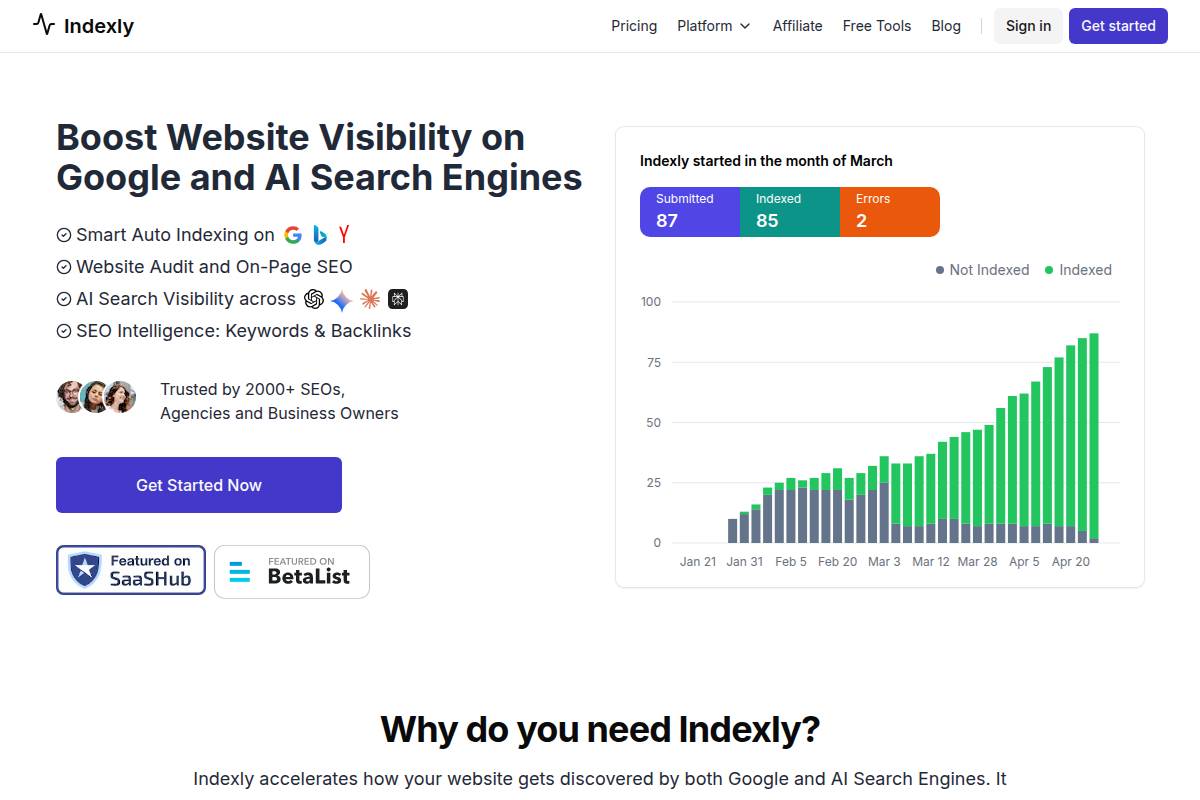
Indexly is built for SEO teams that care about how quickly and reliably their content appears across multiple search engines. Instead of spreading effort across content ideation or link outreach, it focuses on indexation speed, technical health, and coverage across Google, Bing, Yandex, Naver, and AI-driven surfaces like Google SGE.
The platform centralizes diagnostics around crawlability, index readiness, and deployment changes. For example, a SaaS company pushing daily releases can track whether new product pages are being discovered within hours, and whether Naverbot is receiving clean, localized versions for Korean users.
Technical Requirements
Because Indexly is cloud-based, teams only need a modern browser, stable internet, and the ability to verify site ownership, similar to Google Search Console or Naver Search Advisor. This makes it accessible for agencies managing dozens of domains and in-house SEO teams supporting multiple brands.
Sites should be able to tolerate scheduled crawls and API calls, especially large eCommerce catalogs with over 100,000 URLs. Optional integrations with Google Analytics 4, Adobe Analytics, and CMS platforms like WordPress or Shopify help map crawl findings to revenue, making it easier to prioritize fixes that move business metrics.
Competitive Positioning
Indexly competes most directly with technical-focused tools like Screaming Frog, Lumar, and JetOctopus, but it specializes in indexation speed and cross-engine visibility. Rather than reporting on rankings or backlinks, it emphasizes coverage and discoverability across all major search environments.
For Naver, it supplements Naver Search Advisor by offering deeper crawls, automation, and cross-engine reports in one place. Agencies serving brands such as Nike Korea or Coupang-style marketplaces can benchmark how quickly new landing pages appear in both Google and Naver, then refine deployment and feed strategies to close gaps.
Getting Started
New users create an Indexly account, add domains as projects, and complete ownership verification using DNS records or HTML file uploads, a process similar to Google Search Console. This ensures only authorized teams can access crawl data, indexation status, and change history for each property.
After verification, configure crawl depth, frequency, and restrictions to reflect your architecture and Naverbot handling. For example, a Korean content hub might crawl category pages daily, articles weekly, and exclude staging subdomains. An initial audit then surfaces indexation blockers like 5xx errors, misconfigured canonical tags, or robots.txt conflicts, which can be prioritized and monitored through scheduled alerts.
Key Features
Indexly concentrates its feature set on technical SEO automation and reporting that directly affects indexation and crawl efficiency. This makes it particularly valuable for sites with frequent releases or large URL inventories.
- Automated technical SEO audits assessing crawlability, internal linking, and index readiness across templates
- Monitoring of indexation status and coverage across multiple search engines, including Naver
- Issue prioritization frameworks ranked by severity and visibility impact
- Change tracking across deployments or migrations
- Team workflows for agencies and SEO departments
An eCommerce retailer with 50,000 SKUs can use these features to detect orphaned product pages, thin category templates, or conflicting hreflang tags for Korean and English markets. Change tracking then confirms that fixes applied during a sprint lead to measurable gains in indexed pages and organic sessions across Google and Naver.
Pros
Indexly’s value is strongest for organizations where technical SEO and indexation directly influence revenue. Its structure makes it easier for teams to move from diagnosis to implementation and measurement without juggling multiple tools.
- Strong focus on indexation speed, coverage, and technical robustness
- Consolidated visibility into Google, Bing, Yandex, Naver, and AI search environments
- Well-suited to agencies and enterprises needing scalable automation and reporting
- Actionable recommendations that help product and engineering teams prioritize changes
Cons
The subscription model and depth of features mean Indexly is not intended for casual bloggers or very small brochure sites. Teams should evaluate overlap with existing stacks to avoid paying for redundant capabilities.
- Ongoing subscription cost compared with free tools like Naver Search Advisor
- Delivers best results with strong technical SEO and development support
- Potential overlap with existing crawlers or monitoring platforms if not integrated carefully
- May exceed the needs of very small or low-change websites
Pricing
Indexly typically uses tiered subscription plans based on projects, crawl volume, and access to advanced features such as change tracking or API exports. This aligns with pricing models from tools like Ahrefs or Semrush, but concentrated on technical and indexation use cases.
Agencies managing 30–50 client sites or enterprises with multiple regional domains can often negotiate custom packages. These often include onboarding support, SLA-backed assistance, and dedicated success managers to align sprints with key events such as site migrations or large content launches.
User Sentiment
Early adopters, particularly technical SEOs and agency leads, value Indexly’s emphasis on indexation diagnostics instead of vanity metrics like generic visibility scores. They report faster identification of deployment issues, such as noindex tags accidentally applied during a redesign.
Agencies working across markets where Naver is material to traffic share—such as Korean-facing brands in eCommerce or travel—highlight time savings from centralized reporting. While public case studies are limited, feedback often references smoother migrations and fewer post-release surprises when launching new sections or expanding into the Korean market.
Reference: Indexly | Best Google Indexing and LLM Visbility Platform of ...
Screaming Frog SEO Spider
Screaming Frog SEO Spider
Overview
Screaming Frog SEO Spider is a desktop crawler that mimics search engine bots, including Naverbot, across your site’s URLs. It systematically follows internal links, collecting technical and on-page data so you can see your site the way a crawler does, not just how it appears in a browser.
Agencies like Distilled and Builtvisible have documented using Screaming Frog to uncover thousands of 404s and redirect chains on large ecommerce sites with over 500,000 URLs. For Naver SEO, the same crawl logic exposes broken internal paths and blocked sections that can slow or prevent indexation in Naver’s results.
Technical Requirements
Because Screaming Frog runs locally on Windows, macOS, or Ubuntu, hardware capacity directly affects crawl depth and speed. A 16–32 GB RAM machine is common for SEO teams crawling domains with several hundred thousand URLs, while smaller sites often run smoothly on 8 GB.
Modern versions ship with a bundled Java Runtime, so you typically avoid separate Java management. For accurate diagnostics, you should confirm access to robots.txt, HTTP response headers, and test authentication for staging or member-only areas where Naverbot-like behavior needs to be replicated before launch.
Competitive Positioning
Compared with cloud crawlers such as Lumar or Sitebulb Server, Screaming Frog emphasizes granular, on-demand audits at a relatively modest annual license. You trade always-on monitoring for precise, analyst-driven crawls you can run as frequently as needed from your own machine.
While there is no native Naver integration or indexing API, its HTTP status, log file analysis, and internal link reports align with technical requirements for any search engine. Many Korean agencies pair Screaming Frog exports with Naver Search Advisor data to cross-check crawl coverage and identify sections where Naverbot is slow or absent.
Getting Started
To begin, install Screaming Frog, then enter your domain (for example, https://www.indexly.com) and launch a crawl using the default user agent. Watch URL counts, response times, and status codes populate in real time so you can quickly spot spikes in 4xx or 5xx errors.
Once the crawl completes, review tabs for internal URLs, response codes, canonicals, and inlinks. For Naver-focused content, set up custom filters that isolate Korean-language directories like /kr/ or /ko/, export those segments, and prioritize fixes where key landing pages return 404s, chain through three or more redirects, or lack canonical tags.
Key Features
Screaming Frog’s feature set targets full-site diagnostics with configurable depth. You can adjust user agents to imitate Googlebot, Bingbot, or a custom Naverbot string, and tune crawl speed to respect server capacity while still surfacing issues quickly.
- Full-site crawling with custom user agents and throttled crawl speeds
- Granular reports on HTTP status codes, redirect hops, and canonical signals
- Bulk analysis of titles, meta descriptions, and headings across templates
- XML sitemap creation and validation for precise URL submission
- Custom extraction for structured data, hreflang, and Korean-specific attributes
For international SEO teams, custom extraction is especially valuable. For instance, a global retailer can pull all hreflang tags for ko-KR pages and verify they map correctly to English and Japanese equivalents, reducing duplication risks in both Google and Naver indexes.
Pros
Screaming Frog is widely considered a standard technical SEO toolkit because it scales from small WordPress blogs to complex marketplaces. It allows consultants and in-house teams to design very targeted audits, from orphan page discovery to finding non-200 URLs in navigation menus.
- Deep technical auditing adaptable to sites ranging from 100 to 5M+ URLs
- Trusted by leading SEO agencies as a core diagnostic tool
- Highly configurable for language-specific, section-based, or Naver-focused crawls
- Lower annual license cost compared with many enterprise cloud crawlers
Teams working on Naver leverage Screaming Frog to validate fixes before they rely on platforms like Indexly for continuous indexation monitoring. This combination reduces wasted crawl budget and shortens the time from deployment to stable rankings.
Cons
The desktop-first model means your machine bears all resource usage. Long crawls on sites with millions of URLs can require dedicated workstations or virtual machines, along with careful configuration of crawl limits and scheduling.
- Heavy crawls may slow local devices and demand substantial RAM and CPU
- No direct Naver integration, indexing API support, or SERP rank tracking
- Advanced configuration (JavaScript rendering, custom extractions) has a learning curve
- Limited native collaboration; results sharing often depends on CSV/Excel or BI tools
Agencies often connect Screaming Frog exports to Google Data Studio or Power BI to create team dashboards. Without that layer, collaboration on issues across developers, content teams, and managers can feel fragmented.
Pricing
Screaming Frog offers a free tier capped at 500 URLs per crawl, which suits micro sites or quick spot checks. However, features like custom extraction, scheduling via command line, and full configuration are reserved for paid licenses.
The paid license is billed annually per user and unlocks unlimited URLs and advanced capabilities. Because pricing can change, teams should verify current rates on the official Screaming Frog site and compare them with their crawl frequency versus potential alternatives or complementary platforms such as Indexly.
User Sentiment
Across SEO communities like Moz Q&A and r/SEO, practitioners often describe Screaming Frog as a non-negotiable part of their stack. It is especially praised for the precision of its technical reports and the speed at which it uncovers crawl blockers before they affect organic revenue.
For businesses targeting Korea, consultants report using Screaming Frog alongside Naver Search Advisor and Indexly’s audit reports to validate that key Korean templates are fully crawlable. While some users would prefer more cloud-native collaboration, they still rely on Screaming Frog as the engine that powers deeper analysis and remediation planning.
Reference: Screaming Frog SEO Spider Website Crawler
Ahrefs
Ahrefs
Overview
Ahrefs is a full-stack SEO platform that combines backlink analysis, keyword research, site audits, and rank tracking in one interface. For teams already using Indexly to fix crawl and indexation issues, Ahrefs becomes a powerful complementary tool for off-page and competitive intelligence.
While it does not integrate directly with Naver, Korean SEO teams at agencies in Seoul often rely on Ahrefs to map link profiles, discover content gaps, and benchmark against rivals like Coupang or 11st. These signals help you understand why competitors are earning authority and how that might translate into stronger visibility across Google and Naver.
Technical Requirements
Ahrefs is entirely cloud-based, so you only need a modern browser like Chrome or Edge and a stable internet connection. Many U.S. and Korean agencies run Ahrefs alongside Indexly in separate tabs, using Ahrefs for competitive data while Indexly handles crawling and index optimization.
Once you verify site ownership in Ahrefs, you unlock more complete data, including historical metrics and more frequent crawls. For Naver-focused work, set South Korea as the target location in Keyword Explorer and rank tracking, then export those insights into your content and dev workflows, where Indexly can validate that new pages are technically ready to be discovered.
Competitive Positioning
Within the SEO tool landscape, Ahrefs is best known for its backlink index and competitive link metrics. Many enterprise teams compare it directly with Semrush and Majestic, often picking Ahrefs for deeper referring-domain data and more intuitive link analysis dashboards.
Ahrefs does not provide official Naver rank tracking or an API tie-in to Naver Search Advisor. Even so, the authority and content insights from its global index help shape strategies that perform in Korea, especially when paired with Indexly’s technical audits to ensure that Naver bots can efficiently crawl critical money pages.
Getting Started
Most teams start by creating an Ahrefs account, adding their domain as a project, and running a Site Audit. This initial crawl quickly surfaces issues like 4xx errors, redirect chains, and thin content that might slow down discovery on both Google and Naver.
Next, SEOs typically open Site Explorer to study top Korean competitors in their niche and review their backlink profiles, best-performing pages, and anchor text trends. With South Korea selected in Keyword Explorer, you can then build a prioritized content and link roadmap, while relying on Indexly to monitor indexation velocity as those new pages go live.
Key Features
Ahrefs includes a rich set of tools that cover authority, content, and tracking. When combined with Indexly’s technical focus, these features give SEO teams an end-to-end workflow from strategy to execution.
- Backlink Index and Link Metrics – Reveals referring domains, anchor text patterns, and link velocity, which helps you benchmark against brands like Naver Shopping merchants or Korean media portals.
- Site Audit – Detects crawl errors, broken internal links, and slow pages that can hurt both Google and Naver visibility, complementing Indexly’s deeper technical diagnostics.
- Keyword Explorer (South Korea) – Supports localized keyword research, showing estimated volume, difficulty, and SERP snapshots for Korean-language queries.
- Content Explorer – Surfaces high-performing content across the web, helping you spot topics and angles that resonate with Korean audiences in sectors like K‑beauty or fintech.
- Rank Tracking – Monitors visibility over time for multiple search engines and regions, which agencies often compare against traffic and indexation reports from Indexly.
Pros
Ahrefs delivers notable advantages for teams that care about authority, competition, and scalable research. These strengths are particularly valuable when your technical stack already includes an indexation-focused platform like Indexly.
- Industry-leading backlink intelligence and competitor analysis with clear referring-domain data.
- Robust technical auditing that works well alongside Indexly for validating crawlability and on-page health.
- Strong support for Korean-market keyword strategy through South Korea–specific research.
- Clean interface, solid documentation, and extensive educational content such as the Ahrefs blog and YouTube channel.
Cons
Despite its strengths, Ahrefs has limitations that matter for Naver-centric and budget-conscious teams. Understanding these gaps can help you design a balanced SEO stack with Indexly and Naver-native tools.
- No direct Naver API integration or official Naver ranking data inside the platform.
- Pricing can be challenging for freelancers or small Korean startups compared with lighter tools.
- Limited insight into Naver-specific SERP features and vertical search results.
- Requires solid SEO experience to interpret advanced metrics such as UR, DR, and traffic estimations.
Pricing
Ahrefs uses tiered monthly and annual plans that scale by projects, user seats, and data limits. Agencies working both in the U.S. and Korea frequently choose mid-tier plans so multiple strategists can collaborate while keeping costs predictable.
Lower tiers are suitable for small businesses doing basic monitoring, whereas higher tiers fit enterprise brands with dozens of domains. Ahrefs has historically offered short trial or reduced-cost access periods, which teams often use to benchmark data before formalizing a long-term tool stack that includes Indexly and Naver Search Advisor.
User Sentiment
Across SEO communities, Ahrefs is consistently rated as one of the top all-in-one SEO platforms, especially for link and competitive data. Many practitioners targeting Korean audiences report that its backlink and keyword datasets remain valuable even without direct Naver integration.
Most teams pair Ahrefs with Naver Search Advisor for native logs and Indexly for accelerated indexation and technical audits. The most common concerns reported in forums and reviews are subscription cost and seat limits, which can push smaller agencies to carefully balance Ahrefs usage with more specialized tools in their stack.
Reference: Ahrefs—AI Marketing Platform Powered by Big Data
SEMrush
SEMrush
Overview
SEMrush is a multifunction digital marketing suite that brings SEO, PPC, content, and competitive intelligence into a single dashboard. Agencies like Ignite Visibility and Siege Media frequently pair SEMrush with technical tools such as Indexly to align content strategy with crawlability and fast indexation.
For teams targeting Naver, SEMrush helps validate that technical foundations meet the standards major engines expect. Its visibility tracking in Google and Bing often mirrors issues Naverbot will encounter, such as weak authority, poor internal linking, or thin content in Korean.
Technical Requirements
Because SEMrush is SaaS, you only need a modern browser and stable internet; no server installs or plugins are required. This makes it easy for distributed teams and agencies managing multiple client sites to log in, audit, and collaborate from anywhere.
Set up separate projects for each domain, then connect Google Analytics and Search Console where you can. For Korean campaigns, configure geo-targeting, language filters, and device type, and pipe SEMrush outputs into your dev backlog alongside Indexly’s audit issues so engineers work from a unified technical roadmap.
Competitive Positioning
Compared with Ahrefs, SEMrush leans into being a broader marketing hub, adding PPC planning, social tracking, and editorial workflows on top of SEO data. Many U.S. agencies use SEMrush for cross-channel planning, then complement it with Indexly for deeper technical diagnostics and indexation acceleration.
While its backlink index is strong, the standout value lies in cross-channel visibility and multi-tool integration. SEMrush has no native Naver ranking feed, but its Site Audit, Log File Analyzer, and keyword tools help keep architectures lean so Naverbot, Googlebot, and Bingbot crawl and index content efficiently.
Getting Started
To get started, create your SEMrush account and spin up a new project for each site you manage. Connect Google properties where available, then align project naming and tags with your Indexly projects so reporting and ownership stay consistent across platforms.
Run an initial Site Audit to surface crawl errors, redirect chains, orphan pages, and slow templates. Then configure Position Tracking, Keyword Gap, and Topic Research for Korean-language queries, exporting findings into your content calendar and Jira or Asana so dev, content, and outreach teams execute from the same prioritized backlog.
Key Features
SEMrush bundles several modules that support both day-to-day optimization and long-term planning. When paired with Indexly’s deep technical SEO scans and automated indexation, it covers a wide spectrum from strategy through implementation.
- Comprehensive Site Audit with hundreds of technical checks and fix suggestions
- Global keyword research and competitive analysis, including Korean-language SERPs
- Position tracking and SERP feature monitoring by engine, device, and location
- Content marketing workflows and Topic Research for on-page optimization
- Log File Analyzer for identifying crawl waste and anomalies
Pros
SEMrush’s strengths become most obvious when you manage multiple channels and need a central planning hub. Teams often pair it with Indexly to cover both cross-channel visibility and deep technical readiness.
- Broad, integrated toolkit spanning SEO, PPC, social, and content marketing
- Strong, actionable site audits with clear technical priorities
- Supports integrated SEO + PPC strategies alongside Naver Power Link ads
- Log analysis clarifies crawler behavior and potential crawl budget waste
Cons
SEMrush is powerful but can feel heavy for smaller teams focused mainly on technical SEO and indexation. In those cases, SEMrush works best as a complementary layer to more specialized tools.
- No native Naver ranking data or indexing APIs; relies on indirect signals
- Complex interface and feature set can overwhelm beginners
- Higher tiers often required for large domains and daily tracking
- Assumes working knowledge of SEO/marketing concepts, extending onboarding time
Pricing
SEMrush offers several subscription tiers with monthly and annual billing, scaling by projects, tracked keywords, and seats. Pricing targets professional marketers, in-house teams, and agencies that can fully utilize its breadth.
Trial periods and occasional discounts exist, but costs rise as you add more domains, API usage, and competitive sets. Many teams offset this by pairing SEMrush with focused tools like Indexly so they only pay for advanced technical capabilities where they truly need them.
User Sentiment
Across review platforms such as G2 and Capterra, SEMrush earns strong ratings as a cross-channel workhorse, especially for agencies managing SEO, PPC, and content together. Users often mention that its reporting consolidates work previously spread across three or four separate tools.
Practitioners targeting Naver treat SEMrush as an indirect but valuable ally for technical preparedness and planning, then rely on Naver Search Advisor, Indexly, and local keyword tools for execution. Many highlight a learning curve and stress the importance of onboarding playbooks and internal training sessions to unlock its full value.
Reference: Semrush: Data-Driven Marketing Tools to Grow Your Business
Cloudflare
Cloudflare
Overview
Cloudflare is a global CDN and security platform that sits between your origin server and visitors, accelerating content delivery while filtering bad traffic. For SEO teams using Indexly, that extra edge layer often translates into faster crawl times and fewer indexation issues across Google, Naver, and other engines.
Although Cloudflare is not an SEO tool, its impact on TTFB, uptime, and network reliability directly affects how Naverbot and Googlebot discover and refresh content. Brands like Shopify and Discord rely on Cloudflare to keep pages responsive during traffic spikes, which helps maintain consistent crawling and ranking stability.
Technical Requirements
To use Cloudflare, you update your domain’s nameservers so DNS traffic routes through Cloudflare’s network. This change is done at your registrar, such as GoDaddy or Namecheap, and usually propagates within a few hours. During this window, Indexly users should closely watch crawl logs for any temporary resolution issues.
Once active, you manage SSL/TLS modes, caching rules, and firewall policies inside the Cloudflare dashboard. For Naver, it’s critical to whitelist Naverbot in firewall and bot-management settings and confirm via server logs or Indexly crawl reports that responses return HTTP 200 rather than 403 or CAPTCHA challenges.
Competitive Positioning
Compared with hosting-only setups on AWS, DigitalOcean, or shared cPanel servers, Cloudflare adds a distributed edge layer that improves latency and resilience for all search engines. Even without Naver-specific tools, features like Argo Smart Routing and global PoPs can shave hundreds of milliseconds off requests from Korea or Japan.
The free tier is attractive for small ecommerce brands and agencies managing many microsites, while large enterprises such as L’Oréal or HubSpot typically adopt Business or Enterprise plans for advanced firewall rules and SLAs. Indexly users often combine Cloudflare with origin-side optimizations to get the most crawl efficiency per dollar.
Getting Started
New users begin by creating a Cloudflare account, adding their domain, and letting Cloudflare scan existing DNS records. After confirming records, you change nameservers at your registrar, then wait for DNS to propagate. During this stage, keep Indexly monitoring active so you can catch any misconfigured A or CNAME records quickly.
Once traffic flows through Cloudflare, enable SSL (Full or Full Strict), basic caching, and recommended security defaults. Test your site over HTTPS from different regions using tools like WebPageTest or Indexly’s performance checks to confirm that all pages, including Korean-language sections targeted for Naver, load correctly.
Key Features
Cloudflare combines performance and security services that help search bots access content reliably. Indexly users can leverage these features to stabilize crawl behavior during campaigns and product launches.
- Global CDN with edge PoPs for low-latency content delivery
- DDoS protection and web application firewall
- SSL/TLS management with HTTP/2 and HTTP/3
- Caching, image compression, and speed optimizations
- Bot management and access controls
The global CDN caches static assets such as images, CSS, and JS on servers close to users in Seoul, Tokyo, and Los Angeles. This reduces bandwidth load on your origin and often improves Naverbot’s crawl frequency because responses stay fast even under heavy user traffic.
DDoS protection and WAF rules help keep the site online when targeted by attacks or scraping floods. By blocking abusive IP ranges while letting Naverbot and Googlebot through, SEO teams avoid outages that could cause deindexing or ranking drops during critical sales periods.
Performance and Security Stack
Cloudflare’s SSL/TLS tools simplify HTTPS adoption, support HTTP/2 and HTTP/3, and allow automatic certificate renewal. This matters for Naver and Google, which treat secure, fast connections as quality signals. Many WordPress and Shopify stores use Cloudflare’s free certificates instead of managing their own.
Caching rules, Polish image compression, and features like Rocket Loader focus on reducing total page weight and round trips. Indexly audits often show noticeable speed gains—sometimes 20–30 percent faster—after properly tuned caching and compression, especially for media-heavy catalogs.
Pros
Cloudflare’s benefits are particularly visible when Indexly users track performance and crawl stats before and after implementation.
- Significant performance gains for many sites with minimal setup
- Stronger security and uptime during traffic surges
- Robust free plan suitable for many SMBs
- Support for modern protocols aligned with search best practices
Many SaaS companies report double-digit improvements in Time to First Byte after moving DNS and static assets to Cloudflare. These gains, combined with Indexly’s automated indexing, help ensure that new pages and Korean translations become discoverable on Naver faster.
The no-cost plan covering CDN, DNS, and basic security makes it feasible for small agencies to standardize Cloudflare across client portfolios. This baseline improves reliability without blowing budgets, while still allowing upgrades for clients needing custom WAF rules or regional compliance.
Cons
Cloudflare’s flexibility can also introduce risks when teams lack clear governance and monitoring. Indexly can help surface the side effects of misconfigurations in crawl and log reports.
- Misconfigured firewall or bot settings can block Naverbot
- Advanced features locked behind paid tiers
- Learning curve for complex routing and rules
- Requires separate SEO and analytics tooling
For example, aggressive firewall rules or “JS challenge” settings may accidentally return non-HTML responses to Naverbot, leading to coverage gaps. Teams should regularly inspect Cloudflare logs and cross-check with Indexly’s crawl maps to catch any blocked user agents.
Features like advanced bot management, Workers KV, and detailed analytics often require Pro or Business subscriptions. While worthwhile for large content or commerce sites, smaller publishers must weigh those costs against investing in dedicated SEO platforms, content production, and link-building.
Pricing
Cloudflare’s pricing scales from a generous free plan to high-touch Enterprise contracts. This flexibility lets agencies align network spend with client revenue and traffic levels while using Indexly to quantify SEO impact.
- Free tier with core CDN, DNS, and basic security
- Pro, Business, and Enterprise plans with advanced controls
- Costs vary by feature set, support, and compliance needs
Smaller Shopify or WooCommerce stores often start on the free or Pro plan to access WAF and better image optimization. Large marketplaces or media sites that rely on consistent Naver visibility typically choose Business or Enterprise tiers for more granular rules, custom SLAs, and priority support during incidents.
User Sentiment
Among developers, SEOs, and agencies, Cloudflare is widely regarded as a reliable way to improve page speed and resilience. Public case studies from companies like Elementor and Udacity cite reduced load times and fewer outages after adoption.
Indexly users frequently report that once Cloudflare is configured correctly—and Naverbot is explicitly allowed—crawl rates improve and downtime-related indexing problems decline. Most experienced teams stress the need for regular testing of firewall and bot rules, especially after enabling new security features or changing page rules for Korean-language sections targeting Naver search.
Reference: Cloudflare: Connect, protect, and build everywhere
Yoast SEO
Yoast SEO
Overview
Yoast SEO is a mature WordPress plugin that centralizes on‑page optimization, technical SEO, and structured data controls inside the WordPress dashboard. For teams managing content-heavy sites, it simplifies tasks like setting meta tags, configuring XML sitemaps, and handling schema markup without touching code.
While Yoast does not integrate directly with Naver, its structured approach helps WordPress sites stay clean, crawlable, and consistent. When paired with Naver Search Advisor and a platform like Indexly for broader indexation monitoring, Yoast becomes one of the foundations of a search-ready WordPress stack.
Technical Requirements
To deploy Yoast SEO, you need a self‑hosted WordPress installation (WordPress.org), admin-level access, and a server stack that meets Yoast’s minimum PHP and MySQL requirements. Many managed hosts such as Kinsta, WP Engine, and SiteGround already ship with compatible versions and offer automatic updates for WordPress core.
Keeping themes and plugins updated is critical, especially when you rely on Yoast to manage canonical URLs and XML sitemaps used by Google, Bing, and Naver. Teams targeting Korea often pair Yoast with a Naver-aware content plan and Indexly’s technical audits to verify that Korean-language URLs remain indexable and fast.
Competitive Positioning
Among WordPress SEO plugins, Yoast competes primarily with Rank Math and All in One SEO. Yoast stands out for long-term stability, a large install base (over 5 million active installations), and consistent schema support that works across most modern themes.
Although Yoast lacks Naver-specific features, its XML sitemaps, robots controls, and schema output are search-engine agnostic. For WordPress sites targeting Naver News or Blog results, Yoast provides the technical backbone, while Naver Search Advisor and Indexly supply indexation insights and structured monitoring across all major engines.
Getting Started
On a new WordPress project, you can install Yoast SEO directly from the plugin directory, activate it, and then walk through the setup wizard. The wizard guides you through site type, organization details, default indexing rules, and sitemap activation, making baseline configuration straightforward even for non-developers.
For content teams, training editors to review Yoast’s on-page recommendations is valuable. For instance, a Korean-language blog on K-beauty products can use Yoast’s readability and keyphrase checks, then track indexation velocity in Indexly to confirm that Naver and Google are picking up new posts within hours, not days.
Key Features
Yoast bundles a focused feature set aimed at everyday SEO tasks for WordPress publishers. These tools reduce manual configuration and support scalable optimization for growing content libraries.
Features
- Automatic XML sitemap generation that updates as posts, pages, and custom post types are added or removed.
- Granular control over page titles, meta descriptions, robots meta tags, and Open Graph / Twitter Card metadata.
- Schema.org structured data framework with article, organization, and breadcrumb markup compatible with most major search engines.
- On‑page SEO and readability analysis providing traffic-light style guidance for authors before publishing.
- Breadcrumbs and canonical URL management that help prevent duplicate content issues across complex category structures.
Pros
Yoast’s strengths appeal to both solo site owners and larger SEO teams that need predictable behavior and documentation. Its defaults are tuned to avoid many common technical SEO pitfalls that plague unmanaged WordPress sites.
Pros
- Widely adopted plugin with extensive guides, blog posts, and community answers, making troubleshooting and onboarding easier.
- Strong default technical configuration out of the box, reducing misconfigurations around canonical tags, sitemaps, and robots rules.
- Non‑technical editors can optimize posts using Yoast’s content analysis, improving title tags, internal links, and keyword usage.
- Regular updates and broad theme compatibility, which is important for agencies managing dozens of client sites on WordPress.
Cons
Yoast is not the right fit for every stack, especially when teams work with non-WordPress frameworks or require deeper automation. Being realistic about these limits helps you pair Yoast with complementary tools.
Cons
- Restricted to WordPress, so headless builds on Next.js or Nuxt must handle SEO logic separately or rely on other libraries.
- No direct Naver integration, reporting, or indexing controls; you need Naver Search Advisor and platforms like Indexly for that layer.
- On low‑resource shared hosting, content editing can feel sluggish when Yoast’s analysis runs on long articles.
- Advanced features such as redirect management and internal linking suggestions are only available in the paid premium version.
Pricing
The core Yoast SEO plugin is free and sufficient for many small business blogs, local service sites, and brochure-style corporate sites. This version covers XML sitemaps, meta control, schema basics, and readability analysis without recurring charges.
Premium licenses are sold on a per‑site annual basis and add features like redirect management and multiple keyphrase targeting. Agencies often combine a handful of Yoast Premium licenses with an Indexly subscription, using Yoast for on-site configuration and Indexly for indexation monitoring, log-style crawl analysis, and multi-engine reporting.
User Sentiment
SEO professionals often treat Yoast as a dependable baseline for WordPress, especially on content sites where editors work inside Gutenberg or Classic Editor daily. Public reviews in the WordPress.org directory and case studies from brands like Yoast.com show long-term reliance rather than short experimental use.
Even though Naver is rarely mentioned in user reviews, global teams running multilingual sites—such as SaaS companies targeting the U.S., Japan, and Korea—use Yoast to normalize technical SEO while relying on tools like Indexly to verify how quickly URLs are indexed in Google, Bing, and Naver, and where crawl bottlenecks appear.
Reference: SEO for everyone • Yoast
Recommendations
Getting Naver indexation right requires pairing native Naver tools with technical SEO platforms that expose crawl issues early. The stacks below prioritize direct index control, data accuracy, and scalable workflows for teams handling Korean search alongside Google and Bing.
For most brands, the goal is simple: see pages discovered quickly, understand what is and is not indexed, and align content with how Korean users actually search. These recommendations focus on practical combinations that agencies and in‑house teams can deploy within a week.
Best Tools by Use Case
The tools below are grouped by the job they do best, from direct Naver index management to broader technical audits. Treat them as a toolkit, not a single-software decision, and align choices with your traffic, stack, and team skills.
Where possible, integrate data across tools. For example, exporting crawl logs from Indexly and blending them with Naver Search Advisor coverage data can reveal which templates or language variants struggle most to get indexed.
Best overall for direct Naver indexing control: Naver Search Advisor
Naver Search Advisor is the primary interface for controlling how Naver crawls and indexes your site. You can submit sitemaps, verify ownership, inspect URL status, and review crawl errors tied to specific response codes.
For a Korean e‑commerce site with 50,000+ product URLs, regularly pushing updated XML sitemaps through Search Advisor and monitoring index coverage often surfaces template issues such as duplicate title tags or blocked faceted navigation.
Best for fast, integrated visibility through content: Naver Blog
Naver Blog posts often rank prominently in Naver’s integrated results, especially for informational queries in Korean. Brands like Kakao and Coupang use Naver Blog to publish how‑to guides, product launch stories, and customer case studies targeting long‑tail queries.
A SaaS company entering Korea might publish a 1,500‑word Naver Blog guide on “CRM 도입 체크리스트” and link contextually to its main .com site, driving both referral traffic and assisted visibility in organic Naver search.
Best for e‑commerce visibility in Naver Shopping: Naver Shopping Partner Center
Naver Shopping Partner Center is the gateway for getting product feeds into Naver Shopping results. It manages catalog ingestion, pricing data, availability, and category mapping specific to Naver’s taxonomy.
Retailers like Musinsa rely on Naver Shopping to surface thousands of SKUs with real‑time stock and price updates, capturing comparison shoppers who start on Naver rather than Google. Accurate GTINs and clean category mapping here often correlate with higher impressions.
Best for technical indexation and multi‑engine coverage: Indexly
Indexly focuses on index readiness across Naver, Google, Bing, Yandex, and AI-driven engines. It flags pages that are technically indexable but still undiscovered, highlighting issues in internal linking, canonicalization, and crawl budget usage.
An agency managing 20 client sites can use Indexly’s automated audits to spot patterns, such as Korean language sections being buried three clicks deep, then prioritize fixes that improve Naver discovery without disrupting other markets.
Best for deep, flexible technical audits on any stack: Screaming Frog SEO Spider
Screaming Frog remains a go‑to crawler for in‑depth technical audits. It can simulate Naverbot user agents, crawl JavaScript-rendered pages, and export large datasets of titles, meta descriptions, and canonical tags for bulk review.
For a news publisher pushing hundreds of Korean articles daily, a nightly Screaming Frog crawl can verify that hreflang tags, structured data for articles, and pagination are consistent before Naver’s crawlers arrive.
Best analytics companion for Naver traffic performance: Naver Analytics
Naver Analytics gives a clearer picture of how visitors from Naver Search, Naver Blog, and Naver Shopping behave after landing on your site. It tracks page performance, funnels, and device splits specific to the Korean audience.
A B2B company might learn that 70% of its Naver traffic lands on Korean-language solution pages but exits quickly from English-only resources, prompting a localized content expansion plan.
Best for link and competitive intelligence supporting Korean SEO: Ahrefs
Ahrefs offers robust backlink, keyword, and competitor analysis, with solid coverage of Korean SERPs. You can compare link profiles of major Korean brands such as 11st, Gmarket, and Coupang to benchmark your own authority.
By analyzing top‑ranking Korean pages for terms like “서울 호텔 추천,” marketers can identify common link sources, anchor text patterns, and content formats that resonate locally.
Best for integrated marketing teams: SEMrush
SEMrush suits teams running SEO, PPC, and content campaigns together. While its Korean data is not as deep as for English markets, it still helps prioritize broad topics, track branded keywords, and coordinate cross‑channel messaging.
For a global SaaS brand, SEMrush’s position tracking across markets can highlight where Korean rankings lag behind U.S. performance, signaling where localized assets or additional Korean backlinks are needed.
Best for improving crawlability via performance and uptime: Cloudflare
Cloudflare improves page speed, uptime, and security, all of which influence how often Naver’s crawlers return and how reliably they fetch pages. Faster TTFB and fewer 5xx errors typically translate into more stable indexation.
When an online marketplace turned on Cloudflare’s CDN and caching for its image-heavy Korean site, average load time dropped by over 40%, and crawl stats from multiple engines, including Naver, became more consistent.
Best for WordPress implementations targeting Naver: Yoast SEO + Naver Search Advisor + Naver Analytics
For WordPress sites, Yoast SEO handles core on‑page and technical elements like XML sitemaps, meta tags, and canonical URLs, while Naver Search Advisor and Naver Analytics provide native control and measurement.
A Korean-language WordPress blog can use Yoast to generate clean sitemaps, submit them via Search Advisor, then rely on Naver Analytics to see which posts acquire the most Naver-driven sessions and conversions.
Recommended Naver Tool Stacks
Different organizations need different depth of tooling. The stacks below balance native Naver coverage with indexation diagnostics and broader strategy insights, so you can scale from small pilot sites to enterprise environments.
Use these as reference architectures: start lean, then layer tools as complexity rises or as Naver becomes a larger share of your traffic mix.
Native visibility and tracking core stack
Begin with Naver Search Advisor, Naver Analytics, and Naver Blog. This trio secures ownership, provides visibility into crawl and index status, and leverages native content formats for fast exposure.
A startup launching in Seoul can validate domain ownership, submit key URLs, publish two Naver Blog posts per week answering customer questions, and monitor real traffic impact within the first month.
Technical readiness and early detection layer
Layer Indexly and Screaming Frog on top of the native stack to uncover indexation blockers before they hurt Naver visibility. Indexly surfaces cross‑engine index gaps, while Screaming Frog allows granular inspection and custom extractions.
Agencies often schedule monthly full-site crawls and weekly Indexly scans, catching emerging problems such as accidental noindex tags on Korean category pages within days instead of weeks.
Strategic and competitive intelligence layer
Add Ahrefs or SEMrush to guide keyword selection, topic clustering, and competitive positioning in Korean markets. Ahrefs tends to be stronger for link data; SEMrush can be better for integrated campaign planning.
For example, an education platform comparing Ahrefs keyword data with Naver’s own search suggestions can identify gaps such as “TOPIK 시험 준비” or “온라인 한국어 수업” that competitors already dominate.
Performance, resilience, and CMS alignment layer
Cloudflare strengthens uptime, DDoS protection, and delivery speeds, while Yoast SEO (for WordPress sites) ensures URLs are technically clean and sitemaps reliable for Naver and other engines. Together, they support stable indexation.
A U.S. retailer expanding into Korea might run its localized site on WordPress, configure Yoast for Korean slugs and meta, place the site behind Cloudflare, and then connect to Naver Search Advisor for ongoing monitoring.
FAQ
1. Do Naver indexing tools work differently from Google SEO tools?
Naver operates as both a search engine and a content platform, so its indexing behavior is tightly linked to its own properties like Naver Blog, Café, and Shopping. That means you cannot rely on Google-centric workflows alone.
For example, a Korean cosmetics brand might rank quickly in Naver Blog and Shopping even if its standalone website is weaker technically. Tools like Indexly, Screaming Frog, and Google Search Console still matter, but Naver Search Advisor is the control center for crawl, robots, and sitemap status.
2. How long does it take to get indexed by Naver?
Naver indexation can happen within hours for trusted domains, but newer sites often wait several days. Sites with clean architecture, fast loading, and clear internal linking typically see more consistent crawl patterns.
A Shopify store using Indexly for audits and submitting XML sitemaps through Naver Search Advisor might see new category pages indexed within 24–72 hours. Consistent publishing on Naver Blog, such as two to three posts per week, helps Naver discover new product or service URLs faster.
3. Can paid ads in Naver Power Link improve organic indexing?
Power Link campaigns run on a paid auction system and do not feed directly into Naver’s organic ranking algorithm. Your ads can appear above organic listings while your website quietly works through technical and content improvements.
A SaaS company promoting collaboration software may gain quick sign-ups via Power Link while using Indexly and Screaming Frog to fix 404 errors and thin content. The paid traffic delivers data and brand demand, but organic visibility still depends on crawlability, relevance, and authority.
4. Do I need Korean-language content to rank in Naver?
For most Korean user queries, Naver strongly prefers Korean-language pages, especially for Naver Blog and local service searches. English-only landing pages seldom capture competitive keywords like “프로젝트 관리 도구” or “서울 피부과 추천.”
Global brands such as Nike and Samsung maintain Korean versions of core pages with localized keywords and copy. Hiring a native SEO copywriter who researches Naver-specific terms can dramatically increase click-through and keep content aligned with local search behavior.
5. What’s the best starting setup for small businesses targeting Naver?
Small teams should begin with a lean stack that covers indexing, analytics, and on-page health. Naver Search Advisor, Naver Blog, and Naver Analytics form the local foundation for discovery and measurement.
A WordPress site using Yoast SEO for structured metadata, Cloudflare for faster delivery into Korea, and Indexly for multi-engine index monitoring gives owners clear visibility across Naver, Google, and Bing. As budgets expand, adding Ahrefs or Semrush helps benchmark against competitors and refine Korean keyword clusters.


