How to Use Indexly as a Link Building SEO Tool in 3 Easy Steps
Discover how Indexly helps with link building SEO in 3 simple steps—track backlinks, boost search visibility and strengthen authority.


Monitoring your backlinks is essential to protect your SEO rankings, and with Indexly, it’s quick and effortless.
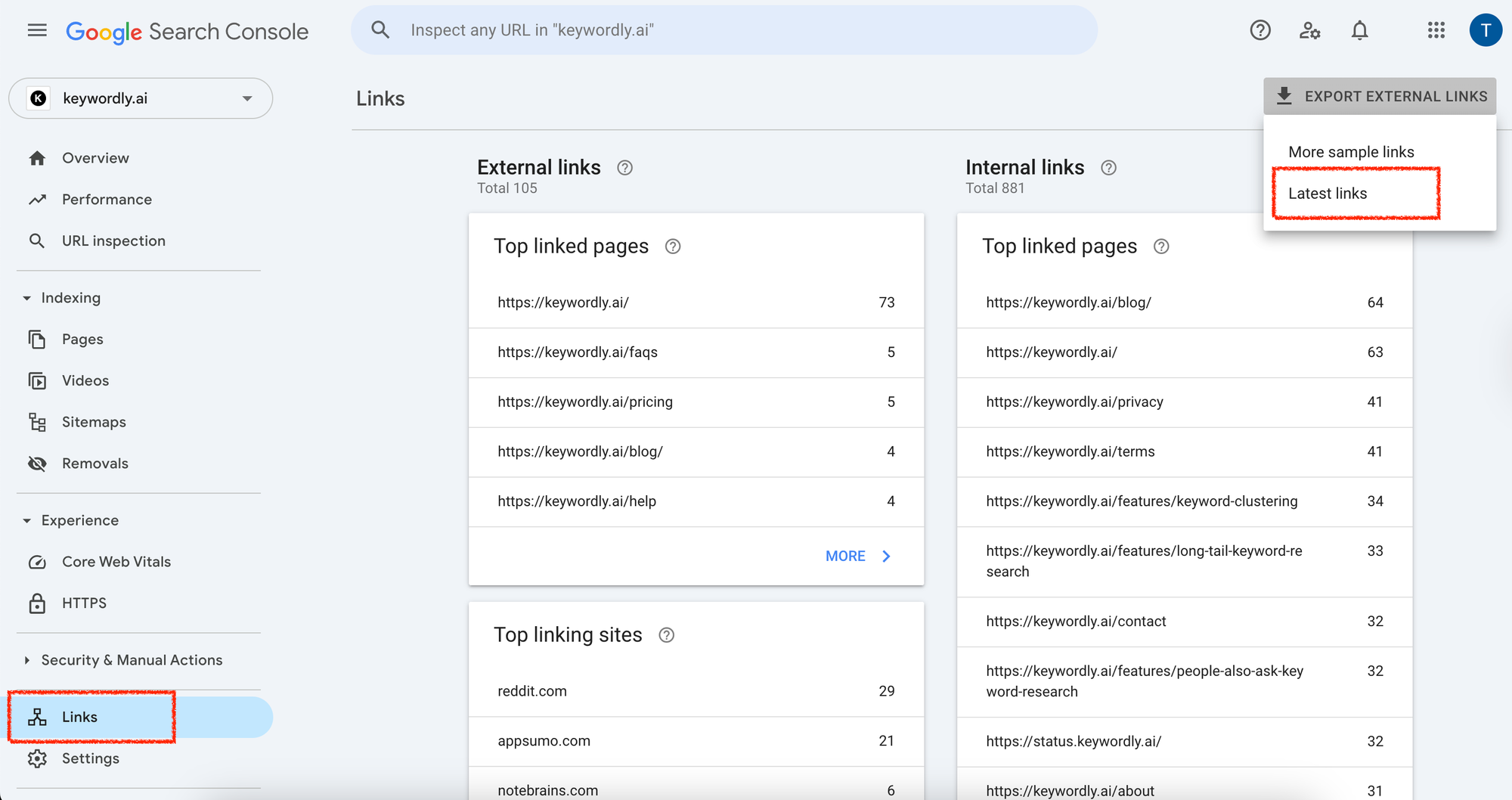
✅ Step 1: Export Your Backlinks from Google Search Console
- Log in to your Google Search Console account.
- Navigate to the “Links” section in the sidebar.
- Under “External Links,” click “More Sample links” or “Latest links”
- Click the “Export External Links” button and download the file (CSV format recommended).
✅ Step 2: Log in to Indexly
- Go to Indexly and log in to your dashboard.
- Navigate to the Backlink Checker tool.
- Create a Campaign, give a name and description.
✅ Step 3: Upload the Backlink File
- Upload the exported CSV file directly into Indexly.
- Once uploaded it wont show any data unless you start the campaign.
- Indexly will analyse each link to check if it's: Still live and pointing to your site
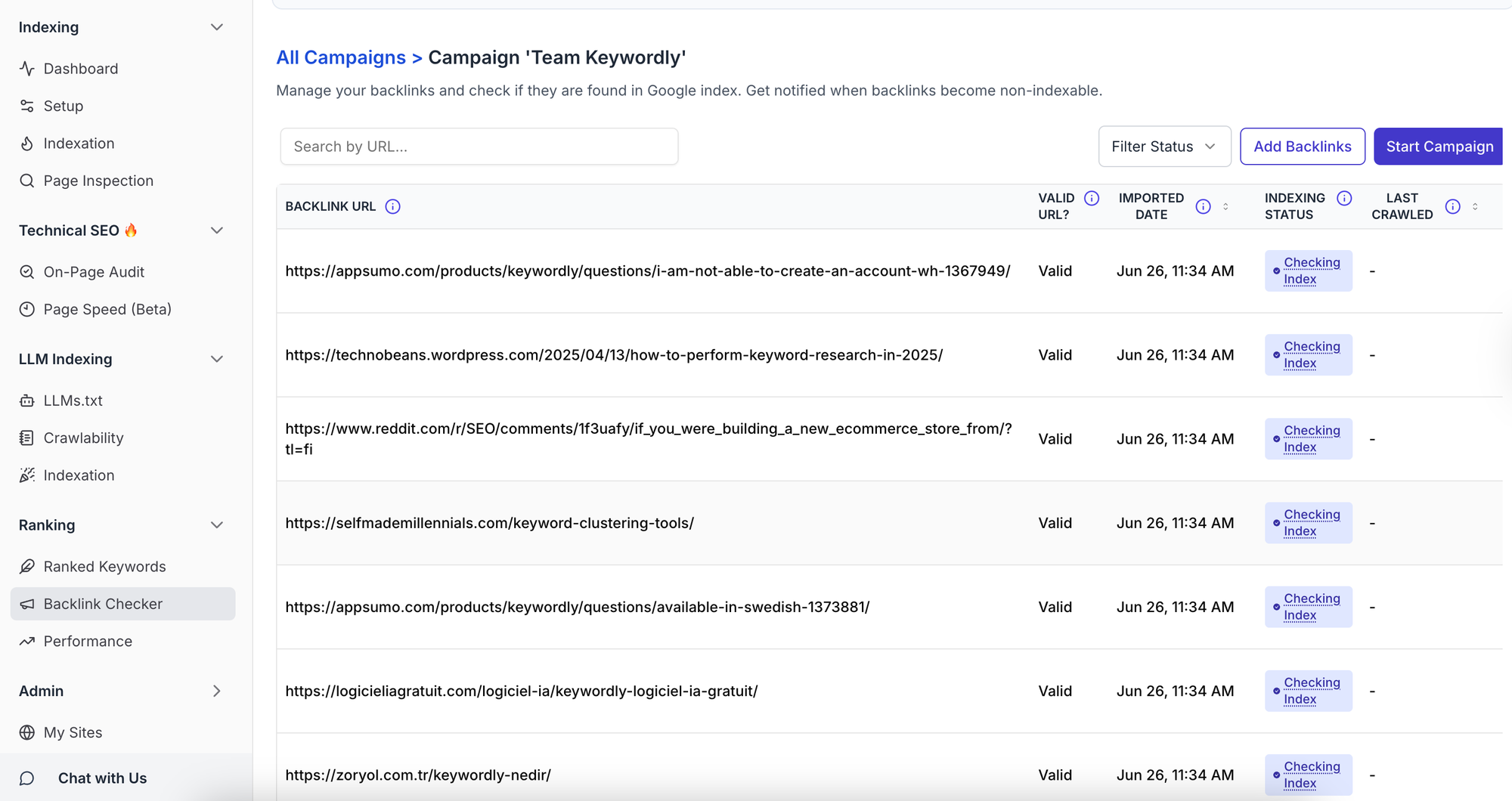
You'll get a clean report showing active, lost, or toxic backlinks—so you can take immediate action if needed.


