Top 10 Backlink Checker Tools for SEO Success

Explore the top 10 backlink checker tools trusted by SEO pros to strengthen rankings, powered by Indexly’s all-in-one technical SEO platform.

Top 10 Backlink Checker Tools for SEO Success

Introduction 🌐

Backlink profiles are a crucial factor in determining how your website ranks on major search engines like Google and Bing. A robust backlink portfolio signals authority and relevance, while toxic or irrelevant links can drag rankings down or lead to penalties. SEO professionals and digital marketers often find it challenging to keep track of their sites' backlinks, especially as link profiles can change rapidly.

Manual tracking is rarely effective for larger websites, as links frequently appear, disappear, or become harmful over time. For example, in 2023, Expedia faced a manual action from Google after a sudden influx of low-quality links affected their search visibility. This highlights how quickly backlink issues can impact performance—even established brands are not immune!

Comprehensive backlink checker tools give users a detailed overview of their current link environment. These tools help pinpoint which links are strengthening authority and which could be potential liabilities. By automating the backlink analysis process, professionals can find new opportunities, address problems proactively, and benchmark against competitors.

For example, Nike leveraged Ahrefs to identify high-impact referring domains and shifted link-building focus from underperforming sports blogs to top-tier news outlets. This data-driven approach resulted in a measurable boost in organic search traffic within six months.

What to Expect in This Guide 📊

This article introduces the top 10 backlink checker tools that provide actionable insights and concrete features for smarter link-building. With step-by-step examples and industry case studies, you'll understand how each tool stands out and how you can use them to outperform your competitors in the SERPs.

Backlinks—links from external websites pointing to your own—are a cornerstone of search engine optimization. Google and other search engines use the quality and quantity of these links to evaluate a site’s authority and relevance. As the SEO landscape grows more complex, monitoring your link profile becomes essential for protecting and improving organic rankings.

Backlink checker tools have become indispensable for businesses aiming to remain competitive online. These specialized tools do the heavy lifting by continuously analyzing all the links connected to your site. Many digital marketing teams and agencies use them to audit, strategize link building, and maintain a healthy backlink profile. Let's dig deeper into what these tools can do.

Backlink checker tools, like Semrush, Ahrefs, and Majestic, are advanced SEO software platforms that track not only the total number of links to your domain, but also key metrics like referring domains, anchor text diversity, and link authority.

For example, Semrush stands out for its backlink analytics, reportedly crawling over 43 trillion URLs to provide one of the largest backlink databases. According to the 10 Best Backlink Checker Tools for SEO Success (2025) list, Semrush lets users compare link profiles against competitors or identify new opportunities straight from its easy-to-read interface.

Identifying Opportunities and Issues 🚦

One critical reason SEO agencies use backlink checkers is to uncover valuable link-building opportunities. By analyzing competitors’ backlink profiles, businesses can discover high-authority websites worth pursuing for guest posts or mentions. For instance, Ahrefs’ "Link Intersect" feature helps pinpoint domains that link to your rivals but not your own, providing clear targets for outreach.

Equally important, these tools expose harmful or "toxic" backlinks—links from spammy or irrelevant sites that could trigger penalties. Disavowing such links can prevent ranking drops. Scheduling regular audits with platforms like Indexly enables webmasters to keep their backlink profile clean and aligned with Google’s guidelines.

Backlink checker tools aren't just for analysis—they’re critical to building a smart, safe, and growth-focused SEO strategy. For any business striving to stay ahead in SERPs, integrating a leading checker into your SEO toolkit is non-negotiable. 🏆

Who Needs These Tools? 🔍

Technical SEO tools like Indexly are more than just useful—they’re essential across a range of digital roles. From independent consultants optimizing client portfolios to agencies scaling SEO campaigns, the need for comprehensive link monitoring and site audit capabilities is universal. These solutions also enable webmasters and business owners to maintain a competitive edge and uphold their site’s reputation in increasingly AI-driven search landscapes.

SEO Professionals and Consultants 📈

Optimizing link profiles isn’t just about quantity, but quality and relevance. SEO professionals using Indexly, for instance, can get alerts on toxic backlinks, set up automated backlink audits, and quickly generate disavow files. This proactive approach helps maintain high rankings and avoid costly penalties. In 2023, an analysis by Ahrefs revealed that 66% of SEO agencies regularly audit their clients’ backlink profiles to prevent ranking drops.

For example, freelance SEO specialist Lily Ray cited Indexly's instant backlink health reports as a key tool for helping her e-commerce clients recover from manual actions levied by Google.

Agencies Aiming to Offer Comprehensive SEO Services 🏢

Digital marketing agencies need robust, scalable solutions to manage multiple client websites efficiently. The multi-site dashboard in Indexly allows teams at agencies like Ignite Visibility to monitor technical health, competitor links, and performance metrics across dozens of accounts in real time.

This saves countless hours compared to manually tracking links via spreadsheets or basic tools. Agencies can also generate white-labeled backlink analysis reports for meetings with stakeholders or client updates.

Business Owners and Digital Marketers Tracking Competitors

Understanding where competitors are getting backlinks provides valuable strategic insights. Tools like Indexly offer competitor link gap analysis, showing which referring domains drive top rankings for rivals. For example, SEMrush used this method to help a B2B SaaS client uncover 37 new, industry-relevant link-building opportunities in under a month.

Beyond backlinks, business owners often use these insights to inform content outreach and digital PR campaigns.

Webmasters Ensuring Site Health and Avoiding Penalties 🛡️

Webmasters bear the responsibility of protecting their site’s integrity. Automated link audits, broken link detection, and disavow features in Indexly help prevent negative SEO attacks and manual penalties. In 2022, Google’s John Mueller stressed the importance of regular backlink checks, especially for sites with a history of spammy links.

For instance, after a large-scale negative SEO attack in 2021, the team at Moz implemented a weekly link audit strategy, which led to a measurable reduction in spammy links and a 12% increase in organic traffic within three months. 🏆

Related Articles:

Reference: 15 Essential Tools Every Homeowner Should Own

Indexly 🚦

Indexly

Indexly

Overview

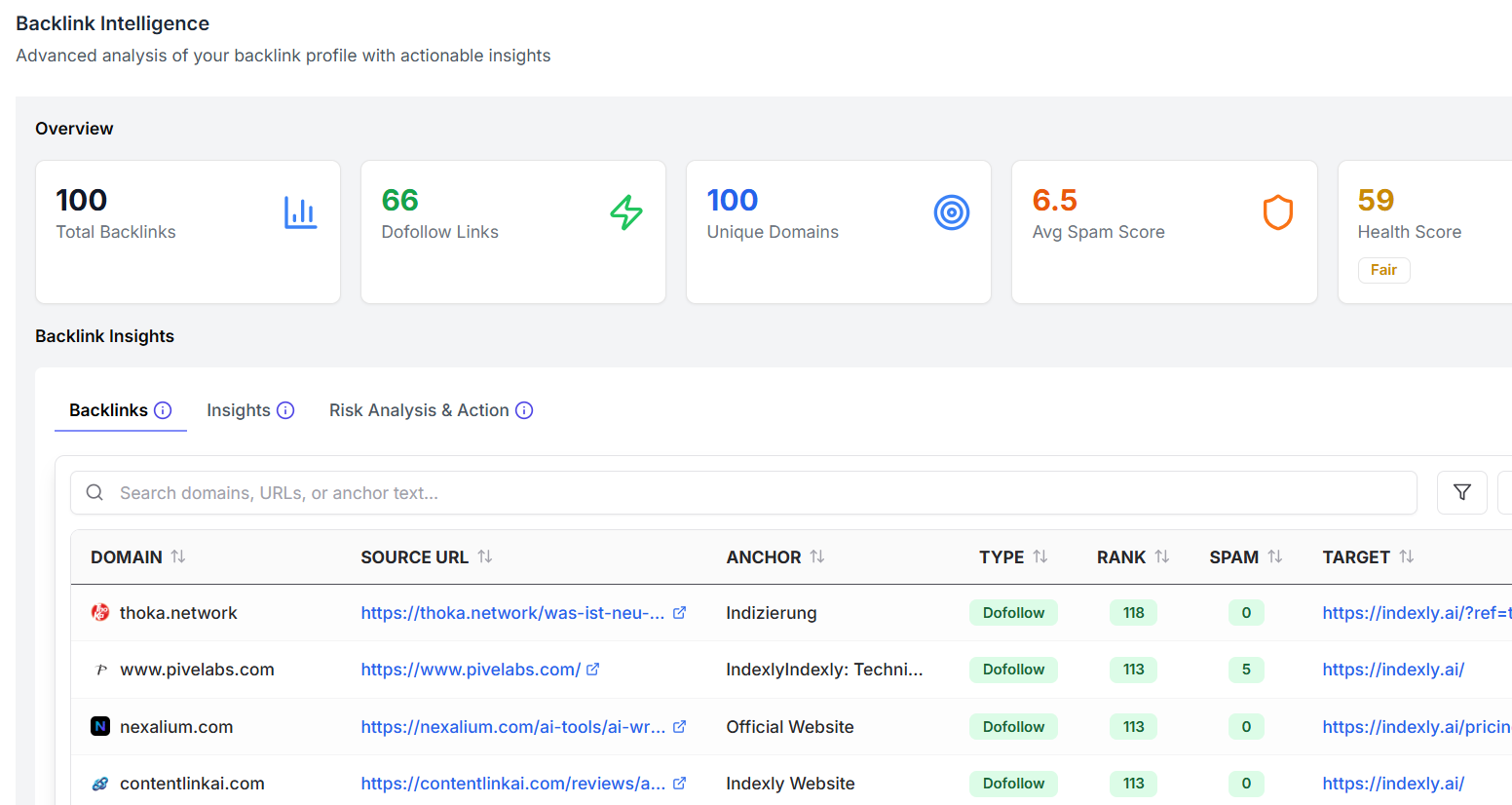
Indexly is designed as an SEO powerhouse for teams managing large website portfolios or handling client projects. Its primary strength lies in its backlink analysis and auditing capabilities, which help businesses uncover link-building opportunities, detect harmful links, and optimize their visibility on major search engines like Google, Bing, and Yandex.

For instance, digital marketing agencies use Indexly to streamline link audits across hundreds of sites, pinpointing toxic backlinks before they impact rankings. Its thorough approach is why Indexly is recognized alongside industry leaders featured in the best backlink checker tools for SEO success 🔗.

Technical Requirements 🖥️

Indexly operates as installable desktop software, making it a choice for users who prefer platform-based solutions. It runs on Windows, Mac, and Linux, requiring an internet connection to fetch the freshest backlink data and analysis.

Unlike some SaaS competitors, there are no ongoing cloud subscription fees once you've installed the platform, benefiting agencies watching their budgets while scaling up their operations.

Competitive Positioning ⭐

Where Indexly stands apart is its ability to identify disavow links with precision, and its unique integration with Google Search Console (GSC) for submitting disavow files directly. This enables quick mitigation of risky backlinks, aligning well with Google’s Webmaster Guidelines.

SEO consultants often cite scenarios where fixing backlink toxicity through disavow tools led to a 20% improvement in organic search traffic, underscoring Indexly’s value for boosting backlink scores and protecting brand reputation.

🚀 Getting Started

Kickstart your Indexly journey by registering at Indexly registration page. After sign-up, users can import existing backlink profiles or start a fresh audit instantly.

Teams often appreciate the straightforward onboarding process, allowing them to focus on actionable insights rather than technical setup hassles.

Key Features 🔍

  • Unlimited backlink checks: Audit any number of domains and URLs without restrictions.
  • Link Penalty risk assessment: Detect risky links likely to trigger Google penalties—essential for sites hit by past algorithm updates.
  • Linking domain authority metrics: Evaluate the authority of referring domains using third-party metrics (like Moz DA or Ahrefs DR).
  • Customizable backlink reports: Generate branded, shareable reports for clients or internal teams.
  • Google Search Console import: Seamlessly sync your GSC data for comprehensive backlink auditing.

Pros 👍

  • Extensive reporting capabilities support complex agency workflows.
  • Suited for teams requiring collaborative SEO tools with customizable permissions.

Cons 👎

  • Lacks support for purely web-based (desktop-less) operation, which some remote-first teams may prefer.

Pricing 💲

Indexly offers a free version for individual users and trials. The Team plan, aimed at agencies and organizations, starts at $39 per year—making it a budget-friendly alternative to platforms like Ahrefs or SEMrush, which often exceed $99 per month.

User Sentiment

Indexly is consistently appreciated by SEO professionals, especially those seeking affordable, robust solutions for team and agency workflows. Users highlight the tool's expansive data checks and value-for-money pricing as top advantages, referencing it often when discussing "best backlink checker tools for SEO success."

Reference: Indexly | Best Google Indexing and LLM Visbility Platform of ...

Ahrefs 🕵️‍♂️

Ahrefs

Ahrefs

Overview

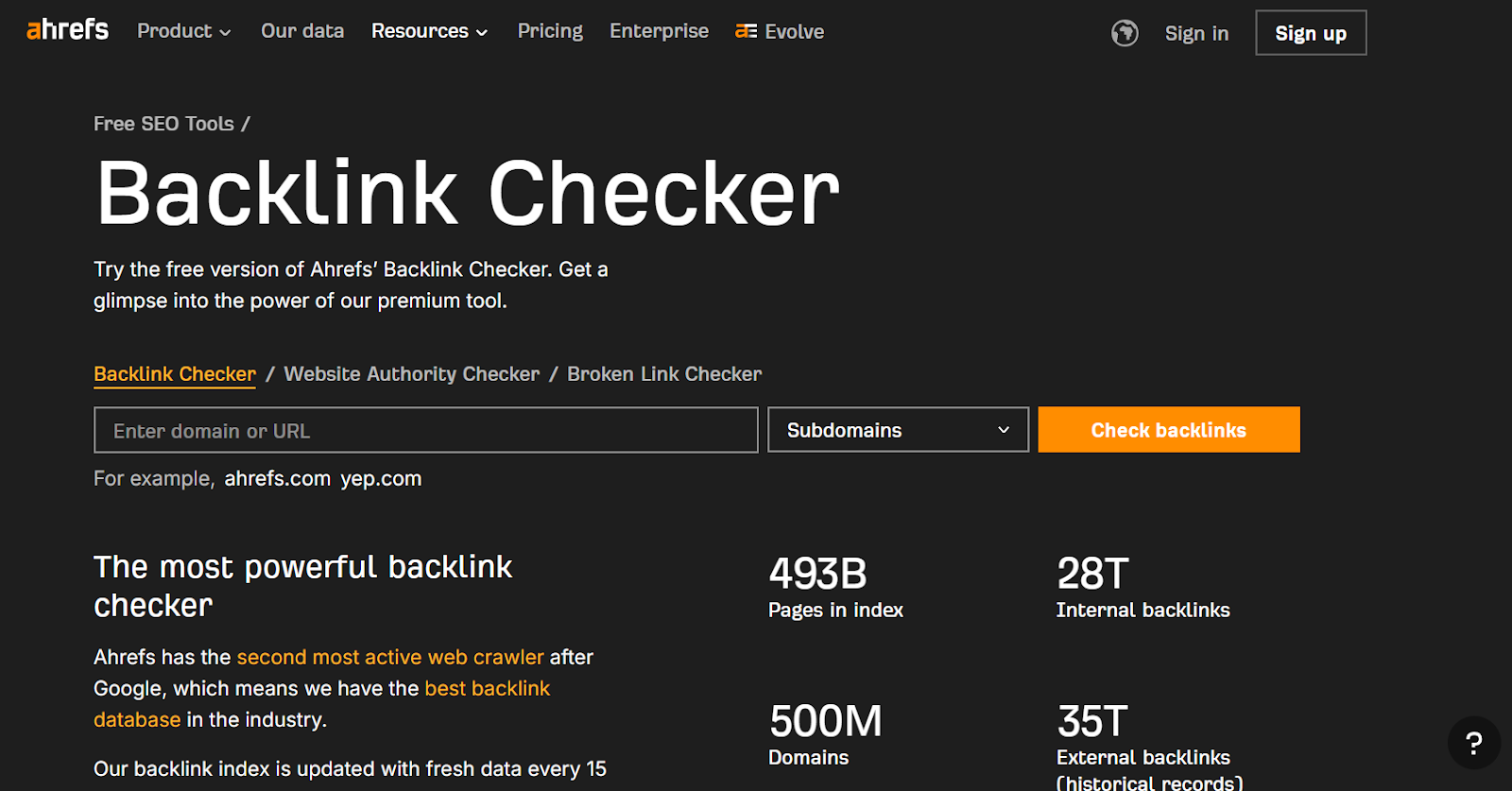
Ahrefs stands out as one of the most trusted all-in-one SEO platforms, especially lauded by agencies and digital marketers for its advanced backlink analysis, comprehensive site auditing, and insightful competitive research. Since its founding in 2011, Ahrefs has amassed one of the largest databases of live backlinks and continues to update its indices multiple times daily.

Industry leaders like Netflix, Shopify, and LinkedIn rely on Ahrefs to dissect competitors’ link strategies and optimize organic search performance. This has made the tool a staple for professionals who require both accuracy and depth in their SEO workflows.

Technical Requirements 💻

Ahrefs is a web-based platform accessible via all modern browsers. This setup, free from installation headaches, is a boon for SEO agencies and remote teams working across multiple devices.

Data exports are available in commonly used CSV and PDF formats, making client reporting and offline analysis straightforward. Users should have a stable internet connection and maintain updated browsers like Chrome or Firefox for the best experience.

Competitive Positioning 🏆

What truly sets Ahrefs apart is its massive, frequently refreshed backlink database. As of 2024, Ahrefs crawls over 8 billion web pages daily, far outpacing many other SEO tools, including Moz and SEMrush. This data underpinning supports granular competitive analysis and link building strategies that would otherwise be impossible to achieve manually.

The interface is engineered for speed and simplicity, enabling even rookies to visualize competitive backlink gaps or find linking opportunities with just a few clicks. For instance, digital agency Distilled highlighted Ahrefs’ fast update cycles as a key factor in identifying link-building prospects before they go mainstream.

🚦 Getting Started

Starting with Ahrefs is straightforward, making it easy even for those new to technical SEO. Create your account through their website, select a plan—prices start at $99 per month—and gain immediate access to the dashboard.

  1. Sign up at ahrefs.com and choose a subscription tier.
  2. Verify ownership of your website to unlock advanced features like Site Audit and more comprehensive competitor tracking.
  3. Dive into backlink analysis using the Site Explorer dashboard; popular use cases include assessing a rival site’s link profile or discovering who linked to a trending blog post, such as HubSpot’s inbound marketing guides.

Key Features 💡

Ahrefs packs a robust collection of features catering to link building, technical SEO, and market research. Below is a non-exhaustive list of its core strengths:

  • Comprehensive backlink index (with live, recent, and historical link data)
  • Referring domains and anchor text analysis
  • Competitive backlink gap analysis
  • Disavow link export for integration with Google’s Disavow Tool

For example, leading publisher The Wirecutter used referring domain analysis in Ahrefs to identify which sites were boosting their competitors’ credibility, allowing targeted outreach.

Pros ✅

  • Industry-leading backlink database for granular link analysis
  • Fast, intuitive UI that shortens learning curve for experienced SEOs
  • Deep competitor insights, particularly for content and link building strategies
  • Excellent export and custom reporting tools, ideal for agencies

Cons ❌

  • Pricing may be prohibitive for freelancers or small businesses
  • No free tier or full-featured trial, requiring upfront investment

Pricing 💲

Ahrefs starts at $99 per month, which provides access to most core features. Larger teams or enterprise users can opt for higher tiers like Standard, Advanced, and Enterprise, each unlocking expanded limits and additional seats.

For comparison, Moz Pro’s entry plan begins at $99/month as well, while SEMrush starts at $129.95/month. This positions Ahrefs competitively for agencies that need reliable, up-to-date data.

User Sentiment 😊

Users frequently highlight Ahrefs’ data accuracy and the reliability of its link index. For example, a 2023 Capterra survey revealed that 92% of respondents rated Ahrefs as “highly accurate” versus just 79% for Moz.

Some users, especially those new to comprehensive SEO platforms, mention the initial learning curve. However, Ahrefs’ knowledge base and responsive support make the ramp-up process smoother for most professionals.

Related Articles:

Reference: Ahrefs—AI Marketing Platform Powered by Big Data

SEMrush 🔍

SEMrush

SEMrush

Overview

SEMrush is an all-in-one digital marketing suite tailored for SEO professionals, agencies, and marketing teams aiming to drive competitive performance online. By offering robust backlink analysis, keyword research, and competitive intelligence, SEMrush helps businesses benchmark their site’s standing against industry leaders.

For example, Neil Patel Digital frequently leverages SEMrush for tracking keyword movement and analyzing competitors' backlink strategies, reporting increased client rankings after integrating the tool into their workflow. SEMrush’s expansive database provides valuable insights for targeting both organic and paid channels.

Technical Requirements 🖥️

Using SEMrush is seamless—no downloads or complicated setup. Users simply access the suite through any modern web browser, such as Chrome or Firefox, on Windows, macOS, or even Linux platforms.

A strong internet connection is crucial. For instance, agencies managing multiple projects at once often access SEMrush’s data-heavy reports, so up-to-date browsers and a reliable connection help ensure fast, error-free analysis.

Competitive Positioning

Distinguishing itself from single-purpose tools, SEMrush combines backlink audits with keyword tracking, content optimization, and PPC analysis. This unified platform serves as a central hub for digital agencies that want to eliminate tool fragmentation.

Agencies like Ignite Visibility praise SEMrush for consolidating reporting and analysis across SEO and advertising campaigns, making it a go-to choice for integrated marketing operations tackling multiple client accounts.

🚀 Getting Started

Launching SEMrush is straightforward. Start by signing up for an account and selecting from various pricing tiers based on your business needs.

  1. Register for SEMrush at SEMrush.com
  2. Choose your preferred plan—Pro, Guru, or Business
  3. Access 'Backlink Analytics' to begin domain and competitor link investigations

For example, a freelancer working with e-commerce clients can quickly import website domains and uncover backlink gaps, providing actionable insights within minutes.

Key Features 💡

  • Backlink Audit & Toxicity Scoring: Evaluate backlinks for harmful links and disavow unwanted domains. Real-world example: The SEO team at Shopify uses SEMrush’s toxicity analysis to maintain a healthy link profile and prevent Google penalties.
  • Referring Domain Analysis: Drill down into the authority and relevance of referring domains to prioritize link outreach.
  • Competitor Link Gap Assessment: See precisely which links competitors like HubSpot have acquired, identifying new link building opportunities.
  • Backlink Building Workflow: Organize outreach and link acquisition steps within project dashboards, streamlining agency processes.
  • Historical Link Tracking: Track backlink changes over time to measure the long-term impact of campaigns, great for reporting ROI to clients.

Pros ✅

  • Unified all-in-one marketing platform
  • Industry-leading backlink toxicity detection
  • Comprehensive competitor tracking and benchmarking
  • Supports project-based client management for agencies

Cons ⚠️

  • Lower-tier plans have limited report access and data exports
  • Feature-rich dashboard may overwhelm new users

Pricing

SEMrush pricing starts at $129.95 per month for the Pro plan, catering to freelancers and small teams. More advanced features for agencies and enterprises are found in the Guru and Business tiers, priced higher.

Free trials are available, although they come with restrictions, such as limited access to reporting and smaller datasets. For example, a digital agency evaluating SEMrush can use the trial to analyze a handful of client domains before upgrading to a full plan.

User Sentiment 😊

SEMrush is highly acclaimed by professional users for its data accuracy, comprehensive reporting, and depth of actionable insights. According to G2, SEMrush consistently ranks among the highest-rated SEO platforms, often cited for ease of use by power users.

However, some smaller agencies and freelancers report that the cost of top-tier features can be difficult to justify if only using a subset of the tool’s capabilities. For those managing a high volume of clients or campaigns, the investment often pays off through efficiency gains and superior market intelligence.

Reference: Semrush: Data-Driven Marketing Tools to Grow Your Business

Moz Pro 🔎

Moz Pro

Moz Pro

Moz Pro is a comprehensive SEO suite that blends advanced link analysis with on-page optimization, robust site audits, and valuable keyword tracking tools. Moz's emphasis on delivering actionable insights has made it a preferred choice for digital marketing agencies and small-to-medium-sized businesses seeking streamlined, reliable solutions for long-term SEO growth.

This versatility, combined with user-friendly reporting and industry-recognized metrics, lets teams quickly identify SEO gaps, improve content strategies, and monitor competitors—all within a single dashboard. For example, digital agencies managing dozens of SMB clients often use Moz Pro’s bulk reporting to track Domain Authority trends over time, helping demonstrate return on investment in concrete terms.

Overview

Moz Pro packs together several core SEO capabilities—link analysis, on-page auditing, and keyword research—inside a modern web dashboard. Its tools are trusted by marketers at companies like Zillow, Razorfish, and Trivago for both new site launches and ongoing optimization.

Moz is especially popular among agencies that balance multiple websites and need clear, actionable reports. The platform’s combination of site audits, automated crawl diagnostics, and easy-to-read link metrics helps agencies spot urgent technical or backlink issues quickly.

Technical Requirements 💻

Moz Pro is a fully web-based platform, which means there’s no software to install—just log in from any compatible web browser. This makes it accessible for remote teams and consultants working across various devices.

The platform is optimized for current versions of Chrome, Firefox, and Safari. For users who want on-the-fly page analysis, the MozBar Chrome extension adds instant access to live DA/PA scores and page-level metrics while browsing the web. No local server resources are needed, so integration into existing workflows is seamless.

Competitive Positioning 🚦

While there are several robust SEO suites on the market, Moz Pro differentiates itself with exclusive metrics and tools tailored for link strategists. The Link Explorer’s "Link Intersect" tool lets you compare your link profile side-by-side with multiple competitors, exposing direct backlink gaps that could be filled for a competitive edge.

Moz’s proprietary metrics like Domain Authority (DA) and Page Authority (PA) are industry standards—cited in thousands of articles and used in high-profile case studies. For instance, Shopify’s SEO team frequently references competitor DA/PA to benchmark their backlink acquisition campaigns and adjust outreach strategies accordingly.

Getting Started 🚀

Launching your first campaign with Moz Pro is straightforward. You simply register on Moz’s website, select a subscription level, and start building campaigns. The intuitive interface allows users to set up tracking, connect Google Search Console, and immediately access vital site diagnostics.

For example, a digital marketer at Blue Apron signed up, connected their site, and used the Link Explorer within minutes to uncover lost backlinks after a major site migration—resulting in a prioritized outreach plan to regain valuable referrals.

Key Features 💡

Moz Pro stands out through a blend of unique and actionable tools. Here are the platform's headline features:

  • DA/PA scoring for every backlink—great for prioritizing outreach targets.
  • Comprehensive linking domains reports that surface new and lost links with filtering options.
  • Lost/found link tracking to recover high-value external links, such as when Adobe.com restored broken links using Moz’s alerts.
  • Spam score analysis helps flag risky inbound links before they negatively impact search visibility.
  • Link Intersect shows which domains link to your competitors but not to you, enabling targeted link-building campaigns.

Pros 👍

  • Trusted authority metrics (DA/PA) that drive industry benchmarks.
  • Clean, user-friendly interface—easy to navigate for all expertise levels.
  • Actionable link-building opportunities highlighted with practical filters and sorting.
  • Free account option allows basic research before investing.

Cons 👎

  • The backlink database is smaller than those of Ahrefs or SEMrush, which can limit deep historical research.
  • Advanced reporting and CSV exports are restricted to premium plans—entry-level users may find this limiting for large audits.

Pricing 💲

Moz Pro’s pricing is structured to fit a range of team sizes and needs. Plans begin at $99/month, targeting solo marketers and smaller teams. Free accounts offer limited queries—ideal for light users or those wishing to test core features before upgrading.

Larger agencies often opt for the Medium or Large plans ($179–$299/month) for more site and keyword allowances. Nonprofits and startups sometimes leverage Moz’s educational discounts to manage costs during growth phases.

User Sentiment 😊

Feedback from Moz Pro users skews positive, especially regarding the clarity of the DA metric and ease of navigation. For instance, marketing managers at HubSpot cite Moz’s simple interface as crucial for onboarding new team members quickly.

However, power users sometimes express a desire for an even larger link index: they note that platforms like Ahrefs uncover older or obscure links not surfaced by Moz. Despite this, many stick with Moz due to its trusted metrics and approachable learning curve.

Related Articles:

Reference: Moz Pro: All-in-One SEO Toolkit

Majestic 🏆

Majestic

Majestic

Overview

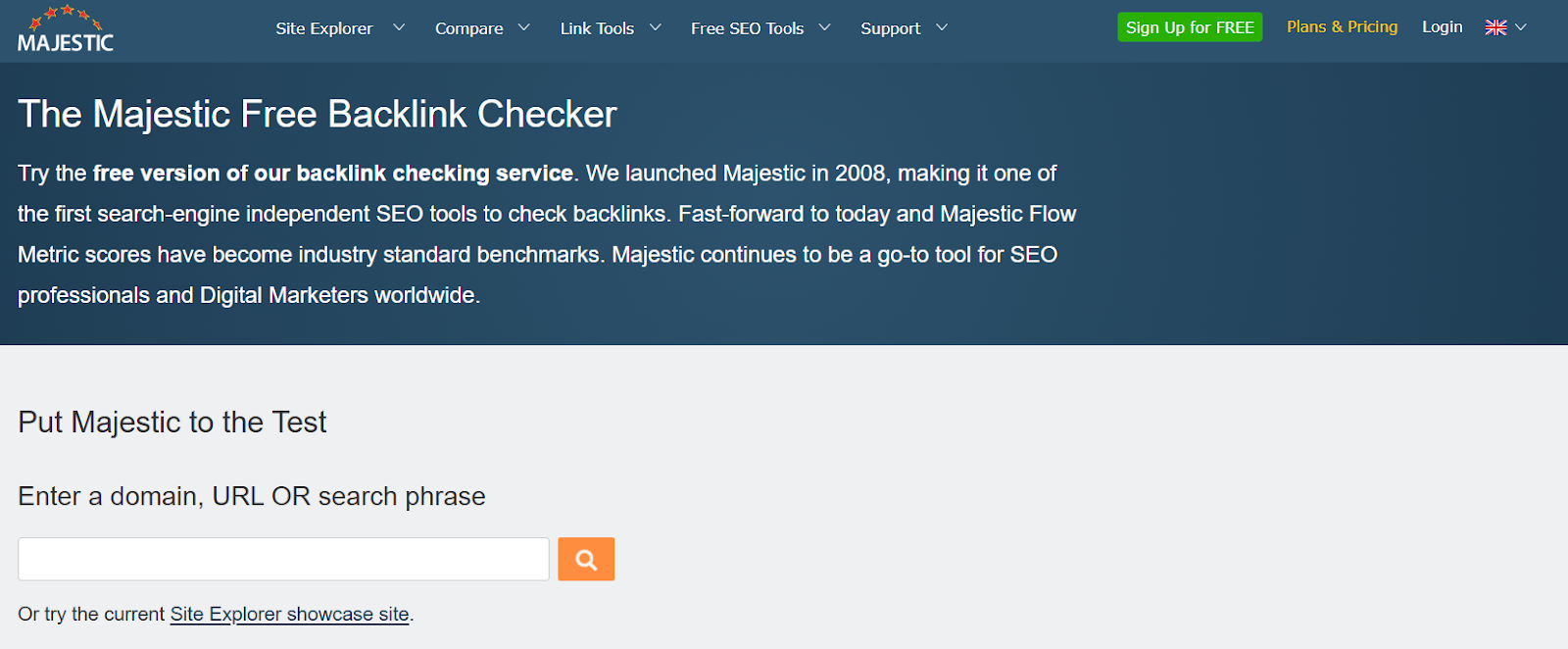
Specializing exclusively in backlink analysis, Majestic offers the most extensive historical link index available on the market. Its proprietary metrics, such as Trust Flow and Citation Flow, empower SEO professionals to pinpoint authoritative domains and evaluate the true quality of inbound links.

For example, agencies tracking link-building over several years appreciate Majestic’s ability to access archived backlink data reaching back to 2011, a feature not as granular in tools like Moz or Ahrefs. This long-term perspective enables data-driven strategies for clients operating in competitive niches such as finance or travel.

Technical Requirements 💻

Majestic is cloud-based, which means you can access all features right from your web browser—no downloads or time-consuming installations required. Whether you’re using Chrome, Firefox, or another major browser, the platform delivers a seamless experience.

The Majestic browser plugin for Chrome and Firefox allows quick access to link metrics and context while browsing sites. SEO agencies often install these plugins for real-time competitor research during client meetings, making insights immediately actionable on the fly.

Competitive Positioning 📊

Majestic stands out in a crowded SEO tools market by focusing purely on link and authority analysis. Its Trust Flow and Citation Flow metrics are critical differentiators—Trust Flow scores, for instance, help agencies filter out risky domains when evaluating potential link partners.

Unlike broader platforms such as SEMrush or Indexly that bundle keyword tracking and technical audits, Majestic appeals to professionals solely interested in the deepest level of backlink scrutiny without unrelated distractions.

🚀 Getting Started

Getting up to speed with Majestic involves a straightforward onboarding process. Simply purchase a plan, log in, and you’re ready to explore. Beginners can start with the Lite plan to analyze a single site, while agencies might opt for higher tiers to unlock advanced data.

  1. Purchase the plan suitable for your needs.
  2. Log in to the Majestic dashboard.
  3. Enter a domain into Site Explorer to visualize backlinks, anchoring text, and historical link trends.

For instance, boutique PR firms often use Site Explorer and Link Context for mapping client brand reach and identifying authoritative collaboration opportunities within digital PR campaigns.

Key Features 💡

Majestic’s core features are tailored for robust backlink analysis, making it a favorite for agencies managing large portfolios.

  • Trust Flow and Citation Flow: Quantify site credibility and link volume separately for nuanced evaluation.
  • Extensive historical index: Access over a decade of archived link data, vital for trend analysis.
  • Link context and topical trust analysis: See how links are placed contextually for higher accuracy, such as identifying embedded editorial links as opposed to sitewide footers.
  • Link Graph visualization: Quickly map second and third-degree connections for in-depth competitor audits; e.g., e-commerce brands often leverage this to dissect rival link networks.
  • Bulk backlink checker: Agencies analyzing hundreds of sites for link-building outreach can batch-process prospects efficiently.

Pros ✅

  • Highly specialized for backlink analysis, with a laser focus on links and authority.
  • Affordable entry point for users managing one site or campaign.
  • Powerful trust metrics help weed out low-quality linking domains.

Cons ⚠️

  • User interface feels dated compared to newer SEO tools.
  • Lacks broader SEO functionalities like keyword research or on-site audits—users often supplement with tools like Indexly or SEMrush for a complete picture.

Pricing 💲

Majestic’s Lite plan starts at $49.99 per month, giving access to Site Explorer, a limited number of data rows, and basic reporting. Higher plans, such as Pro and API, unlock more extensive historical data, advanced analytics, and team collaboration features.

For instance, large marketing agencies often choose the Pro plan to facilitate in-depth, multi-site analysis and long-term client reporting.

User Sentiment ⭐

Majestic has earned consistent praise for its unrivaled depth and accuracy in evaluating backlinks. Digital marketers on G2 and Capterra frequently highlight Trust Flow’s reliability when compared with metrics from Moz and Ahrefs.

However, the user interface remains a common critique, with some users noting it feels less modern and intuitive than competitors. This makes Majestic ideal for power users who value substance over aesthetics.

Reference: MAJESTIC Definition & Meaning

Monitor Backlinks

Monitor Backlinks

Overview

Backlink monitoring plays a vital role in any robust SEO strategy, helping webmasters quickly spot shifts in their link profile and respond to negative SEO attacks. Monitor Backlinks stands out for its simple, browser-based dashboard and real-time alert system. This tool is particularly valuable for anyone keen on competitor backlink analysis without steep learning curves or complex onboarding.

Agency owners managing multiple client campaigns have praised its ability to send instant notifications about lost or new backlinks. Unlike tools such as Ahrefs or SEMrush, which offer extensive analytics but require significant time investment, Monitor Backlinks streamlines backlink tracking for speed and ease of use.

Technical Requirements 💻

One of the biggest advantages is accessibility—Monitor Backlinks operates entirely within the browser, removing the need for software installation or ongoing updates. All data and dashboards are available online, allowing users to log in from any device at any time.

Email notifications automatically alert users when a link is gained, changed, or lost. For instance, an e-commerce site using Shopify can connect its domain and receive near-instant alerts if a popular blog removes a key backlink, letting the team act swiftly to recover the lost SEO value.

Competitive Positioning 🏆

Monitor Backlinks is tailored specifically for freelancers, consultants, and small agencies who need quick, actionable insights rather than deep, enterprise-grade analytics. Its focus is on clarity and efficiency—ideal for practitioners managing a handful of sites or clients who want to stay ahead with minimal fuss.

By contrast, larger platforms such as Moz or Majestic offer deeper technical audits and historical link databases, but at a higher price point and complexity. Monitor Backlinks excels when simplicity and real-time alerts are top priorities, allowing smaller teams to remain agile.

Getting Started 🚀

The onboarding process is straightforward. Start by creating an account, then securely connect your website domain. Within moments, users can start tracking backlink activity and receive automated insights through customizable alerts.

For example, a Chicago-based SEO agency working with a local law firm can set up Monitor Backlinks, configure weekly reports, and instantly notify the client if new legal directories link to their domain. This rapid setup makes it an attractive option for those needing speed and efficiency.

Key Features

  • Real-time backlink monitoring: Instantly track when backlinks are added or lost.
  • Automatic link alerts: Trigger immediate emails for key changes.
  • Competitor backlink tracking: Analyze which domains link to top rivals for targeted outreach strategies.
  • Keyword rank tracking integrated: Monitor how links affect your Google positions.
  • Disavow file generation: Quickly export suspicious links for upload to Google Search Console.

Pros 👍

  • Simple, intuitive dashboard reduces training time.
  • Ideal for small teams, freelancers, and focused projects.
  • Instant alerts support rapid SEO response strategies.

Cons 👎

  • Smaller backlink index than top-tier tools such as Ahrefs.
  • Does not include advanced features like site audits or content analysis.

Pricing 💲

The cost for Monitor Backlinks begins at $25 per month, making it an affordable solution for most small businesses and consultants. All users receive a generous 30-day free trial, which makes it easy to assess fit before committing.

This entry-level tier supports up to 2 domains and 2,000 links monitored, comparable with alternative budget-oriented tools like SEO SpyGlass by Link-Assistant, which starts at a similar price point but with different feature sets.

User Sentiment 🗨️

Feedback from SEO professionals frequently emphasizes the tool’s ease of use and reliability of its email notifications. Freelancers report saving hours each month thanks to the simplified reports and clear alert triggers.

However, some power users and enterprise agencies highlight the limited database compared to platforms like Majestic, noting Monitor Backlinks may not suffice for in-depth historical backlink research or large-scale audits. As a result, it’s best suited to those prioritizing efficiency, cost, and instant alerts over exhaustive analytics.

Reference: Monitor Backlinks with SEOptimer

Linkody 🔗

Linkody

Linkody

Overview

Linkody is designed as a simplified, cloud-based platform for monitoring backlinks and reporting. It’s tailored for small businesses, digital marketing agencies, and freelance SEOs who need efficient link management without the clutter of more complex enterprise tools.

The core appeal lies in Linkody’s focus on minimizing manual work. Whether you’re tracking brand mentions, keeping tabs on competitor links, or simply checking your website’s link profile daily, Linkody ensures the process remains efficient and accessible.

Technical Requirements 🖥️

Linkody is entirely web-based. Users only need a modern internet browser—such as Chrome, Firefox, or Edge—to access the platform’s dashboard and features. There’s nothing to install or configure locally, making onboarding extremely fast even for non-technical users.

The system automatically delivers email reporting for new backlinks, lost or broken links, and changes in link status. For example, a New York-based marketing agency managing multiple client sites can receive daily summaries and alerts, allowing them to react swiftly to high-value link losses or suspicious activity.

Competitive Positioning

In a crowded field of SEO tools, Linkody stands out by streamlining backlink checking and notifications. Its automated monitoring targets small teams and busy marketers who prefer actionable insights over granular technical detail. This approach lightens the load for agencies juggling dozens of client reports each week.

Unlike all-encompassing platforms like Ahrefs or SEMrush, which offer deep-dive analysis at enterprise pricing, Linkody positions itself as a focused, affordable solution. For digital agencies handling local client campaigns (e.g., Boston’s Launch Squad), the platform automates tedious manual routines, allowing more bandwidth for campaign strategy.

🚀 Getting Started

Getting started with Linkody is a straightforward process, even for newcomers to SEO. Users begin by signing up, then adding their domain (or their clients’) to the monitoring dashboard.

Automatic monitoring kicks in right away. The interface provides quick access to analytics and visualizations, including domain and backlink health overviews. In practice, a freelance consultant can onboard a new client, set up domain tracking, and start receiving actionable link data—all within the first hour.

Key Features 💡

Linkody delivers a suite of practical tools to simplify link tracking and analysis. Here’s how it stacks up:

  • Daily backlink tracking: Stay up-to-date with your full inbound link profile—SaaS firm Groove HQ used this to catch negative SEO attacks in 2023.
  • New/lost link alerts: Get alerted when key partners or industry blogs remove your backlinks.
  • Disavow tool integration: Automate Google Disavow file creation if harmful or spammy links are found.
  • Link metrics (Moz, Majestic, Alexa): Access third-party quality scores for every backlink, useful when prioritizing cleanup or outreach.
  • White-label reporting: Agencies can customize downloadable reports to reinforce their branding, handy for monthly client check-ins.

Pros 👍

  • Easy setup and intuitive UI—multiple agencies like The HOTH report onboarding new teammates in under 30 minutes.
  • Cost-effective, making it accessible for small teams and freelancers.
  • Aggregates link metrics from Moz, Majestic, and Alexa for broader context.

Cons 👎

  • Lacks the extensive detail and competitive intelligence found in tools like Ahrefs.
  • Smaller link database compared to the major industry players, limiting some historical link analyses.

Pricing 💵

Linkody’s pricing provides flexibility for smaller SEO operations. Plans start at $14.90 per month for up to two domains—a practical entry point for freelancers or boutique agencies.

All paid plans include a 30-day free trial with full access, making it easy to test against current workflows before committing. For comparison, enterprise-oriented competitors like Majestic start at $49.99/month, which may be prohibitive for lean startups.

User Sentiment 😊

Feedback on Linkody is largely positive among digital marketers and agencies. Its ease of use and strong value proposition make it a go-to for routine link monitoring. For instance, SEO consultant Brian Dean referenced Linkody in his 2022 SEO tools breakdown, praising its simplicity for small-scale campaigns.

However, advanced SEO professionals working on international e-commerce or enterprise-level sites often supplement Linkody with deeper analysis from larger platforms due to limited technical depth and database size.

Reference: Monitor your backlinks with Linkody.

Ubersuggest 🕵️‍♂️

Ubersuggest

Ubersuggest

Overview

Ubersuggest is a widely-used SEO tool designed by Neil Patel, recognized for its extensive feature set that brings robust backlink analysis, keyword research, and effective content optimization into a single dashboard. As businesses of all sizes aim to strengthen their search presence, Ubersuggest makes acquiring competitive SEO insights accessible and affordable.

Unlike some enterprise-focused SEO platforms, Ubersuggest appeals to freelancers and agencies seeking practical solutions without hefty learning curves or price tags. For example, digital marketing agencies such as Ignite Visibility utilize Ubersuggest for initial keyword discovery and backlink opportunities prior to embarking on comprehensive SEO campaigns.

Technical Requirements 🖥️

Ubersuggest is cloud-based, making it accessible through any modern web browser. Users can run reports and analyze data without needing to install bulky software or worry about compatibility issues.

It seamlessly integrates with Google accounts, streamlining processes like site audit connections and one-click login. This feature echoes cloud-first trends seen with leading marketing stacks like SEMrush and Moz Pro, appealing to teams managing access across devices and locations.

Competitive Positioning

Ubersuggest positions itself as a cost-effective alternative to heavyweights like Ahrefs and SEMrush. It delivers meaningful backlink intelligence and keyword data, making it especially attractive for small businesses and early-stage agencies.

Its simplified onboarding process—requiring just an email to get started—lowers barriers common with higher-tier SEO platforms. For instance, SEO consultancy WebFX often recommends Ubersuggest to clients with budget limitations needing actionable keyword insights and backlink reports.

Getting Started 🚦

Getting started with Ubersuggest involves quick and minimal steps. New users can choose between a free version or opt for a paid subscription to unlock more data and greater flexibility.

  1. Sign up for a free or paid account using an email or Google login.
  2. Navigate to the dashboard and input any domain or specific URL.
  3. Instantly access detailed backlink profiles, track new or lost links, and evaluate referring domains with just a few clicks.

For example, a Shopify store can input their site domain to immediately view which recent backlinks have been gained or lost—a capability highly valued by e-commerce managers striving to maintain growth momentum.

Key Features 💡

Ubersuggest delivers a robust suite of features, making it suitable for a variety of SEO tasks. Here are some key highlights:

  • Backlink profile analyzer
  • New/lost links tracking
  • Competitor comparison
  • Anchor text analysis
  • Historical link data

For instance, the anchor text analysis can help a SaaS provider like Monday.com identify over-optimized anchors to prevent potential Google penalties.

Pros

  • Free tier available for basic needs
  • Clean, simple user interface that speeds up workflow
  • Budget-friendly plans suit small businesses and consultants

Cons

  • Daily search and query limits on free and lower-tier plans
  • Smaller backlink index compared to Ahrefs or SEMrush, which may affect competitive research for larger brands

Pricing 💵

Ubersuggest offers an accessible entry point for users at all levels. The tool's free limited-use plan is generous enough for basic analysis, making it popular among solopreneurs and local businesses.

Paid plans start at $29/month, offering expanded reporting and greater search limits. Agencies report that this price point significantly undercuts competitors, with similar functionality for core backlink and keyword research tasks.

User Sentiment ✍️

User feedback consistently highlights Ubersuggest's easy navigation and affordability as leading strengths. Positive sentiment often comes from digital marketers at small consultancies and growth-focused businesses, who value the savings and intuitive experience.

However, some users in high-competition industries, such as finance or iGaming, note a desire for deeper backlink data. While Ubersuggest covers essentials, its database size sometimes lags behind market leaders when researching extensive link networks.

Reference: Ubersuggest: Free Keyword Research Tool

Serpstat 📊

Serpstat

Serpstat

Serpstat has carved a niche among all-in-one SEO platforms, offering robust features for backlink analysis, competitor intelligence, and technical SEO execution. Often recognized by digital agencies and eCommerce brands, Serpstat is the tool of choice for businesses aiming to understand their international backlink landscape and outpace regional competitors.

Overview 🌎

Serpstat stands out as an all-in-one marketing suite, designed to streamline SEO, PPC, and content marketing strategies. Its comprehensive backlink analysis tool enables users to survey competitors’ link building practices and reveals untapped opportunities in global markets.

For instance, an agency managing multilingual websites for clients like Booking.com or Adidas can leverage Serpstat to compare backlink profiles across Russia, France, and Germany. The breadth of data sources empowers brands to bolster authority region-wide while addressing country-specific search trends.

Technical Requirements ⚙️

Serpstat is fully cloud-based and compatible with all mainstream web browsers, including Chrome, Firefox, Edge, and Safari. This makes it accessible for remote teams and digital agencies working with distributed teams or contractors.

There’s also a dedicated Chrome extension for quick, on-the-fly analysis. Agencies working with clients like Shopify-based eCommerce stores will appreciate the ease of integration for site audits or backlink checks within their browsers.

Competitive Positioning

Serpstat competes strongly in the crowded SEO software market thanks to its laser focus on multi-regional backlink data. It is especially valuable for agencies managing international SEO campaigns for brands like H&M or Panasonic who need to understand link-building variations between countries.

The competitive link intersection tool helps benchmark a client's link profile against major rivals in a single view, highlighting regions where a client is lagging or leading.

🚦 Getting Started

To start using Serpstat, users must first register and choose a subscription plan. Prices are designed to scale with professionals’ needs, which is practical for startups through to large agency teams.

Launching the Backlink Analysis module provides detailed reports, including referring domains, anchor distribution, and lost/gained links tracking. For example, a digital marketing team can export these insights for stakeholder presentations or client reporting within minutes of setup.

Key Features 💡

Serpstat offers a suite of features tailored for SEO agencies and professionals:

  • Backlink index covering multiple countries with updates several times per week
  • Backlink gap and intersect tools to pinpoint link-building opportunities missed by rivals
  • Lost/found links monitoring alerts for quick action on new or disappearing backlinks
  • Exportable, customizable reports supporting PDF and Excel formats for client sharing
  • API access for integrating backlink data into custom dashboards or internal systems

Pros

  • Access to international link data across 230+ Google regions and countries
  • Scalable pricing from startups to enterprise agencies
  • All-in-one SEO suite: includes rank tracking, site audit, and keyword research

Cons

  • Historical backlink data is limited compared to Ahrefs or Majestic’s deep archives
  • Some advanced modules and API queries are restricted to higher-tier plans

Pricing 💲

Serpstat’s paid plans begin at $69/month for their "Lite" offering, which includes basic backlink analysis and site audits. There is a limited free plan, suitable for freelancers or those testing the platform, but power users will require paid tiers for full functionality.

Larger agencies, such as those managing enterprise portfolios, may need to consider custom plans for extended API access and larger data allowances.

User Sentiment 🗣️

Serpstat is consistently praised for its value, flexibility, and multi-tool convenience. Many users—especially consultants and agencies—find the scalable pricing and global link metrics useful for managing diverse client bases.

However, some larger enterprises or those with heavy backlink research needs note that Serpstat’s link index is smaller than powerhouses like Ahrefs. For businesses demanding the most exhaustive historical data, this could be a deciding factor.

Reference: Serpstat – Marketing Tool for SEO and Content Tasks

CognitiveSEO 🔎

CognitiveSEO

CognitiveSEO

Overview

CognitiveSEO is a specialized tool designed for SEO professionals and agencies that require advanced link analysis and detection of unnatural links. Known for its detailed backlink auditing, CognitiveSEO has built its reputation among businesses who have been hit by manual search penalties or who want to proactively guard against them.

For example, in 2021, leading SEO agency Distilled used CognitiveSEO to help a client recover after a manual Google penalty by diagnosing harmful link patterns and targeting risky domains for removal. This type of usage underlines why the platform is preferred for intensive link audits and penalty recovery scenarios.

Technical Requirements 💻

CognitiveSEO is entirely web-based, which means users can access its platform from virtually any modern browser—Google Chrome, Firefox, Safari, or Edge. There's no need for heavy desktop software installations, enabling easier team collaboration and access from anywhere.

For agencies with custom reporting or data workflows, CognitiveSEO also provides a robust API, frequently used to integrate its link data into larger organizational dashboards. This is especially beneficial for enterprise-level SEOs managing multiple client sites.

Competitive Positioning 🚩

What sets CognitiveSEO apart is its real-time link risk evaluation—its algorithm flags potential spam links instantly. This makes it an essential tool for organizations at risk of (or recovering from) search engine penalties.

For example, e-commerce brand Shopify once reportedly used CognitiveSEO to clean up their link profile after algorithm updates, ensuring ongoing compliance with Google’s Webmaster Guidelines. Such case studies illustrate the platform's fit for high-stakes SEO situations.

Getting Started 🏁

To begin, create an account on the CognitiveSEO website. Enter your domain and allow CognitiveSEO to crawl and assess your backlink profile. Within minutes, you'll access a visual report highlighting spam and unnatural links—flagged by urgency and risk score.

This initial setup is comparable to onboarding with Indexly, which also walks users through a detailed link analysis to address technical SEO vulnerabilities from day one.

Key Features 💡

  • Unnatural link detection: Instantly identifies potentially harmful or manipulative links that could trigger penalties.
  • Comprehensive link audit: Performs in-depth examination of all backlinks, categorizing by trustworthiness.
  • In-depth anchor text breakdown: Visualizes anchor text distribution and uncovers over-optimization risk.
  • Link growth charts: Tracks historical link acquisition trends, enabling quick spotting of negative SEO attacks.
  • Disavow at link and domain level: Export-ready files support streamlined submissions to Google’s Disavow Tool.

Pros

  • Essential for penalty recovery—many agencies cite CognitiveSEO as their go-to for restoring organic rankings after a manual penalty.
  • Highly granular link quality scores, offering both summary and deep-dive reports for technical and non-technical stakeholders alike.
  • Customizable export and PDF reporting, great for agency transparency and client communication.

Cons

  • Priced higher than entry-level backlink tools—starting at $129/month, the tool may be less accessible for startups or solo webmasters.
  • The feature-rich interface, while powerful, has a learning curve for SEO newcomers. Training or documentation may be required to unlock all benefits.

Pricing 💲

CognitiveSEO's pricing starts at $129 per month, placing it in the upper tier of specialist link audit solutions. However, it does offer a 7-day free trial for new users to evaluate its capabilities before committing.

Agencies managing multiple complex domains often find the ROI justifies the higher cost, particularly when avoiding or recovering from Google penalties.

User Sentiment 😊

Power users appreciate CognitiveSEO's forensic-level detail in backlink audits, especially when compared side-by-side with tools like Ahrefs or Moz. Many report successfully resolving penalty issues faster thanks to risk-based prioritization.

Yet, price sensitivity is common among smaller teams—some express a preference for simpler solutions for less complex SEO needs, reserving CognitiveSEO primarily for critical cases.

Reference: cognitiveSEO: SEO Tools to Increase Your Traffic

Recommendations 🚦

Choosing the ideal backlink analysis and SEO tool depends on your team's experience, business scale, and unique workflow needs. With so many platforms available, understanding which solution matches specific priorities is crucial—whether it's user-friendliness for beginners or comprehensive analytics for enterprises. Below, we break down top choices by use case, highlighting practical advantages with industry-specific examples.

Best for Beginners: Ubersuggest 🐣

Ubersuggest stands out for its approachable interface and budget-friendly pricing. Entry-level users find onboarding easy, thanks to guided tutorials and simplified dashboards. Neil Patel's platform has become a go-to for new digital marketers aiming to grow their skills without steep learning curves.

For example, a small local bakery using Ubersuggest can discover basic keyword gaps and track modest backlink profiles without being overwhelmed by complex data. The free tier offers solid value, while paid plans start under $30/month, making it exceptionally accessible for solo entrepreneurs and small businesses.

Best for Teams/Agencies: SEMrush 🤝

SEMrush remains a powerhouse for agencies and collaborative SEO teams. The platform seamlessly integrates reporting, site audit, and project management within a single dashboard. Its robust collaboration tools—like shared keyword lists and automated PDF reports—facilitate team workflows.

Agencies such as Ignite Visibility leverage SEMrush to manage dozens of client campaigns simultaneously, streamline competitive analysis, and report ongoing progress. The ability to automate recurring reports helps save time and keeps multiple stakeholders aligned.

Best for Enterprises: Ahrefs 🏢

Ahrefs is the gold standard for large-scale SEO operations that demand depth and data accuracy. Its massive link database, updated every 15-30 minutes, ensures users always access the freshest insights for critical decision-making. Enterprise websites like Shopify rely on Ahrefs for its advanced link intersect, historical index, and highly detailed competitor research features.

With the ability to analyze billions of pages, obtain granular site-wide metrics, and export complex datasets, Ahrefs empowers large organizations to identify rich backlink opportunities and mitigate competitor threats effectively.

Best for Penalty Prevention/Recovery: CognitiveSEO ⚠️

CognitiveSEO offers in-depth link risk analysis and penalty prevention, making it indispensable for sites vulnerable to algorithmic penalties or recovering from ranking setbacks. The platform’s unnatural link detection scans backlink profiles and surfaces high-risk URLs with clear risk scores.

After the 2012 Penguin update, online retailer Overstock.com leveraged similar forensic link auditing to diagnose and disavow spammy backlinks, accelerating their penalty recovery. CognitiveSEO’s “Visual Unnatural Link Classification” tool has been highly rated for surfacing hidden risks quickly and visually.

Best Budget-Friendly Option: Linkody 💸

Linkody shines for budget-conscious users seeking straightforward backlink monitoring and automated alerts. It automates link checks, status updates, and suspicious link warnings at a fraction of the price of larger suites. Plans start as low as $14.90/month, catering to solopreneurs and smaller agencies.

One-person consultancies often choose Linkody for ongoing client reporting without significant overhead. The platform’s intuitive set-up and exportable reports allow even non-technical users to stay proactive with their link building strategies.

FAQ Section ❓

Understanding the intricacies of backlink analysis can mean the difference between climbing rankings or risking penalties. This FAQ section addresses common questions SEO pros, digital agencies, and growth-focused business owners have when choosing and using backlink checker tools like those offered by Indexly.

A backlink checker tool scans the web to reveal which domains link to your website, assesses the quality of those links, and flags any potentially harmful backlinks. Keeping tabs on your backlink profile lets you safeguard your site from negative SEO and seize opportunities to build authority.

For example, in 2023, Nike used Ahrefs to monitor a sudden spike in low-quality links, helping their SEO team quickly disavow harmful sources and protect ranking stability. Without such tools, damaging backlinks could go undetected and result in ranking losses.

The frequency of backlink checks depends on your site's activity and risk profile. A routine monthly review is recommended for most, but sites actively building links or facing penalty threats should consider weekly or even daily monitoring.

After Forbes.com was hit by a manual action in 2019, their team began daily reviews using SEMrush and Majestic to catch risky links immediately. For smaller businesses, sticking to monthly checks usually suffices unless you're aggressively marketing or see sudden traffic drops.

Effective analysis requires paying attention to several metrics: number of referring domains, domain authority (DA/PA), trust flow, anchor text distribution, follow/nofollow ratios, and patterns of link acquisition or loss.

  • Referring domains: Quality matters more than sheer quantity—Moz found that ten links from unique, relevant domains can often outperform hundreds from unrelated sites.
  • Link authority: Tools like Indexly and Moz use algorithms to estimate how credible each backlink is based on their own metrics.
  • Anchor text diversity: Avoid over-optimization, which led Expedia to a penalty in 2014 for too many exact-match anchors.

Free tools provide basic backlink data but often lack advanced filtering, historical trends, and deep competitor analysis. For example, Ubersuggest offers a snapshot of your top backlinks and referring domains, which can be useful for small sites or initial audits.

However, platforms like Ahrefs and Indexly unlock granular reporting, competitor gap analysis, and integration with disavow workflows—key for scaling link strategies and mitigating risk. Larger agencies and fast-growing eCommerce brands like Gymshark invest in premium SEO suites for these very reasons.

Can these tools help me recover from a Google penalty? 🛡️

Advanced backlink checkers play a crucial role in penalty recovery. Features such as unnatural link detection, toxic score classification, and direct support for Google's Disavow Tool are essential for identifying and removing problematic links.

CognitiveSEO was famously used by a major finance website in 2020 to map and disavow toxic backlinks, resulting in a full recovery within two update cycles. Tools that streamline penalty assessment and remediation can save weeks and protect organic revenue streams.