AI Traffic Analyzer: Boost SEO with Intelligent Insights
Use AI traffic analyzers to turn raw data into SEO insights, map your funnel, uncover keywords, and prove ROI for brands and agencies.


Your traffic reports are packed with numbers, but they rarely tell you what to do next. Sessions, bounce rate, and time on page might look impressive in a dashboard, yet they don’t clearly explain which content drives revenue, which keywords to double down on, or where users quietly drop out of your SEO funnel.
AI traffic analyzers bridge that gap by turning raw data into clear, actionable insights. By connecting traffic patterns to search intent, uncovering hidden keyword opportunities, and automating deep-dive reporting, they make smarter decisions possible—if you’re willing to invest some time in setup, experimentation, and ongoing refinement.
If you’re still treating traffic data like a rearview mirror instead of a radar system, you’re already losing ground—AI traffic analyzers turn raw SEO noise into intelligent signals that brands, marketing teams, digital agencies, and SEO pros can use to predict, shape, and dominate search visibility.
Reference: Track AI Search Traffic & Performance | Clarity ArcAI
1. Understanding AI Traffic Analyzers and Their Role in Modern SEO
What is an AI traffic analyzer?
An AI traffic analyzer is a platform that uses machine learning models to process and interpret website traffic data at a scale humans can’t match. Instead of just counting sessions and pageviews, it evaluates how users arrive, navigate, and convert across thousands or millions of visits.
Tools like Similarweb, Contentsquare, and Adobe Sensei–powered features in Adobe Analytics apply algorithms to detect patterns in channels, devices, and behaviors. For example, an AI model might spot that mobile visitors from branded Google Ads convert 35% higher on a specific product category, even though that insight is buried inside millions of rows of data.
Beyond basic metrics, AI traffic analyzers identify correlations and trends—such as which content clusters reliably precede high-value actions or which UX friction points cause drop-offs. The outcome is a set of prioritized insights: where rankings are slipping, which landing pages deserve optimization, and which audiences are most valuable for SEO-focused growth.
How AI SEO tools differ from traditional analytics platforms
Traditional analytics tools like Google Analytics 4 (GA4) excel at collecting and structuring data but largely depend on human analysis. Marketers build dashboards, apply filters, and manually compare segments to understand what changed and why. This approach is powerful but time-consuming and prone to bias.
AI-based SEO tools such as SE Ranking’s AI-powered reports or Semrush’s anomaly detection features automate that heavy lifting. They continuously monitor traffic, rankings, and engagement, then flag unusual shifts—like a 20% organic traffic drop to a money page after a core update—and suggest likely causes.
Instead of only presenting static reports, AI systems generate recommended actions: consolidate thin content, improve internal links to a declining URL, or refresh metadata where CTR lags benchmarks. This turns analytics from a rear-view mirror into a decision engine that surfaces next-best steps for SEO teams without requiring endless manual digging.
Core capabilities: from data collection to intelligent recommendations
Modern AI traffic analyzers ingest data from multiple platforms, not just web analytics. A typical setup can combine GA4, Google Search Console, CRM revenue data from HubSpot or Salesforce, and campaign spend from Google Ads and Meta Ads Manager. This multi-source view lets AI models connect search behavior directly to pipeline and revenue, not only to pageviews.
On top of that foundation, algorithms perform clustering, attribution, and predictive modeling. For instance, a SaaS brand might discover through AI-driven clustering that users who read at least two knowledge base articles before booking a demo have a 50% higher close rate. Predictive models can then score which content and keywords are most likely to generate those high-value visits over the next quarter.
The real value comes from human-readable recommendations. Instead of raw scores, the tool might suggest: “Improve internal links from your top blog posts to /pricing; our model predicts a 7–12% lift in assisted conversions,” or “Prioritize long-form content for ‘project management templates’; forecasted traffic potential is 4,000 additional organic visits per month.”
Why AI-driven website traffic analysis matters for search visibility today
Search algorithms and user journeys have become far more complex with features like Google’s AI Overviews, People Also Ask, and multi-touch attribution across devices. Manual spreadsheet analysis struggles to keep up with daily ranking volatility, SERP feature changes, and shifting intent for high-value queries in competitive spaces like fintech or healthcare.
AI-driven analysis enables near real-time decision-making. For example, when an ecommerce retailer notices a sudden spike in branded search after a TikTok campaign, an AI analyzer can quickly highlight which product pages are under-optimized and recommend schema updates and content tweaks before the trend cools.
Across quarters, these incremental wins compound. Identifying long-tail keywords with high conversion likelihood, uncovering underutilized internal link opportunities, or spotting UX issues that hurt Core Web Vitals can each add a few percentage points of organic growth. When repeated across dozens of pages and campaigns, those gains translate into measurable lifts in revenue and long-term search visibility.
2. Mapping Website Traffic Analysis to the SEO Funnel
Identifying and segmenting traffic sources with AI
AI helps you go beyond default channel groupings in Google Analytics by reclassifying messy traffic into cleaner buckets. Models can re-label misattributed “Direct” visits as organic or email by looking at landing pages, UTM patterns, device, and referral history. This creates a more accurate baseline for SEO performance.
For example, a B2B SaaS brand might discover that 20–30% of “Direct” traffic to product comparison pages is actually organic search, once AI models match URLs to ranking keywords and SERP data. That refinement enables more precise ROI calculations for content and link-building campaigns.
Understanding user intent and on-site behavior from AI traffic insights
Once traffic is segmented, AI can infer user intent by combining query data, landing page type, and behavior signals like scroll depth and dwell time. Informational visitors reading blog guides behave very differently from high-intent users landing on pricing or demo pages.
In SaaS SEO case studies from SaaS SEO Case Studies: Real Results Driving Growth, vendors often see 2–3x longer session times on educational content that matches early-funnel intent. AI-based path analysis can highlight which formats (e.g., comparison posts vs. how-to guides) drive users to sign-up or trial flows most reliably.
3. Using AI Traffic Analyzer Insights to Improve Search Visibility
3. Using AI Traffic Analyzer Insights to Improve Search Visibility
Identifying high-impact pages and keywords with AI-powered opportunity scoring
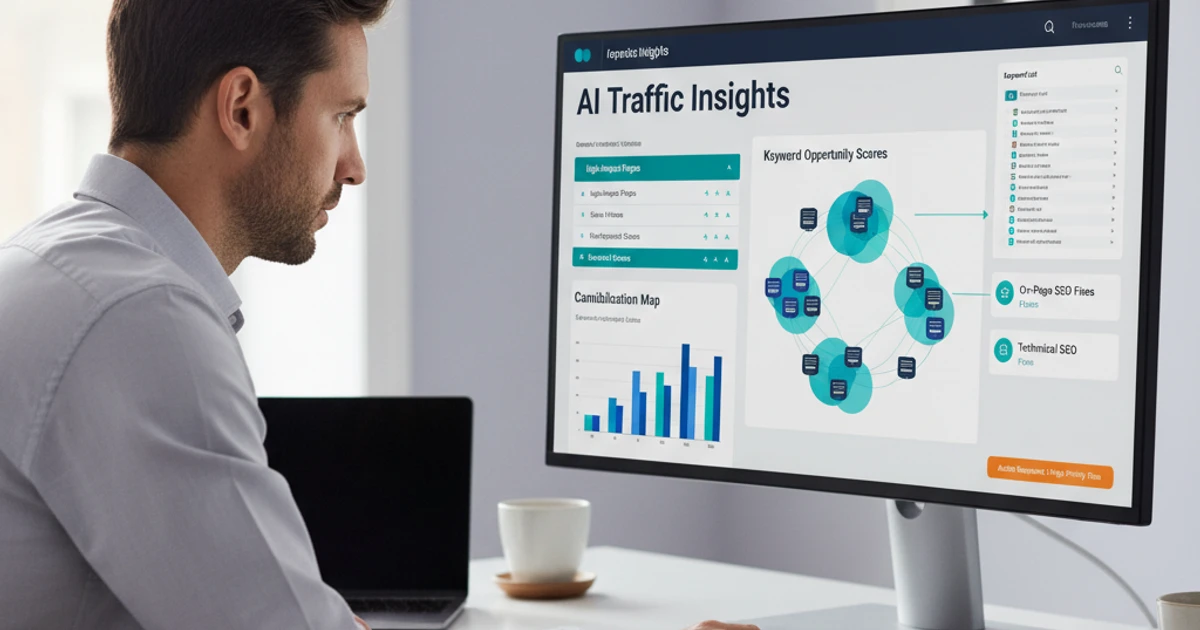
An AI traffic analyzer can score each URL by blending traffic, rankings, engagement, and conversion data into a single opportunity metric. This makes it easier for SEO and growth teams to know which 10–20 pages will move the needle fastest, instead of spreading effort thinly across hundreds of URLs.
For example, an ecommerce brand using Similarweb or Semrush can flag a category page that ranks #9–12 for “women’s running shoes,” has strong add‑to‑cart rates, but relatively low impressions. The AI score highlights it as a high‑impact SEO candidate because modest ranking gains could translate directly to revenue.
Quick‑win keywords often sit on page two or three for queries with solid volume and commercial intent. AI models surface terms like “best CRM for real estate agents” where a HubSpot blog post might sit at position 16 while already driving assisted signups. Prioritizing on‑page refinements, richer comparison content, and internal links around these terms can yield faster organic visibility gains than chasing brand‑new topics.
Detecting content gaps and new keyword opportunities from traffic patterns
AI traffic analyzers can mine internal search logs, SERP behavior, and user paths to spot unanswered questions in your content. When users frequently search your site for “pricing calculator” or “API limits” and bounce to Google, that pattern signals a gap your content has not covered clearly.
Using topic modeling and clustering, tools like Ahrefs and Google’s own NLP APIs can group related long‑tail queries such as “Shopify SEO checklist,” “Shopify SEO apps,” and “Shopify SEO for beginners” into a single content cluster. If competitors like Shopify’s own blog or BigCommerce cover these subtopics in detail while your SaaS platform has only one generic guide, the AI will flag that as thin coverage and recommend a series of focused articles and support pages to close the gap.
Uncovering cannibalization and internal competition between pages
When multiple pages target the same keyword, AI can detect cannibalization by comparing ranking volatility, CTR, and URL switching in the SERPs. A common scenario is two blog posts and a category page all trying to rank for “project management software,” causing Google to alternate which one it shows.
By aggregating Search Console data, an AI system can reveal that the blog post receives higher CTR but the product page converts better. It can then recommend consolidating overlapping content into a single, authoritative guide, adding canonical tags, or re‑positioning one article for “project management software for startups” instead. This reduces internal competition and stabilizes rankings around the most commercially valuable URL.
Aligning AI search visibility insights with on-page and technical SEO fixes
AI insights are only valuable if they translate into clear on‑page and technical tasks. An effective workflow is to map each insight—such as low CTR on position‑5 results or weak crawl depth—to specific actions like rewriting title tags, adding FAQ schema, or improving internal links to buried pages.
For instance, an AI traffic analyzer might correlate traffic drops with Core Web Vitals issues detected by Google PageSpeed Insights on key product pages. SEO teams can then build a prioritized backlog: first, fix LCP and CLS on high‑revenue URLs; second, refresh content around identified quick‑win keywords; third, update internal link structures to support newly created gap‑filling content. This keeps technical and content efforts tightly aligned with search visibility gains.
Related Articles:
Reference: → why-index-pages-on-google
Reference: → time-for-indexing-on-google
Reference: The 12 Best AI Search Visibility Tools to Dominate in 2026
4. Turning AI SEO Insights into Actionable Optimization Strategies
Prioritizing SEO tasks using AI-driven impact and effort models
AI is most valuable when it turns noisy data into a clear action list. Impact–effort models help you decide which SEO changes should ship this week versus next quarter.
Start by using AI scoring to estimate uplift for each action: for example, predicting that rewriting thin blog content could drive a 20–30% traffic gain while a schema tweak might add 3–5%. Agencies like Xponent21 used similar AI-led prioritization to engineer a 4162% traffic increase in under a year by focusing first on changes with the highest modeled impact.
Layer in effort and complexity by tagging tasks with development hours, design needs, and stakeholder approvals. Then build a dynamic roadmap in tools like Asana or Jira that updates automatically as new performance data feeds your AI model and reshuffles priorities.
Personalizing content and user experiences based on traffic behavior
AI-driven personalization lets you give different visitors exactly what they need without hard-coding dozens of page versions. The goal is to match intent, device, and industry with content that feels tailored, not generic.
Segment traffic by behavior and source: for instance, show first-time organic visitors from manufacturing a case study hero block, while returning SaaS visitors see a comparison guide. HubSpot and Adobe Target users often personalize homepage banners and resource modules this way, using AI to predict which content block leads each segment to higher engagement and demo requests.
Then test variants. Run controlled experiments where one group sees industry-specific proof points and another sees pricing-focused CTAs. Track scroll depth, time on page, and lead quality to confirm which personalization rules genuinely move revenue, not just clicks.
Improving CTR and engagement with AI-optimized titles and meta descriptions
Even strong rankings underperform if your snippets fail to win the click. AI can flag underperformers by comparing actual CTR to expected CTR for each average position.
Export Search Console data and let AI cluster pages with low CTR at positions 1–5. Then generate 5–10 alternative title tags and meta descriptions per URL that emphasize benefits, specificity, and search intent. For instance, an agency blog that changed a generic title like “AI SEO Tips” to “AI SEO Case Study: 4162% Traffic Growth in 11 Months” (modeled after the Xponent21 AI SEO case study) can see double-digit CTR lifts.
Roll new snippets out in batches and measure impact on impressions, clicks, bounce rate, and assisted conversions. When a pattern works—such as including a concrete outcome or timeframe—codify it into your title and meta writing guidelines.
Using AI to test and refine page layouts, internal links, and calls-to-action
Layout and internal links quietly determine how much value you extract from each visitor. AI helps you test variations at scale and uncover non-obvious patterns that improve engagement.
Run AI-assisted A/B tests on hero layout, navigation depth, and content modules. Tools like Optimizely or Google Optimize 360 (for enterprises) can pair with AI models to predict which variants will drive more scrolls, clicks to key sections, and form submissions. At the same time, use AI to map topical clusters and recommend internal links from high-authority articles to key service pages to strengthen relevance and crawl paths.
For CTAs, train models on historical behavior to suggest optimal placement and copy—e.g., moving “Book a Strategy Call” to mid-article on high-intent posts, while using “Download the AI SEO Playbook” on early-stage guides. Validate predictions with live tests and keep iterating as user behavior shifts over time.
Reference: How to boost local SEO: 4 AI-driven tactics that get results
5. Automation and Reporting: Scaling SEO with AI Traffic Analyzers
5. Automation and Reporting: Scaling SEO with AI Traffic Analyzers
Setting up automated alerts for traffic anomalies and SEO issues
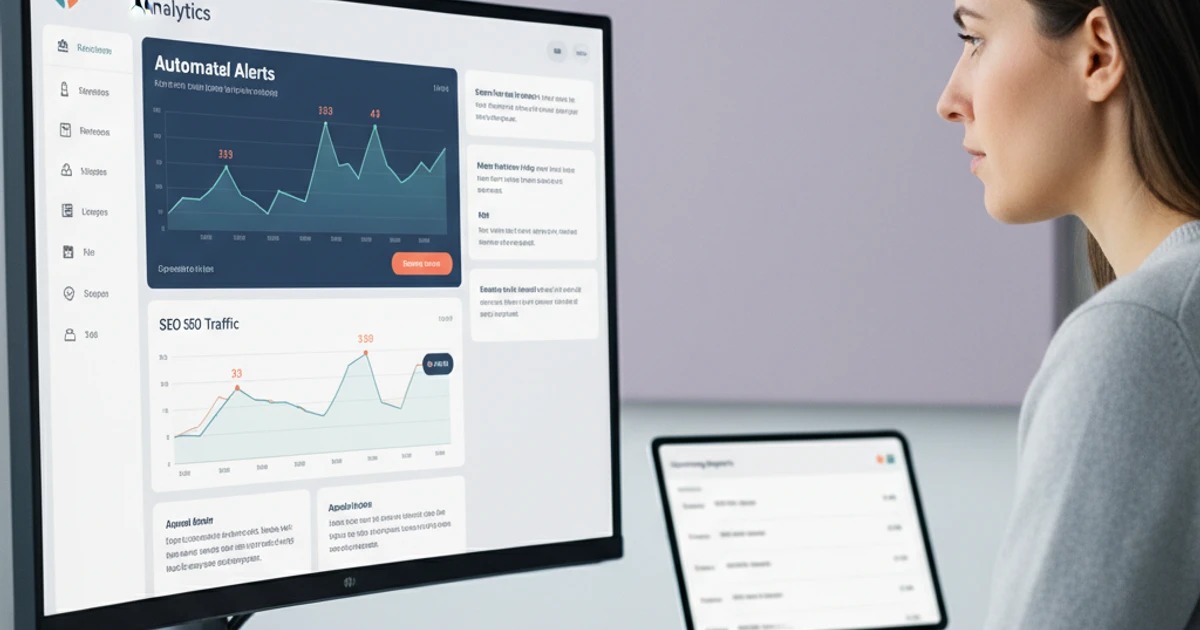
AI traffic analyzers can monitor organic performance 24/7 and flag issues long before a weekly report would. By pairing tools like GA4 anomaly detection with SEO suites such as Semrush or Ahrefs, you can catch drops tied to algorithm updates, broken pages, or tracking problems within hours.
For example, an ecommerce brand might configure alerts for a 25% day‑over‑day drop in organic sessions to product pages, or a 40% spike in bounce rate from Google organic. Rank-based alerts can trigger when a money keyword falls out of the top 10, while technical alerts fire on sudden increases in 4xx/5xx errors in Google Search Console.
Route these alerts into Slack, Microsoft Teams, or Jira so the right owner responds quickly. Many teams create separate channels for "SEO‑critical" vs. "FYI" alerts, ensuring engineers see crawl error spikes while content teams get notified about ranking volatility or conversion drops from organic.
Building AI-powered dashboards for stakeholders and clients
Well-designed dashboards turn noisy SEO data into clear narratives for decision‑makers. Using Looker Studio, Power BI, or Tableau connected to GA4, GSC, and your AI analyzer, you can surface KPIs like non‑brand organic traffic, revenue, and assisted conversions alongside AI-derived insights.
Executives usually get a high‑level view: M/M organic revenue change, top winning and losing landing pages, and AI-generated risk scores for key segments. SEO specialists and agencies can use deeper views that include keyword clusters, SERP feature visibility, and technical health scores, similar to how agencies use dashboards built on SEOmonitor or Conductor.
Include trend analysis and simple forecasts so stakeholders can see where traffic is heading under current conditions. Scenario widgets—such as "What if we improve Core Web Vitals for blog templates by 20%?"—help teams prioritize projects that AI models predict will have the greatest impact on organic growth.
Automating recurring SEO reports with narrative insights, not just charts
AI can transform static monthly SEO decks into automated reports that explain what changed and why. Tools that combine GA4, GSC, and rank data with large language models can generate written summaries that highlight key movements instead of forcing teams to interpret dozens of charts.
For instance, a B2B SaaS company might receive a monthly report stating: "Organic sign‑ups increased 18% month over month, primarily from ‘project management software for agencies’ and related long‑tail terms. New comparison pages contributed 65% of this lift." This narrative gives context that pure graphs rarely provide.
Include sections that call out wins, risks, and recommended actions right beside visualizations. When agencies replace manual PowerPoint reporting with automated narratives pushed via PDF or Notion, they often cut reporting time by 50–70%, freeing strategists to focus on testing new content angles or technical improvements.
Integrating AI traffic analyzers with other marketing and analytics tools
To truly scale, AI traffic analyzers must sit inside your broader marketing stack, not operate as a silo. Connect them to GA4, Google Search Console, Bing Webmaster Tools, your CRM (such as HubSpot or Salesforce), and ad platforms to align organic insights with revenue and paid performance.
Many teams push AI SEO insights into project management tools like Asana, Jira, or Monday.com, automatically creating tasks when the analyzer detects opportunities—such as pages with high impressions but low CTR, or high‑intent keywords lacking landing pages. This keeps SEO actions visible in the same place as dev and content work.
Bidirectional data flow is key. When a content update goes live in your CMS or a technical fix is deployed, that metadata should feed back into the AI analyzer so it can evaluate impact over time. This tight feedback loop helps marketing leaders prioritize initiatives that actually move organic traffic, leads, and revenue.
Related Articles:
Reference: → why-index-pages-on-google
Reference: → time-for-indexing-on-google
Reference: 5 AI SEO Case Studies to Scale Your Organic Traffic
6. Choosing the Right AI Traffic Analyzer for Your Business
Key features to evaluate in AI SEO tools and traffic analyzers
Choosing an AI traffic analyzer starts with understanding how deep its analysis can go. Look for tools that support advanced segmentation, predictive modeling, and opportunity scoring so you can prioritize effort, not just report on visits. Platforms like Semrush and Similarweb, for instance, use predictive traffic trends to flag pages likely to lose visibility before rankings drop.
Assess integration breadth with your current stack. An analyzer that connects with GA4, Google Search Console, and tools like Ahrefs or HubSpot lets you align keyword data, traffic, and revenue in one place. Also review the quality and clarity of AI recommendations: tools such as IBM Watson-powered solutions or SEOmonitor explain why they recommend changes, which helps SEO teams justify actions to stakeholders.
Data privacy, security, and compliance considerations
Any AI SEO platform touching user-level data must treat privacy as non‑negotiable. Confirm how it handles PII, anonymization, and data retention policies; for example, check whether IPs are masked by default and how long raw logs are stored. Enterprise-focused tools like Adobe Analytics publicly document retention windows and anonymization practices, which can be a benchmark for your evaluation.
For brands with European or California traffic, validate GDPR and CCPA compliance, including data processing agreements and regional data centers. Ask vendors about SOC 2 reports, SSO support, and role-based access controls so only approved users can view sensitive data. Robust audit logs are critical for agencies managing dozens of clients who may request proof of who accessed what and when.
Compatibility with existing analytics and data stack
Your AI traffic analyzer should layer on top of, not replace, core analytics. Confirm native connectors for GA4, Google Search Console, server log files, and CRM platforms like Salesforce. For example, enterprise SEO suites such as Conductor or BrightEdge integrate with Search Console and CRM data to tie keyword performance to pipeline and closed-won revenue.
If you use a data warehouse like Snowflake, BigQuery, or Redshift, verify whether the tool supports direct connections or scheduled exports. API access is crucial for custom dashboards in Looker or Power BI. Ask to see sample API documentation and rate limits so you know whether you can automate weekly SEO performance reports across hundreds of landing pages without hitting technical ceilings.
Budget, scalability, and support factors for brands vs. agencies
Pricing models for AI traffic analyzers often scale by traffic volume, number of tracked keywords, or user seats. Single-brand marketing teams may prefer a predictable flat fee like those offered by tools such as Mangools, while agencies might benefit from tiered plans that expand across dozens of domains. Map projected traffic growth and the number of client properties to avoid surprise overages.
Scalability and support matter even more for agencies managing multi-market portfolios. Look for multi-site dashboards, cross-domain reporting, and sub-account permissions so each client stays isolated. Evaluate the depth of onboarding, training, and documentation; vendors like Ahrefs and Moz invest heavily in courses and help centers, which shortens ramp-up time for new team members and junior SEO analysts.
Reference: Best 6 AI Traffic Analysis Tools for AI Search Visibility ...
7. Implementation Best Practices and Common Pitfalls to Avoid

7. Implementation Best Practices and Common Pitfalls to Avoid
Preparing your data and tracking setup for AI-powered analysis
AI models are only as strong as the analytics foundation behind them. Before relying on predictive insights or automated recommendations, ensure your tracking is accurate, consistent, and aligned with your business objectives.
Start by auditing your current setup in tools like Google Analytics 4 and Adobe Analytics to identify missing events, double-counted sessions, and inconsistent goals. For example, HubSpot reported a significant lift in attribution accuracy after standardizing event tracking across their web properties, which then improved their lead-scoring models.
Standardize event naming and conversions across domains and apps so “add_to_cart,” “add-to-cart,” and “AddCart” don’t fragment your AI models. Confirm that at least 6–12 months of historical data is available and usable; Meta’s Advantage+ and Google Ads’ Smart Bidding both perform better when they can learn from longer, stable conversion histories.
Ensuring clean, consistent data to improve AI recommendation quality
Dirty data leads to misleading AI outputs, wasted ad spend, and flawed SEO decisions. A disciplined approach to data hygiene keeps your models reliable and your insights trustworthy.
Implement filters, bot exclusions, and spam controls to block fake traffic and referral spam. For instance, Cloudflare Bot Management or reCAPTCHA can help reduce non-human hits that would otherwise inflate engagement metrics and mislead AI-driven bid strategies.
Document UTM conventions, channel groupings, and taxonomy in a shared playbook, then schedule monthly reviews to catch drift. Many agencies use tools like Looker Studio or Power BI with anomaly alerts to flag sudden spikes in direct traffic or “(not set)” values, prompting quick validation before those errors corrupt AI models.
Aligning marketing, SEO, and analytics teams around AI insights
AI-driven analysis only creates value when teams act on it in a coordinated way. Misaligned KPIs or conflicting interpretations of the same model output often stall progress.
Define shared KPIs—such as qualified leads, revenue per session, or LTV—so paid, SEO, and analytics teams optimize toward the same goals. For example, at Shopify, product and marketing teams align on activation metrics, enabling consistent use of predictive models across channels.
Create recurring workflows where AI findings are reviewed, prioritized, and assigned owners. Train stakeholders with short Loom walkthroughs or internal office hours so they understand concepts like model confidence, attribution windows, and why not every AI suggestion should trigger an immediate change.
Avoiding over-reliance on AI: balancing automation with human judgment
AI can surface patterns humans miss, but it still reflects the biases and gaps in its training data. Blindly accepting recommendations can lead to over-optimizing for short-term clicks while neglecting brand and customer experience.
Use expert review before major strategic shifts. For instance, when Google Ads’ Smart Bidding aggressively reallocates budget to a single keyword, have a strategist validate that the traffic is high-intent and on-brand, not just cheap. Combine quantitative AI insights with qualitative inputs like Hotjar session recordings, user interviews, and support ticket themes.
These checks keep automation as a powerful assistant—not the sole decision-maker—and protect your brand from chasing misleading correlations or seasonal anomalies that models may misinterpret.
Related Articles:
Reference: → time-for-indexing-on-google
Reference: → why-index-pages-on-google
Reference: 7 Common IDP Implementation Pitfalls (and How to Avoid ...
8. Measuring ROI from AI-Powered Website Traffic Analysis
Defining success metrics for AI search visibility improvements
AI-powered traffic analysis only delivers value if you define what success looks like. Start by choosing clear SEO KPIs such as organic sessions, impressions, average position, and CTR in Google Search Console. For example, an ecommerce brand might track a 20% increase in organic sessions and a 2–3 point improvement in average ranking for key commercial terms after implementing AI-driven content optimization.
Layer in engagement metrics from tools like Google Analytics 4, Hotjar, or Microsoft Clarity. Monitor time on page, scroll depth, and bounce rate to see whether AI-recommended changes actually improve content quality and intent match. If an AI-tuned buying guide sees scroll depth jump from 40% to 70% and bounce rate drop by 15%, that’s a strong signal the traffic you’re attracting is more qualified.
Align these SEO metrics with business objectives like lead volume, demo requests, or add‑to‑cart events. At B2B companies such as HubSpot, SEO teams tie topic cluster performance directly to MQLs and pipeline, which makes it far easier to get buy‑in for continued investment in AI-driven search visibility.
Connecting AI traffic insights to revenue, leads, and retention
To prove ROI, you need a clear line from AI-powered insights to dollars. Use attribution in GA4 or tools like HubSpot and Salesforce to connect organic traffic lifts to lead volume and closed revenue. For example, after AI-optimizing product category pages, a SaaS brand might see organic sign‑ups grow 30% and attribute an extra $250,000 in ARR to those new visitors.
Track how AI-recommended UX and content changes affect conversion rate and LTV. Booking.com, for instance, runs constant AI-driven tests on copy and layout; even a 0.5% uplift in conversion on high-traffic pages can translate into millions in incremental revenue over a year.
Use cohort analysis to understand retention and repeat engagement from organic users acquired after AI changes. In tools like Mixpanel or Amplitude, compare cohorts who arrived via improved AI-optimized landing pages vs. legacy pages. If 90‑day retention is 10–15% higher for AI-influenced cohorts, that strengthens the business case for scaling these efforts.
Setting realistic timelines and benchmarks for performance gains
Before deploying AI to optimize content or technical SEO, capture baselines for traffic, rankings, and conversions over at least 60–90 days. This gives you a clean comparison window once you roll out AI-recommended changes, especially for seasonal businesses or brands with uneven traffic patterns.
Set expectations by separating short-, medium-, and long‑term goals. In the first 30–60 days, focus on improved crawlability, indexation, and early ranking shifts. Over 3–6 months, target measurable gains in organic sessions and conversions. Case studies from tools like Semrush and Ahrefs often show that significant organic growth after major SEO improvements typically appears in the 4–9 month range.
Benchmark against your own historical data and industry standards. For instance, if your vertical’s average organic CTR for position 3 is 8–10% and your AI-optimized snippets are hitting 12–13%, you’re outperforming peers. Use sources like the Advanced Web Ranking CTR study or Sistrix benchmarks to validate whether your gains are realistic or indicate standout performance.
Building a continuous optimization loop with AI-driven feedback
AI-powered analysis works best as an ongoing feedback loop, not a one-time project. Use your AI tools to monitor the performance of implemented changes weekly, highlighting winning pages, slipping rankings, and new keyword opportunities. Platforms like Clearscope or Surfer SEO can automatically flag pages that fall below content quality thresholds as algorithms or competitors shift.
Feed fresh performance data back into your AI models to sharpen predictions. If your system learns that long-form comparison content consistently drives higher assisted revenue than short product pages, it can prioritize similar recommendations. This is the approach many mature SEO teams at brands like Zapier and Shopify use to inform their content roadmaps.
Support this with a culture of iterative testing. Run structured A/B or split tests on meta titles, internal linking, and content layouts inspired by AI insights, then promote winning variants. Over time, this compounding cycle of data → AI insight → experiment → measurement becomes a reliable engine for sustained organic growth and clear, defensible SEO ROI.
Reference: Top AI Search Metrics You Need to Measure Success
Conclusion: Turning AI Traffic Insights into Lasting SEO Advantage
Key takeaways and strategic implications
AI traffic analyzers transform isolated metrics into clear priorities that your SEO team can act on. Instead of sifting through Google Analytics and Search Console exports, tools like Ahrefs, Semrush, and Similarweb can flag which pages are losing share of voice, which keywords are close to page one, and where internal links will move the needle fastest.
For example, HubSpot reported a double-digit lift in organic leads after using AI-driven content audits to identify decaying posts and refresh them with new data and CTAs. That kind of targeted, insight-led work is only possible when raw traffic data is converted into focused SEO tasks.
Intelligent analysis also surfaces growth opportunities across the funnel. An AI model might reveal that informational posts bring 60% of traffic but only 15% of assisted conversions, prompting new middle-of-funnel guides and comparison pages. Automation then removes hours of manual reporting, so strategists can spend more time running tests, not building spreadsheets.
Aligning AI SEO tools with your data, stack, and business goals
AI SEO tools deliver the most value when they integrate smoothly with your analytics and workflows. Many enterprise teams connect tools like ContentKing or Conductor directly to Google Analytics 4, BigQuery, and Looker dashboards, so traffic, crawl, and conversion data all feed a single source of truth.
It is also critical to match capabilities with your current maturity level. A regional retailer might start with AI-assisted rank tracking and content briefs, while a brand like Shopify can justify custom models that merge SEO, product, and CRM data. As your program scales, revisit your stack at least annually to check whether your AI tooling still supports new markets, additional domains, and evolving revenue targets.
Next steps and suggested roadmap to get started
A practical way to begin is to run a pilot on a limited set of high-impact pages or a single domain. For instance, a B2B SaaS company could select 20 core product and comparison pages, then use AI insights to optimize internal links, update intent-aligned copy, and refine title tags for three months.
Define success before you start: set targets for organic sessions, non-branded conversions, and time to insight (for example, cutting SEO reporting time by 40%). If the pilot proves incremental revenue and efficiency, expand AI-driven analysis to new channels and regions in phases, documenting playbooks so product, content, and regional teams can replicate the approach consistently.
FAQs about AI Traffic Analyzers and AI SEO Tools
How does an AI traffic analyzer work differently from Google Analytics or GA4?
Google Analytics and GA4 act as robust data warehouses, but they still expect analysts to dig through reports and interpret what matters. An AI traffic analyzer layers machine learning on top of that data to prioritize insight over raw numbers.
Platforms like PaveAI or Oribi-style tools ingest GA4 data, then auto-cluster user behavior, flag statistically significant shifts, and translate findings into plain-language explanations and next-step recommendations.
Why should SEO teams invest in AI SEO tools instead of relying on manual analysis?
Manual spreadsheet work limits how often teams can review data and how deeply they can segment it. AI SEO tools such as Semrush’s AI Writing Assistant or Ahrefs’ anomaly alerts cut hours from keyword clustering, content gap analysis, and technical triage.
For example, an ecommerce brand with 50,000 SKUs can have product pages automatically grouped, prioritized by revenue potential, and mapped to intent-based keywords instead of relying on slow, manual keyword sorting.
When is the right time for a brand or agency to adopt AI-powered traffic analysis?
AI analysis delivers the most value once a site has consistent traffic and clean tracking. A B2B SaaS firm generating 30,000–50,000 monthly sessions and multiple lead funnels is primed for AI, because manual segmentation across channels, personas, and content types becomes unwieldy.
Agencies managing 10+ clients often adopt AI once leadership demands clearer forecasting and faster root-cause analysis for performance swings across their portfolio.